
DASH CAMERA INSTALLATION
Book Your Appointment
Choose date and time. Appointment stays pending until Tech Security USA confirms it.
TECH SECURITY USA · DASH CAMERA SALES · INSTALLATION
Dash Camera
Choose and install a dash camera for your everyday drive, rideshare vehicle, or business vehicle. Tech Security USA helps you compare coverage and plan a clean setup.
Serving Lynnwood & surrounding areas
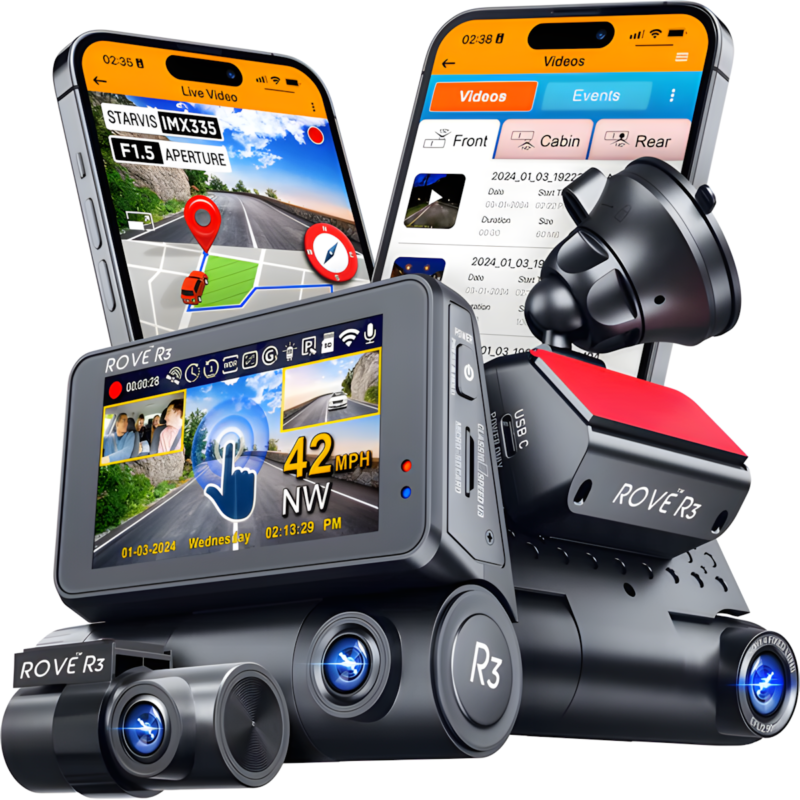
Find the coverage that fits your drive
Front-facing recording
Discuss a camera for the road ahead, including image quality, recording storage, and mounting position.
Front & rear coverage
Explore compatible front and rear camera systems and cable routing for your vehicle.
Cabin recording
For drivers who need an interior view, discuss cabin camera options and recording settings. Features vary by model.
Installation planned for your vehicle
1. Share vehicle details
Provide year, make, model, and any existing dash camera. Tell us whether you want road, rear, or cabin coverage.
2. Compare equipment & power
Discuss compatible cameras, storage, power connections, and parking-mode requirements where supported.
3. Install & set up
Agree on mounting and cable routing, then review recording settings and playback with the selected equipment.
Dash camera questions
Can you install a camera I already own?
Send the camera model and vehicle details so we can assess compatibility and installation requirements.
Will the camera record while parked?
Only some models support parking recording, and they may require compatible hardwiring or another power solution. Confirm requirements before installation.
Can I use a dash camera for Uber or Lyft?
Camera suitability depends on your vehicle and recording needs. Check the platform’s current rules and applicable recording requirements before enabling cabin or audio recording.
What will installation cost?
Cost depends on your vehicle, camera configuration, cable routing, and power setup. Contact us for a project-specific estimate.
Let’s talk about your project.
Tell Tech Security USA what you need, where you need it, and your preferred timing. Request a consultation and an estimate tailored to your setup.