

Intrusion Alarm System for Retail Store Setup
[yasr_overall_rating]
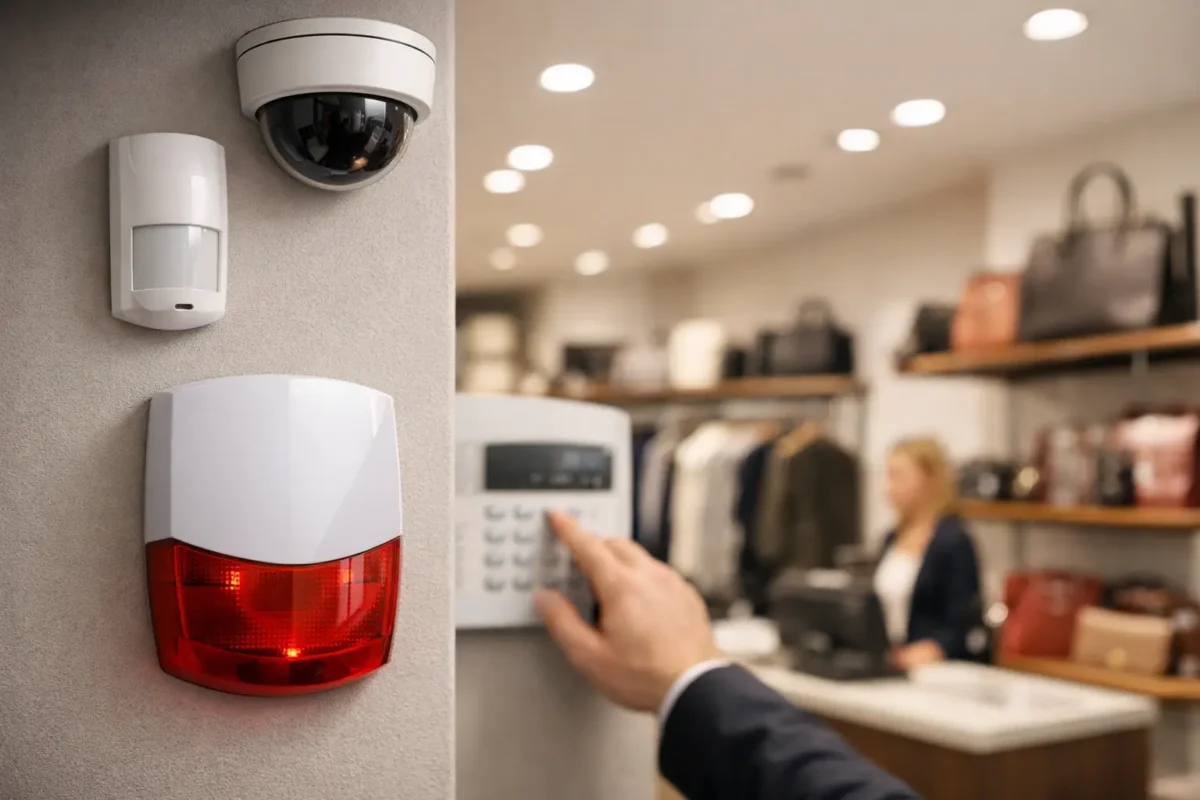
A break-in rarely happens at a convenient time. For retail owners, it usually hits after close, during a holiday weekend, or right when inventory levels are high and staffing is thin. That is why an intrusion alarm system for retail store security needs to do more than make noise. It needs to detect entry quickly, trigger the right response, and fit the way your business actually operates.
Retail spaces have a different risk profile than offices or warehouses. You have customer-facing entrances, rear delivery doors, stock rooms, cash handling areas, and often long operating hours with multiple employees arming and disarming the system. If the alarm is not designed around that reality, you end up with false alarms, blind spots, and a system that staff works around instead of using correctly.
What a retail intrusion alarm system needs to cover
At a basic level, a retail alarm system is there to detect unauthorized entry. In practice, the design matters just as much as the hardware. A small boutique with one front door needs a different layout than a smoke shop, jewelry store, or multi-entrance retail unit in a busy shopping center.
The foundation usually starts with door contacts on entry points and motion detection in key interior spaces. That sounds simple, but placement is where many systems go wrong. Front doors, rear exits, roof hatches, alley-facing service doors, and glass storefront sections all need to be evaluated. If your store has a vulnerable side entrance or thin glass near the register area, that should affect the sensor plan.
A proper intrusion alarm system for retail store environments also needs to account for what happens after detection. Audible sirens can help drive a fast exit and attract attention, but they are only one layer. Professional monitoring, verified alerts, and integration with cameras give you a much stronger response path, especially when no one is on site.
Intrusion alarm system for retail store risk points
Most retail losses do not come from a dramatic front-door smash-and-grab. They often come from easier access points that are overlooked during planning. Rear delivery doors, stock room access, roll-up doors, and shared building corridors can all create exposure.
For higher-risk retail categories, the stakes are even higher. Jewelry stores, smoke shops, convenience retail, and stores carrying high-value small goods are attractive targets because thieves can move in quickly and out just as fast. In those cases, perimeter protection alone is not enough. Interior layers matter. You may want motion sensors covering display zones, glass-break detection for storefront exposure, panic devices for staff, and after-hours partitioning that protects inventory or cash office areas separately from the sales floor.
This is where custom design matters. A system that looks fine on paper can still perform poorly if the sensor strategy does not match the actual building layout, operating schedule, and inventory profile.
Wired vs wireless in a retail environment
There is no single right answer here. It depends on the building, the timeline, and whether you are working in a new build, a remodel, or an occupied retail space.
Wired systems are often preferred for long-term commercial reliability. They are stable, harder to tamper with, and well suited for permanent installations where cable can be run cleanly. If you are building out a new store or doing a major renovation, wired is often worth considering.
Wireless systems can be the better fit when installation needs to move fast or when preserving finished walls and ceilings matters. For leased retail units, pop-up locations, or spaces where construction disruption needs to stay low, wireless can save time without sacrificing core functionality. The trade-off is that battery maintenance and signal planning need to be handled correctly.
A good installer will not force one format on every property. They will look at the site conditions, future expansion plans, and serviceability before recommending the panel and device mix.
Why alarm and video should work together
For most retail properties, alarm-only protection leaves too much unanswered. You know a door opened, a motion sensor triggered, or glass was broken. What you do not know is who entered, how they moved through the space, or whether the alert was a real incident or user error.
That is why pairing alarms with business-grade surveillance is usually the stronger approach. When a monitored alarm event is tied to cameras covering entrances, sales floor zones, back doors, and cash wrap areas, you gain context immediately. You can verify events faster, support law enforcement, and reduce the confusion that comes with false dispatches.
This matters even more for owners managing multiple stores. Centralized visibility helps you see whether a location was opened on time, whether staff followed closeout procedures, and whether an alarm event needs an immediate response or just follow-up in the morning.
If you are already planning camera upgrades, it often makes sense to evaluate alarm integration at the same time. That keeps system design cleaner and avoids piecemeal hardware decisions.
Features worth paying for and features that depend
Not every retail store needs every alarm feature on the market. Spending should follow risk, not trends.
Professional monitoring is one feature that usually makes sense for retail. If a break-in happens at 2:00 a.m., relying on an app notification alone is not a serious response plan. Monitoring adds a layer of action when no one is actively watching the phone.
Cellular communication backup is also a strong investment. If internet service drops or a line is cut, the panel still needs a way to transmit signals. For businesses that cannot afford a communication gap, this is not a luxury item.
Partitioning is valuable when different parts of the property need different schedules. A manager may need access to the office while the showroom stays armed, or a receiving area may need separate control from the main sales floor. This is common in larger retail operations and stores with staggered staffing.
Panic buttons and hold-up devices depend on the business type. For stores handling cash, high-value merchandise, or late-hour traffic, they are often worth serious consideration. For lower-risk retail, they may be less urgent than perimeter and motion coverage.
Remote app control can be useful, but it should not replace proper user permissions, event logging, and staff training. Convenience features are only helpful when the system is configured around accountability.
Installation quality decides how well the system performs
A retail alarm system can have strong equipment on paper and still fail in daily use. Poor panel placement, weak communication setup, bad motion sensor angles, and incomplete testing are common reasons systems underperform.
Installation should start with a real site assessment. That includes door types, construction materials, ceiling height, storefront glass conditions, traffic flow, and where employees enter and exit during opening and closing. It should also include how the system will be used, not just where devices can be mounted.
Retail staff turnover is another practical issue. If your alarm is confusing to arm, difficult to disarm, or set up with generic user access, mistakes become routine. Proper setup includes user management, reporting, training, and clear procedures for closing, deliveries, cleaning crews, and manager access.
This is one reason many businesses prefer working with a provider that can handle design, installation coordination, and support instead of just shipping boxes. The system has to work after day one, not just pass an installation checklist.
Choosing the right partner for a retail alarm project
When you compare providers, ask direct operational questions. Who designs the system? Who installs it? How are false alarms reduced? What support is available if a panel goes offline or a device starts failing? Can the system expand if you add cameras, fire protection, or a second location later?
Price matters, but cheap hardware and rushed installation usually cost more over time. Retail owners need systems that are designed and installed correctly, supported locally or regionally, and built with business-grade components that can handle daily commercial use.
For stores in Seattle, California, and across the West Coast, that often means working with a security partner that understands both retail risk and deployment speed. Tech Security USA approaches these projects as full security builds, not one-size-fits-all alarm kits. That includes product guidance, installation support, and ongoing service when the system needs adjustment, expansion, or same day attention.
A better way to think about alarm protection
The right alarm system does not just react to a break-in. It supports store operations, protects inventory, reduces uncertainty after hours, and gives owners a clearer picture of what is happening across the property. If your retail location has weak points, inconsistent closing procedures, or no verified response path, the fix is not more guesswork. It is a system built around the way your store actually runs.
Posted on GoogleTrustindex verifies that the original source of the review is Google. I visited the Tech Security USA orange to install security cameras for my home. I found it a very professional company, with high quality products that were made me impressed. I recommend it to anyone who are looking a professional security cameras company in onrange city of Orange County CA.Posted on GoogleTrustindex verifies that the original source of the review is Google. “Edit (this review is not “spam” which the owner claims it is and the story is absolutely real however it was about 2 years ago and if I wasn’t shy back then(9th grade) or I wish I had done/said something about my dad and I being taken advantage of as it was a scam (quoted at around $150 but after having to wait 3weeks instead of 3 days for the guy to charge us $300 for a cheap screen that no longer had a haptic button or working Touch ID along with many white pressure dots along the edges). Do not go here. If you look at most of their 5-star reviews, they are older than 7 years. I went here recently to fix my iPad Air (3rd gen). The problem was the screen's backlight wouldn't work, so it would just show a black image. The technician said he could get it done for around $150 and in 2-3 days he would call us (my dad and I). After a week of waiting, we decided to call but to no avail. We went to the place to check up on the work done, if any. We got there and the iPad was in the exact same spot as the day we left it there. The guy told us it would be ready in about 4 days, no later, and that he would call us. We never got the call, so we went back after about another 3 days of waiting for a call (2 weeks now). After waiting, we went back to the store for the iPad, and it appeared to us as if he had just gotten started by breaking the screen to replace it. After another week, we came back and he pulled it out from a drawer saying something along the lines of, "I was about to call you guys." The screen was working, but it was clearly a cheap screen that was ordered online, and the Touch ID didn’t work anymore. The button was replaced with a non-haptic one. There are many white dots along the edges of the screen that look as if someone pressed their thumb down too hard for too long. The guy said with all the "extra" work done to it, the new total would be $300. When my dad and I looked at each other, we knew that wasn’t right, but I watched my dad grab his wallet and pay. I wish I had said something because we were taken advantage of, and after a week, the iPad's screen isn’t functioning properly as it feels unresponsive.Posted on GoogleTrustindex verifies that the original source of the review is Google. Will somebody please tell the owner to stop responding? She’s only validating the bad reviews.Posted on GoogleTrustindex verifies that the original source of the review is Google. Little messy inside but brought an old Moto Z2 Play in to finalize my failed battery self install. Done when promised, phone looked as good as new and works fine. I'm happy.Posted on GoogleTrustindex verifies that the original source of the review is Google. Garbage screen quality do not come here the screen is more different then a regular apple screen they use low quality screens the whole screen shattered and has black lines throughout it after a tiny drop with a screen protector.Posted on GoogleTrustindex verifies that the original source of the review is Google. I needed a battery replacement for my Huawei p10, the engineer fixed it in a few days (he had to order the battery) and it was reasonable priced, very good, thank youPosted on GoogleTrustindex verifies that the original source of the review is Google. Great location and employees. Really came through when I needed help. Recommend this place to anyone.Posted on GoogleTrustindex verifies that the original source of the review is Google. My go to place for any laptop and iPhone repairs. Also very friendly and experienced guy James.
Resent Posts

How to Design Jobsite Surveillance That Works
21 October 2026

Surveillance System Maintenance Guide for Uptime
19 October 2026
Table of Contents