

Commercial Security Camera System Design
[yasr_overall_rating]
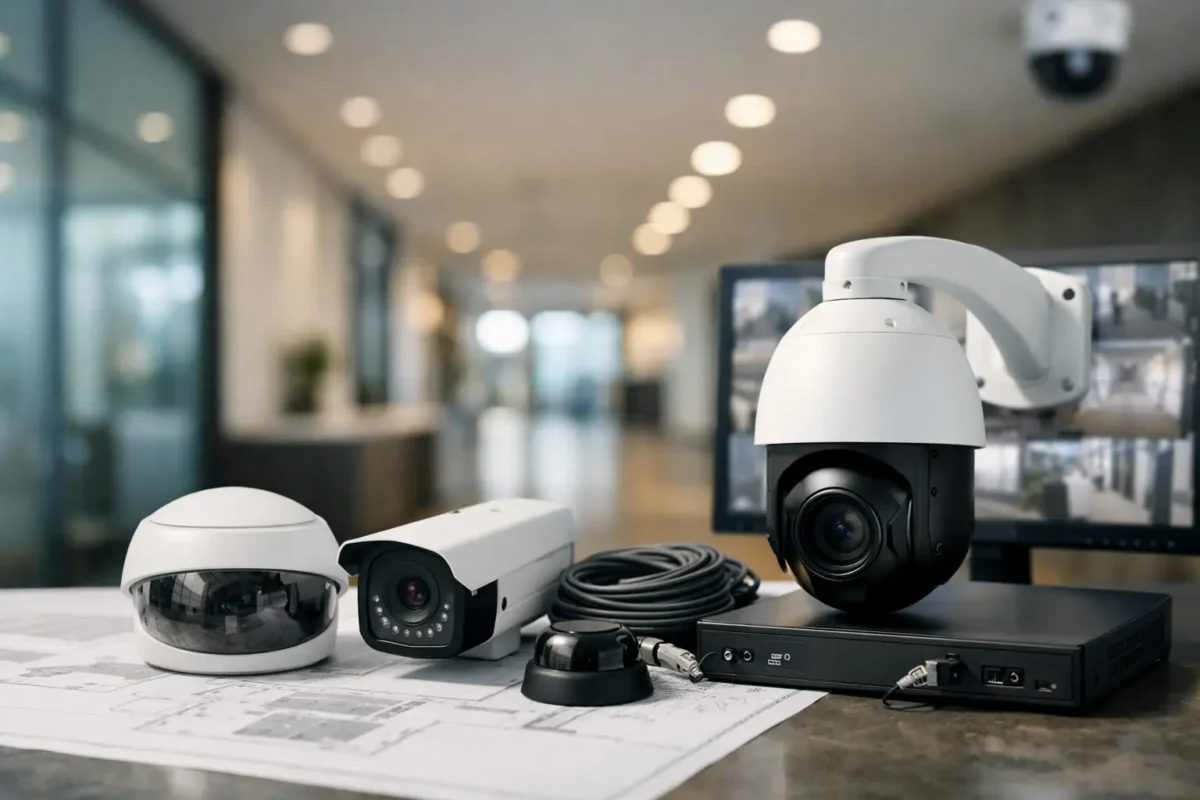
A camera pointed at the front door is not a security plan. Most commercial losses happen in the gaps – the side gate with no lighting, the register angle that misses hand movement, the parking lot lane where plates wash out at night, or the back hallway where no one checked bandwidth before adding more cameras. Commercial security camera system design is the process that prevents those mistakes before hardware gets mounted.
For business owners, property managers, and contractors, good design is less about buying more cameras and more about making sure every camera has a job. A system should deter theft, document incidents clearly, support operations, and stay reliable under daily use. That means matching camera type, placement, recording method, network capacity, and installation standards to the property itself.
What commercial security camera system design should accomplish
A well-designed system does three things at once. It gives you usable evidence, it gives staff and customers visible confidence, and it avoids creating maintenance problems six months after install. If one of those pieces is missing, the system usually underperforms.
Usable evidence means more than having footage. The image has to show what matters at the point where it matters. In a smoke shop, that might mean clear face capture at the sales floor and transaction coverage at the counter. In a daycare, it may mean controlled access points, playground visibility, and interior coverage that supports safety procedures while respecting privacy requirements. In a jewelry store, the standard is usually higher – detailed close-range video, strong front-of-house deterrence, and dependable after-hours perimeter coverage.
Visible confidence matters because cameras do affect behavior. Well-placed business-grade devices, proper lighting, and clean installation send a message that the site is actively managed. That can reduce opportunistic theft and make staff feel better supported.
Long-term reliability comes down to infrastructure. A system with the wrong recorder, weak switching, poor cable termination, or undersized storage may work on day one and fail when it matters most. Design has to account for real operating conditions, not ideal lab specs.
Start with risk, not equipment
The first step in commercial security camera system design is identifying what the property needs to protect. Different sites have different priorities, and the design changes accordingly.
Retail stores usually care about entrances, point-of-sale areas, inventory movement, loitering, and after-hours break-ins. Parking facilities care about vehicle flow, plate capture, perimeter visibility, and lighting consistency. Construction sites need wide-area visibility, remote access, temporary power or LTE connectivity, and equipment protection across changing site conditions. Multi-tenant properties often focus on shared entries, loading areas, elevators, and liability documentation.
This is where a lot of self-built systems go off track. Owners often start by asking how many cameras they need. The better question is what events need to be seen clearly, where they happen, and under what lighting conditions. Once those answers are clear, camera count becomes much easier to define.
Coverage planning is about detail, not just visibility
Seeing an area is not the same as identifying a person or reading a plate. A broad overview camera can help with general activity, but it may not provide enough pixel density for evidence. On the other hand, a tight identification shot can miss the context around an incident. Most commercial sites need both.
That is why a strong design uses layered coverage. You might place a panoramic or fisheye camera to monitor an open lobby, then add fixed domes at entrances for face capture. A parking lot may use overview cameras for movement and PTZ units for active monitoring, but license plate recognition cameras still need dedicated placement and angle control if plate capture is a real requirement. One camera rarely handles all of those jobs well.
Mounting height also changes outcomes. Cameras installed too high often produce a nice overall image and poor identification. Cameras installed too low may be vulnerable to tampering or give a narrow field of view. There is always a trade-off between broad coverage, image detail, and physical protection. Good design balances those factors based on the site.
Choosing the right camera types
Not every commercial camera belongs on every property. The right mix depends on the use case, environment, and how footage will be reviewed.
Bullet cameras are often a strong fit for exterior perimeters, parking rows, and long corridors because they are visible and directional. Dome cameras work well indoors where a lower-profile appearance and tamper resistance matter. PTZ cameras are useful when there is active monitoring or a large outdoor area that benefits from remote control, but they should not replace fixed coverage in critical zones. A PTZ can only look at one place at a time.
AI cameras can add value when businesses want line crossing, intrusion alerts, human and vehicle classification, or searchable events. That said, analytics are only as good as the scene. Poor lighting, bad angles, or crowded environments can reduce accuracy. AI can improve response and reduce review time, but it does not remove the need for correct placement and setup.
Specialty devices matter in the right environments. License plate recognition cameras require proper lane control, speed expectation, and lighting conditions. Panorama and fisheye cameras are helpful in open interiors, warehouses, and lobbies where a single mounting point can reduce blind spots. Construction and job-site cameras often need weather durability, remote connectivity, and flexible deployment options that standard office systems do not.
Recording, storage, and retention need real planning
One of the biggest design mistakes is underestimating storage. Businesses ask for 30, 60, or 90 days of retention, then discover after installation that their recorder only supports a fraction of that once full-resolution recording starts.
Retention depends on resolution, frame rate, compression, recording schedule, and how many cameras are recording continuously versus on event. Higher quality is useful, but there is no point in overspecifying video that inflates storage costs without improving evidence quality at the target distance.
Recorder selection also matters. An NVR should have enough throughput for the actual camera load, not just the current count on paper. If expansion is likely, the system should be designed with headroom. The same applies to drives, PoE switching, and remote viewing capacity. A commercial system should be built to run consistently, not barely.
Network and power are part of the camera system
Cameras do not operate separately from the network. They rely on structured cabling, switching, power budget, uplink capacity, and secure remote access. If any of those parts are weak, the system becomes unreliable no matter how good the cameras are.
For some properties, existing network infrastructure can support surveillance traffic. For others, it makes more sense to separate the security network to protect performance and simplify management. On larger sites, distance limits, outdoor runs, and environmental exposure can change the cabling and switch plan. For remote yards, temporary sites, or locations without stable wired internet, LTE or 5G connectivity may be the practical answer.
Power backup is another overlooked design item. If security cameras are expected to document incidents during outages, the recorder, switches, and network equipment need appropriate battery backup. Otherwise, the system goes dark exactly when it may be needed most.
Installation quality changes system performance
Commercial security camera system design is only as good as the installation that follows it. Camera placement can be perfect on paper and still fail if focus is off, weather seals are compromised, conduit is poorly run, or night settings are never tuned.
Business-grade installation means more than getting images on a screen. It means clean cable paths, proper terminations, secure mounting, weather-appropriate housings, tested remote access, accurate timestamps, and recorded views that match the original design intent. It also means training the customer on playback, export, and system health checks so the system is usable when an incident occurs.
This is where having design guidance, installation coordination, and post-install support under one service model makes a difference. Tech Security USA works with customers who want the system designed and installed correctly the first time, with hardware, setup, and support aligned from the start.
Design standards for common commercial environments
Different verticals deserve different design assumptions. A daycare may prioritize entry control, parent check-in visibility, outdoor play areas, and staff oversight with careful attention to privacy-sensitive spaces. A smoke shop often needs strong deterrence at entrances, clear transaction coverage, and dependable after-hours recording. Jewelry stores typically require overlapping coverage, higher image detail, and visible security presence at both public and employee-only areas. Parking lots and garages need vehicle movement tracking, nighttime performance, and plate-focused design where enforcement or incident review is part of the job.
The common thread is that generic kits rarely match these needs. A system should reflect how the property operates every day, not just how it looks on a floor plan.
When to redesign instead of adding more cameras
Many businesses call for extra cameras after a failure point appears. Sometimes that is the right move. Often, it is a sign that the original system was never designed around the real risk areas.
If footage is consistently too wide, nighttime performance is poor, storage runs short, or staff cannot retrieve clips quickly, adding random cameras may only make the system harder to manage. At that stage, a redesign is usually the smarter investment. That may involve relocating cameras, upgrading recorders, improving lighting, segmenting the network, or replacing a few poorly matched devices with the right ones.
A reliable camera system should support operations every day and hold up when something goes wrong. If your current setup does not do both, the fix is not always more equipment. Sometimes it is better design, better installation, and better support behind the system. That is where the right partner saves you time, money, and frustration later.
Posted on GoogleTrustindex verifies that the original source of the review is Google. I visited the Tech Security USA orange to install security cameras for my home. I found it a very professional company, with high quality products that were made me impressed. I recommend it to anyone who are looking a professional security cameras company in onrange city of Orange County CA.Posted on GoogleTrustindex verifies that the original source of the review is Google. “Edit (this review is not “spam” which the owner claims it is and the story is absolutely real however it was about 2 years ago and if I wasn’t shy back then(9th grade) or I wish I had done/said something about my dad and I being taken advantage of as it was a scam (quoted at around $150 but after having to wait 3weeks instead of 3 days for the guy to charge us $300 for a cheap screen that no longer had a haptic button or working Touch ID along with many white pressure dots along the edges). Do not go here. If you look at most of their 5-star reviews, they are older than 7 years. I went here recently to fix my iPad Air (3rd gen). The problem was the screen's backlight wouldn't work, so it would just show a black image. The technician said he could get it done for around $150 and in 2-3 days he would call us (my dad and I). After a week of waiting, we decided to call but to no avail. We went to the place to check up on the work done, if any. We got there and the iPad was in the exact same spot as the day we left it there. The guy told us it would be ready in about 4 days, no later, and that he would call us. We never got the call, so we went back after about another 3 days of waiting for a call (2 weeks now). After waiting, we went back to the store for the iPad, and it appeared to us as if he had just gotten started by breaking the screen to replace it. After another week, we came back and he pulled it out from a drawer saying something along the lines of, "I was about to call you guys." The screen was working, but it was clearly a cheap screen that was ordered online, and the Touch ID didn’t work anymore. The button was replaced with a non-haptic one. There are many white dots along the edges of the screen that look as if someone pressed their thumb down too hard for too long. The guy said with all the "extra" work done to it, the new total would be $300. When my dad and I looked at each other, we knew that wasn’t right, but I watched my dad grab his wallet and pay. I wish I had said something because we were taken advantage of, and after a week, the iPad's screen isn’t functioning properly as it feels unresponsive.Posted on GoogleTrustindex verifies that the original source of the review is Google. Will somebody please tell the owner to stop responding? She’s only validating the bad reviews.Posted on GoogleTrustindex verifies that the original source of the review is Google. Little messy inside but brought an old Moto Z2 Play in to finalize my failed battery self install. Done when promised, phone looked as good as new and works fine. I'm happy.Posted on GoogleTrustindex verifies that the original source of the review is Google. Garbage screen quality do not come here the screen is more different then a regular apple screen they use low quality screens the whole screen shattered and has black lines throughout it after a tiny drop with a screen protector.Posted on GoogleTrustindex verifies that the original source of the review is Google. I needed a battery replacement for my Huawei p10, the engineer fixed it in a few days (he had to order the battery) and it was reasonable priced, very good, thank youPosted on GoogleTrustindex verifies that the original source of the review is Google. Great location and employees. Really came through when I needed help. Recommend this place to anyone.Posted on GoogleTrustindex verifies that the original source of the review is Google. My go to place for any laptop and iPhone repairs. Also very friendly and experienced guy James.
Resent Posts

How to Design Jobsite Surveillance That Works
21 October 2026

Surveillance System Maintenance Guide for Uptime
19 October 2026
Table of Contents