
How to Prevent Retail Theft in Your Store
[yasr_overall_rating]
A missing item is rarely just a missing item. For a retailer, shrink can mean lost margin, disrupted staff time, higher insurance costs, and uncomfortable customer interactions. Learning how to prevent retail theft starts with accepting that no single camera, sign, or employee policy will solve the problem. The most effective stores combine visible deterrence, intelligent monitoring, disciplined operations, and a response plan that protects people first.
The right approach depends on your inventory, store layout, hours, staffing level, and risk profile. A jewelry counter requires different protection than a smoke shop, convenience store, apparel retailer, or multi-tenant shopping center. What does not change is the need for a system designed and installed correctly, with clear procedures behind it.
How to Prevent Retail Theft With Layered Security
Retail theft prevention works best in layers. Each layer should make theft more difficult, more visible, or less rewarding. When the layers support one another, a potential offender is more likely to leave before an incident happens.
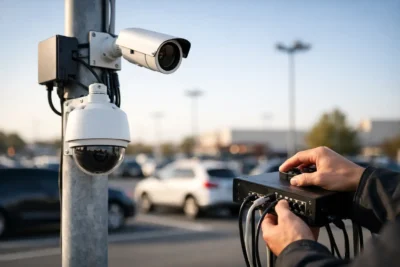
Start outside the front door. A clean, well-lit storefront sends a different message than an entrance with blind spots, damaged fixtures, or no visible security presence. Exterior cameras covering entrances, storefront windows, loading areas, and parking zones establish that activity is documented before a person enters the store.
Inside, camera placement should follow merchandise flow, not simply ceiling lines. High-value displays, checkout counters, aisle ends, fitting rooms, stockroom doors, and emergency exits deserve direct coverage. Cameras should capture useful facial detail at entrances and transaction activity at the register, not just wide overhead views that show an incident without identifying the people involved.
Visible business-grade cameras are a deterrent, but visibility alone is not enough. A complete system needs reliable recording, adequate retention time, protected network equipment, and remote access for authorized managers. If footage is too dark, overwritten after a few days, or unavailable when an incident occurs, the system has not done its job.
Use Cameras That Match the Risk Area
Not every location needs the same camera. Fixed dome or bullet cameras can provide dependable coverage for aisles, entrances, and perimeter areas. AI-enabled cameras can help managers review activity more efficiently by filtering for people, vehicles, or targeted events instead of searching through hours of footage.
PTZ cameras may make sense for larger retail floors, parking lots, or properties with active on-site monitoring. License plate recognition cameras are especially useful for recurring issues around parking areas, curbside pickup zones, loading docks, and organized theft investigations. For stores with wide open layouts, panorama or fisheye cameras can reduce blind spots when selected and positioned with care.
The trade-off is simple: more coverage does not automatically mean better evidence. A poorly placed high-resolution camera can still miss a face, a handoff, or a point-of-sale transaction. A security professional should evaluate camera height, lighting conditions, reflections, shelving, entry paths, and the distance to the subject before finalizing the design.
Design the Store So Staff Can See It
Store layout has a direct effect on loss prevention. Tall displays near entrances, cluttered promotional racks, and inaccessible corners create concealment opportunities. Retailers should keep sightlines open from the register and employee work areas, particularly around high-theft merchandise and exits.
Place small, high-value, easily concealed products in staffed areas or secured displays. That does not mean every item needs to be locked behind glass. Excessive barriers can slow sales and frustrate legitimate shoppers. The goal is to use protection in proportion to the product’s value, theft history, and replacement cost.
For example, a smoke shop may need secured cases and direct camera coverage for premium products, while a boutique may benefit more from fitting room controls, well-spaced fixtures, and attentive floor coverage. Jewelry stores typically need controlled access to cases, panic alarms, high-definition transaction cameras, and procedures that limit how much inventory is displayed at one time.
Lighting also matters. Bright, consistent lighting improves camera performance and makes staff more aware of movement throughout the store. Check lighting after dark, not only during daytime hours. A camera view that appears clear in the showroom may become unusable when exterior glare, window reflections, or low light changes the scene.
Build Theft Prevention Into Daily Staff Routines
Technology supports employees. It does not replace alert, trained staff. A simple greeting at the door is one of the most practical deterrents available because it communicates awareness without accusing anyone. Employees should be trained to acknowledge customers promptly, maintain a visible presence, and offer assistance around targeted merchandise.
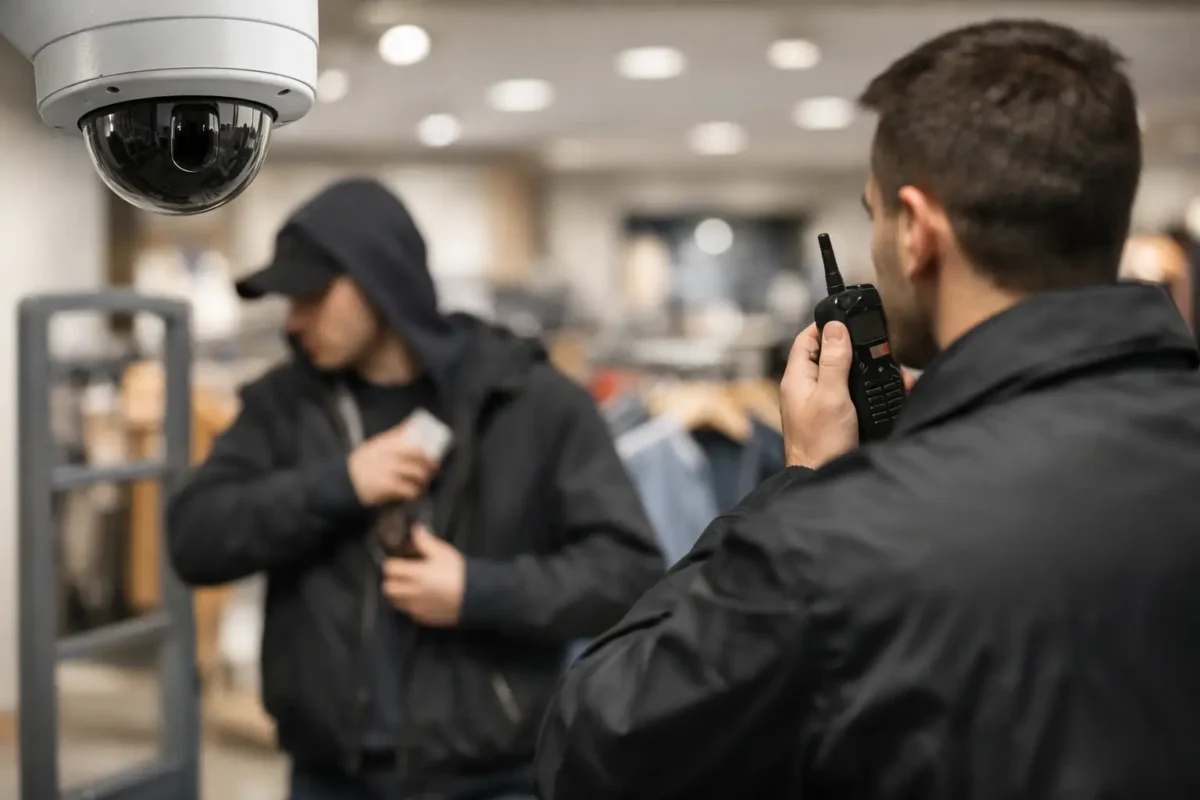
Staff training should also cover what not to do. Employees should not chase, physically restrain, or confront a suspected thief unless there is a specific, legally reviewed company policy and trained security personnel involved. Merchandise can be replaced. Employee and customer safety cannot.
Clear routines reduce internal and external loss. Managers should establish procedures for opening and closing, cash handling, refunds, voids, receiving deliveries, stockroom access, key control, and end-of-day register reconciliation. These routines should be consistent enough to audit but practical enough that staff will actually follow them during busy shifts.
When an incident occurs, staff should know who to notify, where to find the relevant camera footage, and how to document the date, time, description, items involved, and direction of travel. Preserving usable evidence quickly is often more valuable than trying to resolve an incident on the sales floor.
Watch for Operational Gaps, Not Just Shoplifting
Retail shrink is not limited to customers concealing products. It can also come from return fraud, employee theft, vendor access, receiving errors, and weak inventory controls. A store that focuses only on shoplifting may overlook the operational gaps causing the larger loss.
Compare point-of-sale exceptions with video from the register area. Review unusual refund patterns, repeated voids, no-sale drawer openings, and discount activity. Limit access to inventory rooms and require accountability when merchandise moves from receiving to the sales floor. For businesses with several locations, standardizing these controls makes it easier to identify which store needs attention.
This is where camera systems become an operational tool rather than a passive record. When managers can verify deliveries, review customer disputes, investigate cash discrepancies, and monitor after-hours access, security equipment supports the entire business.
Secure Entrances, Exits, and the Parking Area
Retailers often invest in interior coverage while leaving exterior risks under-addressed. Entrances and exits should have direct camera views, and emergency exits should be monitored for unauthorized use. Alarm contacts can notify designated personnel when a protected door opens outside normal conditions.
Parking lots deserve attention because theft, vehicle break-ins, employee safety concerns, and suspicious activity often begin or end there. Good lighting, clearly visible cameras, and coverage of vehicle approach routes improve deterrence and evidence quality. In higher-risk locations, license plate capture and monitored intrusion detection may be appropriate.
Do not forget the back of the building. Loading doors, dumpsters, receiving areas, and side gates can become easy access points if they are poorly lit or rarely inspected. Exterior cameras should be selected for weather exposure and nighttime performance, with recording equipment and network infrastructure protected from tampering.
Make Your Security System Easy to Use When It Counts
A complicated security system is often ignored until something goes wrong. Managers need straightforward access to live views, recorded video, alerts, and export tools. They also need to know that the system will remain operational when an internet connection drops, a camera is bumped out of position, or storage capacity fills up.
Before selecting equipment, ask practical questions: How long will footage be retained? Can the system capture faces at each entrance? Who receives alerts after hours? Can staff retrieve video without exposing every camera feed? Is there local support if a recorder, camera, alarm, or network device needs service?
For retailers in Seattle, California, and across the West Coast, Tech Security USA helps businesses design business-grade surveillance and protection infrastructure around the actual property, inventory, and operational risk. That includes equipment selection, installation coordination, training, and same day support when security needs cannot wait.
The best time to address retail theft is before a pattern becomes a loss report. Walk your store as if you were seeing it for the first time, identify where people can enter, conceal, and exit unseen, then build protection around those real conditions. A well-designed system gives your team the confidence to focus on customers while the store remains protected.
Posted on GoogleTrustindex verifies that the original source of the review is Google. I visited the Tech Security USA orange to install security cameras for my home. I found it a very professional company, with high quality products that were made me impressed. I recommend it to anyone who are looking a professional security cameras company in onrange city of Orange County CA.Posted on GoogleTrustindex verifies that the original source of the review is Google. “Edit (this review is not “spam” which the owner claims it is and the story is absolutely real however it was about 2 years ago and if I wasn’t shy back then(9th grade) or I wish I had done/said something about my dad and I being taken advantage of as it was a scam (quoted at around $150 but after having to wait 3weeks instead of 3 days for the guy to charge us $300 for a cheap screen that no longer had a haptic button or working Touch ID along with many white pressure dots along the edges). Do not go here. If you look at most of their 5-star reviews, they are older than 7 years. I went here recently to fix my iPad Air (3rd gen). The problem was the screen's backlight wouldn't work, so it would just show a black image. The technician said he could get it done for around $150 and in 2-3 days he would call us (my dad and I). After a week of waiting, we decided to call but to no avail. We went to the place to check up on the work done, if any. We got there and the iPad was in the exact same spot as the day we left it there. The guy told us it would be ready in about 4 days, no later, and that he would call us. We never got the call, so we went back after about another 3 days of waiting for a call (2 weeks now). After waiting, we went back to the store for the iPad, and it appeared to us as if he had just gotten started by breaking the screen to replace it. After another week, we came back and he pulled it out from a drawer saying something along the lines of, "I was about to call you guys." The screen was working, but it was clearly a cheap screen that was ordered online, and the Touch ID didn’t work anymore. The button was replaced with a non-haptic one. There are many white dots along the edges of the screen that look as if someone pressed their thumb down too hard for too long. The guy said with all the "extra" work done to it, the new total would be $300. When my dad and I looked at each other, we knew that wasn’t right, but I watched my dad grab his wallet and pay. I wish I had said something because we were taken advantage of, and after a week, the iPad's screen isn’t functioning properly as it feels unresponsive.Posted on GoogleTrustindex verifies that the original source of the review is Google. Will somebody please tell the owner to stop responding? She’s only validating the bad reviews.Posted on GoogleTrustindex verifies that the original source of the review is Google. Little messy inside but brought an old Moto Z2 Play in to finalize my failed battery self install. Done when promised, phone looked as good as new and works fine. I'm happy.Posted on GoogleTrustindex verifies that the original source of the review is Google. Garbage screen quality do not come here the screen is more different then a regular apple screen they use low quality screens the whole screen shattered and has black lines throughout it after a tiny drop with a screen protector.Posted on GoogleTrustindex verifies that the original source of the review is Google. I needed a battery replacement for my Huawei p10, the engineer fixed it in a few days (he had to order the battery) and it was reasonable priced, very good, thank youPosted on GoogleTrustindex verifies that the original source of the review is Google. Great location and employees. Really came through when I needed help. Recommend this place to anyone.Posted on GoogleTrustindex verifies that the original source of the review is Google. My go to place for any laptop and iPhone repairs. Also very friendly and experienced guy James.
Resent Posts
Can Cameras Identify Shoplifters? What They Can Prove
28 August 2026

How to Monitor Remote Jobsites Without Blind Spots
26 August 2026
Table of Contents