

Commercial Surveillance System Buying Guide
[yasr_overall_rating]
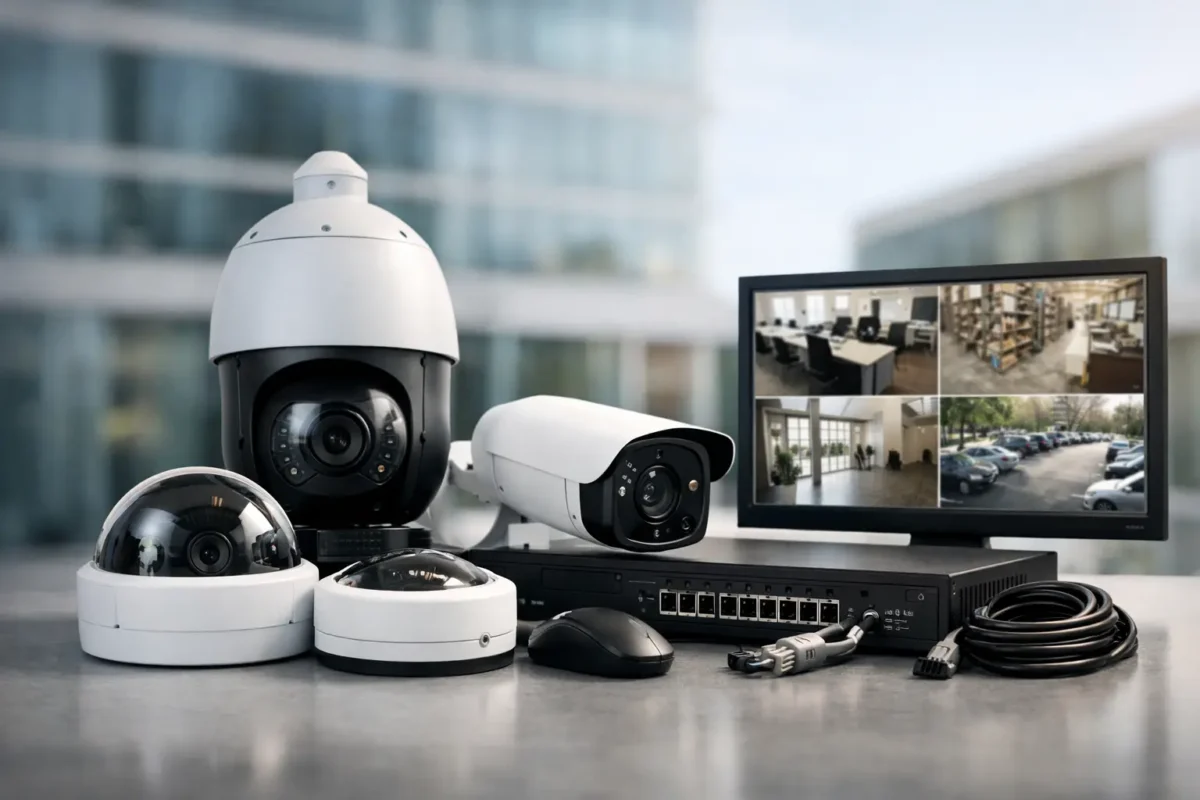
A missing package, a disputed cash drawer, a vehicle leaving a parking lot, or an after-hours break-in can become a costly problem when the camera view is too wide, too dark, or not recording. This commercial surveillance system buying guide is built around the decisions that determine whether your system delivers usable evidence and dependable daily protection.
The right system is not simply a camera count. It is a designed security operation: the correct camera type at each risk point, recording capacity that matches your needs, a network that can carry the footage, and support when equipment needs attention. For businesses in Seattle and California, weather exposure, lighting conditions, property layout, and local operating requirements all affect the final design.
Start With the Incidents You Need to See
Before comparing megapixels or camera brands, identify what the system must prove. A retail store may need clear face identification at entrances and point-of-sale coverage. A jewelry store may need close views of showcases, transaction areas, safes, and perimeter doors. A daycare may prioritize controlled entry, exterior pickup zones, and common-area visibility while maintaining appropriate privacy boundaries.
For a parking lot, the priority changes. You may need broad coverage for activity, strong nighttime performance, and dedicated license plate recognition at vehicle entrances. Construction sites often need durable exterior cameras, remote access, temporary connectivity, and views that document deliveries, equipment movement, and job progress.
Write down the locations, times, and details that matter for an actual incident. For each area, ask: Do we need to detect activity, recognize a familiar person, identify an unknown person, read a plate, or monitor operations from a distance? Those are different requirements. A camera that detects movement across a warehouse floor may not provide enough pixel density to identify a face at the loading dock.
Choose Cameras by Job, Not by Appearance
A business-grade system commonly uses more than one camera style. Selecting one camera model for every location can simplify a quote, but it can leave major blind spots in the finished installation.
Bullet, dome, turret, and PTZ cameras
Bullet cameras are a practical choice for exterior walls, drive lanes, yards, and building approaches. Their visible profile can act as a deterrent, and their direction is easy to understand from the ground. Dome and turret cameras are often a better fit indoors, under covered walkways, or in areas where a lower-profile installation is preferred.
PTZ cameras can pan, tilt, and zoom across large areas such as parking lots, campuses, or construction sites. They are useful when an operator is actively monitoring activity or when a preset patrol is appropriate. They should not replace fixed cameras at critical points, however. A PTZ can only look in one direction at a time. Use fixed coverage to preserve continuous evidence at doors, cash areas, gates, and other high-risk locations.
Panorama and fisheye cameras can cover open lobbies, sales floors, and warehouse interiors with fewer mounting points. The trade-off is that wide coverage does not automatically provide close detail. Their footage can be excellent for tracking movement, but you may still need a dedicated camera at entrances or counters for identification.
AI analytics and license plate recognition
AI cameras can filter alerts by people, vehicles, line crossing, loitering, and other defined events. This reduces wasted time reviewing rain, shadows, headlights, or tree movement. The value depends on correct placement and configuration. Analytics are not a substitute for clear camera views, and they need testing after installation.
License plate recognition cameras require more planning than a standard parking-lot camera. Plate capture depends on vehicle speed, camera angle, distance, lighting, lane direction, and the expected plate format. A general overview camera pointed at a driveway will rarely provide dependable plate reads. Treat LPR as a dedicated task with a dedicated camera position.
Plan Coverage Before You Count Cameras
A site walkthrough is where a surveillance design becomes practical. Start with public entrances, employee entrances, emergency exits, registers, inventory rooms, receiving doors, parking areas, gates, and the exterior paths used after dark. Then look for operational blind spots: corners behind shelving, delivery staging areas, dumpster enclosures, or side doors that staff use without supervision.
Mounting height matters. Cameras placed too high may show a large area but capture only the tops of heads. Cameras mounted too low can be vandalized or blocked. Lighting also matters more than many buyers expect. A camera facing directly into bright glass doors, headlights, or sunset can produce poor identification footage unless the design accounts for that contrast.
Do not overlook the route between cameras and the recorder. Existing conduit, ceiling access, building materials, and distance limitations can change labor requirements. A professional design should account for power, cable pathways, weather-rated connections, surge protection, and secure mounting, not just camera locations marked on a floor plan.
Specify Recording That Matches Your Risk
Recording is where many low-cost systems fail the first real test. The system may have cameras everywhere, but footage may be overwritten before an incident is reported, degraded by low bit rates, or unavailable because storage was never sized for the final configuration.
Retention should reflect your operations. A small retail site may need 30 days of continuous recording. A multi-site operation, regulated environment, or location with delayed incident reporting may need 60 days or longer. Higher resolution, more cameras, continuous recording, and longer retention all require more storage. Recording only motion events can conserve capacity, but it can also miss useful context if settings are too aggressive.
Ask whether the recorder supports the full camera resolution and frame rate being quoted. Confirm that drives are surveillance-rated and that the recorder has room for future expansion. A system designed at its maximum capacity on day one leaves little flexibility when you add doors, parking coverage, or a second building.
Remote access should be secure and practical for managers. Users need defined permissions, strong passwords, and a clear process for reviewing and exporting video. If multiple people will use the system, set up roles rather than sharing one administrator login. This makes the system easier to manage and creates better accountability.
Treat the Network and Power as Core Equipment
IP cameras depend on the network. If the network is undersized, poorly configured, or shared without planning, live video can lag and recordings can be inconsistent. Power over Ethernet switches simplify camera deployment by carrying power and data on one cable, but the switch must have enough power budget for every connected camera, including infrared use at night.
For remote sites, job trailers, parking facilities, and locations without dependable wired internet, LTE or 5G connectivity can be part of the design. It is a useful option, but available signal strength, data usage, remote viewing habits, and recording strategy need to be evaluated before deployment.
Cybersecurity belongs in the buying decision as well. Use current firmware, change default credentials, restrict unnecessary remote access, and separate surveillance equipment from sensitive business systems when the network design allows. Security cameras protect your property, but they also need protection from unauthorized access.
Compare Total Value, Not Just the Camera Price
A lower equipment price can become expensive if the system has poor night performance, no local service path, limited warranty support, or an installer who disappears after the job. Commercial surveillance is expected to work during the incident, not only during the demonstration.
When reviewing quotes, compare the complete scope: camera models, lens and night capability, recorder capacity, hard drive size, cable type, mounting hardware, switches, battery backup, installation labor, user training, warranty terms, and support response. Make sure the quote identifies what is included for remote access setup and whether post-installation adjustments are part of the work.
It also helps to plan for the next phase. A business may begin with entry points and point-of-sale coverage, then add parking, access control, intrusion alarms, or additional locations later. Choosing equipment that can expand without replacing the foundation protects your investment.
Work With a Partner Who Can Support the System
The best purchasing path depends on your internal resources. Contractors and experienced facility teams may source wholesale equipment and manage installation themselves. Owners who need a faster, accountable result are often better served by a complete design-and-install solution with training and service included.
Tech Security USA helps businesses match business-grade cameras, recording infrastructure, installation coordination, and ongoing support to the risks at their property. The goal is not to sell the most cameras. It is to make sure the system is designed and installed correctly, footage is useful when it is needed, and help is available when conditions change.
A surveillance system should give managers a clearer view of what is happening on site and a reliable record when questions arise. Start with the incidents that would cost your business the most, then build coverage, storage, and support around those real-world needs.
Posted on GoogleTrustindex verifies that the original source of the review is Google. I visited the Tech Security USA orange to install security cameras for my home. I found it a very professional company, with high quality products that were made me impressed. I recommend it to anyone who are looking a professional security cameras company in onrange city of Orange County CA.Posted on GoogleTrustindex verifies that the original source of the review is Google. “Edit (this review is not “spam” which the owner claims it is and the story is absolutely real however it was about 2 years ago and if I wasn’t shy back then(9th grade) or I wish I had done/said something about my dad and I being taken advantage of as it was a scam (quoted at around $150 but after having to wait 3weeks instead of 3 days for the guy to charge us $300 for a cheap screen that no longer had a haptic button or working Touch ID along with many white pressure dots along the edges). Do not go here. If you look at most of their 5-star reviews, they are older than 7 years. I went here recently to fix my iPad Air (3rd gen). The problem was the screen's backlight wouldn't work, so it would just show a black image. The technician said he could get it done for around $150 and in 2-3 days he would call us (my dad and I). After a week of waiting, we decided to call but to no avail. We went to the place to check up on the work done, if any. We got there and the iPad was in the exact same spot as the day we left it there. The guy told us it would be ready in about 4 days, no later, and that he would call us. We never got the call, so we went back after about another 3 days of waiting for a call (2 weeks now). After waiting, we went back to the store for the iPad, and it appeared to us as if he had just gotten started by breaking the screen to replace it. After another week, we came back and he pulled it out from a drawer saying something along the lines of, "I was about to call you guys." The screen was working, but it was clearly a cheap screen that was ordered online, and the Touch ID didn’t work anymore. The button was replaced with a non-haptic one. There are many white dots along the edges of the screen that look as if someone pressed their thumb down too hard for too long. The guy said with all the "extra" work done to it, the new total would be $300. When my dad and I looked at each other, we knew that wasn’t right, but I watched my dad grab his wallet and pay. I wish I had said something because we were taken advantage of, and after a week, the iPad's screen isn’t functioning properly as it feels unresponsive.Posted on GoogleTrustindex verifies that the original source of the review is Google. Will somebody please tell the owner to stop responding? She’s only validating the bad reviews.Posted on GoogleTrustindex verifies that the original source of the review is Google. Little messy inside but brought an old Moto Z2 Play in to finalize my failed battery self install. Done when promised, phone looked as good as new and works fine. I'm happy.Posted on GoogleTrustindex verifies that the original source of the review is Google. Garbage screen quality do not come here the screen is more different then a regular apple screen they use low quality screens the whole screen shattered and has black lines throughout it after a tiny drop with a screen protector.Posted on GoogleTrustindex verifies that the original source of the review is Google. I needed a battery replacement for my Huawei p10, the engineer fixed it in a few days (he had to order the battery) and it was reasonable priced, very good, thank youPosted on GoogleTrustindex verifies that the original source of the review is Google. Great location and employees. Really came through when I needed help. Recommend this place to anyone.Posted on GoogleTrustindex verifies that the original source of the review is Google. My go to place for any laptop and iPhone repairs. Also very friendly and experienced guy James.
Resent Posts

How to Design Jobsite Surveillance That Works
21 October 2026

Surveillance System Maintenance Guide for Uptime
19 October 2026
Table of Contents