

How to Design Jobsite Surveillance That Works
[yasr_overall_rating]
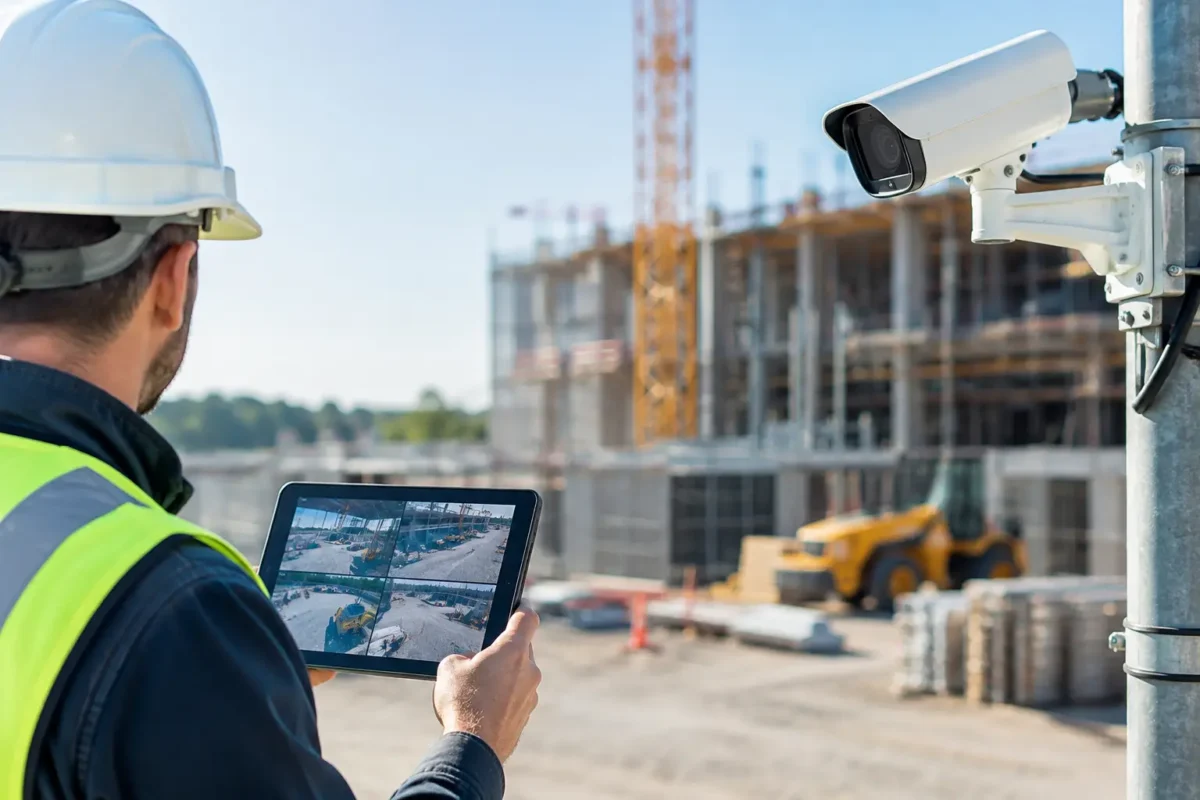
A jobsite can lose thousands of dollars in tools, materials, fuel, and schedule time after one overnight break-in. The right answer is not simply mounting a few cameras on a trailer. Knowing how to design jobsite surveillance means building coverage around changing site conditions, critical assets, reliable power, and evidence that can actually be used when an incident occurs.
Construction environments are hard on security equipment. Fences move, buildings rise, equipment is relocated, dust gets everywhere, and a camera that had a clear view last month may now be pointed at a stack of lumber. A business-grade system should be designed as an active part of site operations, not treated as a one-time purchase.
Start With the Risks You Need to Control
Every jobsite has blind spots, but not every blind spot carries the same cost. Begin with a walkthrough that identifies where people, vehicles, materials, and high-value equipment enter, leave, and sit after hours. This is the foundation of a system designed and installed correctly.
The main gate is usually the first priority. A camera here should capture an overview of vehicles and people entering the property, while a dedicated license plate recognition camera may be appropriate when vehicle accountability matters. On larger sites, one wide-angle camera alone will not provide usable identification at a gate. You may need a scene camera for context and a second camera positioned for faces or plates.
Next, evaluate storage containers, tool cribs, fuel tanks, copper, generators, trailers, and heavy equipment staging areas. These are common theft targets because they are valuable, portable, or expensive to replace. Cover the approach routes as well as the asset itself. A camera aimed only at a container door may show a break-in, but a camera covering the route to and from the container can show how suspects arrived and where they went.
Also consider safety and operations. Cameras can help a project manager verify deliveries, monitor restricted zones, document site conditions, and review disputes involving subcontractors. The purpose of the system should shape the design. A system intended only for after-hours theft deterrence needs different placement and recording priorities than one used for 24/7 project oversight.
Design Jobsite Surveillance Around Layers of Coverage
Effective coverage is layered. Start with overview cameras that establish what happened across a broad area. Then add identification cameras at gates, pedestrian entrances, containers, and other choke points. Finally, use focused cameras where the loss exposure is highest.
Bullet cameras are often a practical choice for perimeter lines, gates, and open storage areas because they are visible and easy to aim. Their presence can deter opportunistic theft, especially when mounted at a height that makes tampering difficult. Dome cameras may be a better fit inside job trailers, offices, or covered areas where a lower-profile appearance and vandal resistance are useful.
PTZ cameras are valuable for large sites, laydown yards, and projects where a remote operator needs the ability to inspect activity across a wide area. They should not be the only protection for a critical entrance, however. A PTZ camera can be looking in one direction when an incident happens somewhere else. Fixed cameras provide continuous coverage, while PTZ cameras add operational flexibility.
Panorama and fisheye cameras can reduce the number of cameras needed in central, open areas, but their wide view comes with a trade-off. They are excellent for situational awareness, not always for identifying a face at distance. Camera selection should follow the required result: overview, recognition, identification, or license plate capture.
Avoid placing every camera at the same height and angle. Cameras mounted too high often produce a clear view of hard hats and hoodies rather than faces. Cameras mounted too low are easier to damage or block. A professional design balances target distance, mounting height, lighting, lens selection, and the camera’s field of view before installation begins.
Plan for a Site That Changes Every Week
A fixed building has stable walls, power, and network infrastructure. A jobsite does not. Design for relocation from day one.
Use poles, trailer mounts, container mounts, and other practical mounting locations that can be moved as construction progresses. Keep a site map showing each camera, its intended coverage zone, cable path, and network connection. When a new structure blocks a view or the material yard moves, your team can adjust the system without guessing.
Temporary surveillance trailers can be a strong option for remote sites or early project phases. Depending on the site, they may use cellular connectivity, solar power, batteries, or generator-supported power. They are fast to deploy and can cover a gate or laydown area before permanent utilities are live. The trade-off is that cellular bandwidth, weather exposure, and power capacity must be planned carefully.
For longer projects with available power, a hardwired IP camera system generally provides more consistent performance and higher recording capacity. Running structured cable or fiber may require more upfront coordination, but it reduces dependence on wireless signals and cellular data plans. On high-value projects, a hybrid approach often works best: hardwired cameras around the core work area and LTE or 5G-connected equipment at remote gates or temporary zones.
Build Power and Network Reliability Into the Scope
A camera system only protects the site when it stays online. Do not treat power, networking, and recording as afterthoughts.
Where possible, use Power over Ethernet to supply power and data through a single properly installed cable. This simplifies camera placement and makes centralized backup power more practical. Network switches, recorders, routers, and key cameras should be connected to appropriately sized uninterruptible power supplies so short outages do not take the system down.
Wireless bridges can connect areas where trenching or cable runs are not feasible, but they require clear line of sight and careful alignment. Construction machinery, steel framing, and new walls can interfere with a wireless path. If a wireless link is essential, inspect it as site conditions change.
Remote access should be secure and useful. Project managers need to view live cameras and recorded video from authorized devices without exposing the system to weak passwords or unmanaged user accounts. Set individual user permissions, remove access when subcontractors leave the project, and use secure network equipment rather than consumer-grade shortcuts.
Size Recording for Evidence, Not Convenience
A recorder with too little storage creates a serious problem: the video may be gone when you need it. Determine retention based on the site’s risk, staffing, camera count, resolution, activity level, and whether cameras record continuously or only when motion is detected.
Motion recording can save storage, but a busy jobsite may trigger constant recording from moving tarps, headlights, rain, and equipment. Continuous recording provides a complete timeline and is often the better choice at gates, storage areas, and high-value assets. Many projects use continuous recording in critical zones and event-based recording in lower-risk areas.
For commercial jobsites, a retention target of at least 14 to 30 days is common, but the correct number depends on the project. If incidents are not discovered until after a weekend or an accounting review, longer retention may be necessary. Verify storage calculations before cameras are deployed, then check recorder health regularly. A system can appear online while failing to retain video because of a drive issue or improper configuration.
Use Lighting, Deterrence, and Signage Strategically
Good video starts with good light. Night coverage should be tested in actual conditions, not assumed from a camera specification sheet. Infrared cameras can perform well in darkness, but reflective surfaces, dust, fog, vehicle headlights, and long viewing distances can affect the image.
Add lighting where it improves identification and makes the property less attractive to intruders. Controlled white-light cameras or motion-activated lights can provide a visible warning, but they should be positioned thoughtfully so they do not create glare or disturb nearby residences. Clear surveillance signage also communicates that the site is monitored and can discourage casual trespassing before damage occurs.
Establish a Response Process Before an Alert Happens
Cameras document events. People and procedures determine what happens next. Decide who receives alerts, who can access video, when law enforcement is contacted, and how footage is exported and preserved. If a remote monitoring service is part of the plan, define the escalation rules for after-hours activity, deliveries, or approved contractor access.
Test the system after installation and after major site changes. Verify that each critical camera has the expected view during the day and at night, timestamps are accurate, remote users can log in, and video exports properly. A quarterly review is a good baseline, while active construction sites may need checks more often.
A well-designed jobsite system does more than capture a theft after the fact. It creates accountability at the gate, protects the assets that keep work moving, and gives managers visibility when they are not on site. Tech Security USA can help contractors and property managers match business-grade cameras, connectivity, recording, and installation support to the conditions of the project, so the system keeps working as the jobsite changes.
Posted on GoogleTrustindex verifies that the original source of the review is Google. I visited the Tech Security USA orange to install security cameras for my home. I found it a very professional company, with high quality products that were made me impressed. I recommend it to anyone who are looking a professional security cameras company in onrange city of Orange County CA.Posted on GoogleTrustindex verifies that the original source of the review is Google. “Edit (this review is not “spam” which the owner claims it is and the story is absolutely real however it was about 2 years ago and if I wasn’t shy back then(9th grade) or I wish I had done/said something about my dad and I being taken advantage of as it was a scam (quoted at around $150 but after having to wait 3weeks instead of 3 days for the guy to charge us $300 for a cheap screen that no longer had a haptic button or working Touch ID along with many white pressure dots along the edges). Do not go here. If you look at most of their 5-star reviews, they are older than 7 years. I went here recently to fix my iPad Air (3rd gen). The problem was the screen's backlight wouldn't work, so it would just show a black image. The technician said he could get it done for around $150 and in 2-3 days he would call us (my dad and I). After a week of waiting, we decided to call but to no avail. We went to the place to check up on the work done, if any. We got there and the iPad was in the exact same spot as the day we left it there. The guy told us it would be ready in about 4 days, no later, and that he would call us. We never got the call, so we went back after about another 3 days of waiting for a call (2 weeks now). After waiting, we went back to the store for the iPad, and it appeared to us as if he had just gotten started by breaking the screen to replace it. After another week, we came back and he pulled it out from a drawer saying something along the lines of, "I was about to call you guys." The screen was working, but it was clearly a cheap screen that was ordered online, and the Touch ID didn’t work anymore. The button was replaced with a non-haptic one. There are many white dots along the edges of the screen that look as if someone pressed their thumb down too hard for too long. The guy said with all the "extra" work done to it, the new total would be $300. When my dad and I looked at each other, we knew that wasn’t right, but I watched my dad grab his wallet and pay. I wish I had said something because we were taken advantage of, and after a week, the iPad's screen isn’t functioning properly as it feels unresponsive.Posted on GoogleTrustindex verifies that the original source of the review is Google. Will somebody please tell the owner to stop responding? She’s only validating the bad reviews.Posted on GoogleTrustindex verifies that the original source of the review is Google. Little messy inside but brought an old Moto Z2 Play in to finalize my failed battery self install. Done when promised, phone looked as good as new and works fine. I'm happy.Posted on GoogleTrustindex verifies that the original source of the review is Google. Garbage screen quality do not come here the screen is more different then a regular apple screen they use low quality screens the whole screen shattered and has black lines throughout it after a tiny drop with a screen protector.Posted on GoogleTrustindex verifies that the original source of the review is Google. I needed a battery replacement for my Huawei p10, the engineer fixed it in a few days (he had to order the battery) and it was reasonable priced, very good, thank youPosted on GoogleTrustindex verifies that the original source of the review is Google. Great location and employees. Really came through when I needed help. Recommend this place to anyone.Posted on GoogleTrustindex verifies that the original source of the review is Google. My go to place for any laptop and iPhone repairs. Also very friendly and experienced guy James.
Resent Posts

Surveillance System Maintenance Guide for Uptime
19 October 2026
How to Improve Alarm Response at Your Property
17 October 2026
Table of Contents