

How to Improve Alarm Response at Your Property
[yasr_overall_rating]
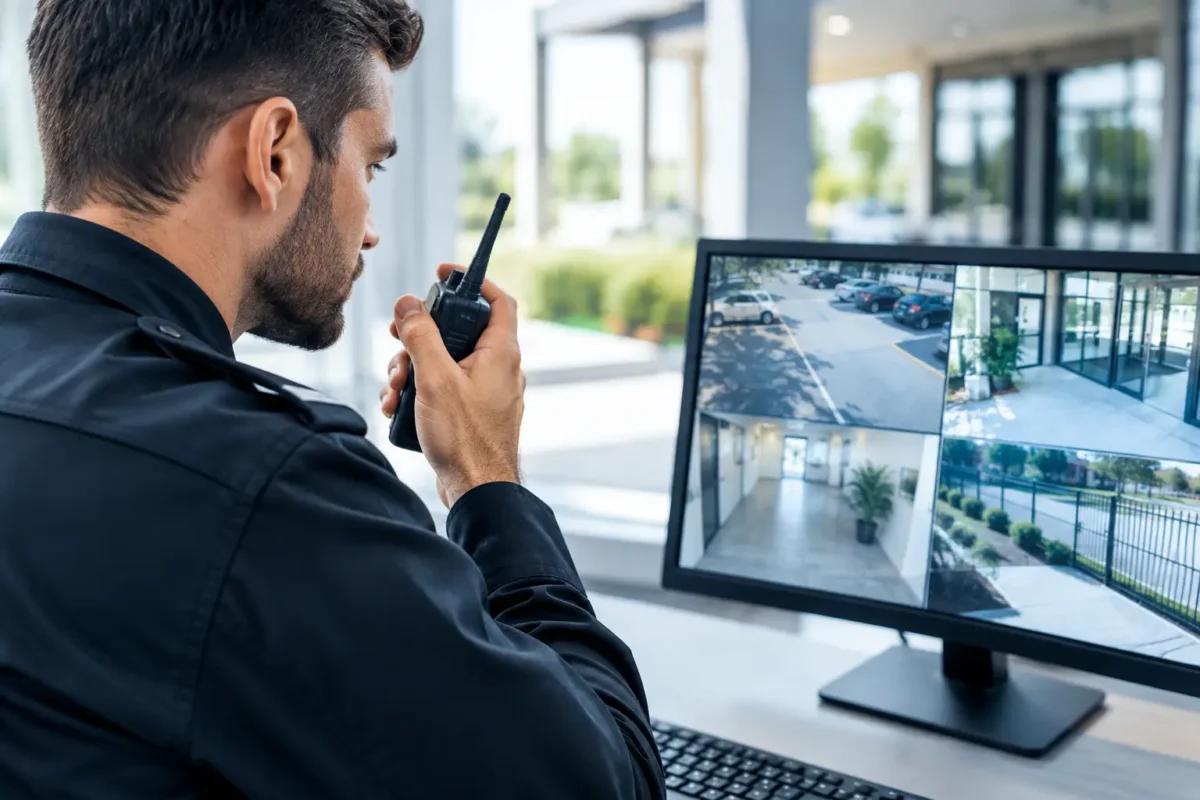
A burglary alarm goes off at 2:14 a.m. Your monitoring center calls the first contact, but the number is outdated. The camera view is unclear, the keypad history cannot confirm which zone tripped, and no one can tell responding officers whether there is an active threat. That is how a security event turns into a delayed, expensive problem. Knowing how to improve alarm response means designing the full response path – not simply adding more sensors.
For a home, retail store, daycare, parking facility, or job site, the goal is straightforward: identify a real event quickly, get the right information to the right people, and make sure they can act. Better response protects people first, then inventory, equipment, property, and evidence.
How to Improve Alarm Response Starts Before an Alarm Sounds
An alarm system is only as useful as its design. Devices should be selected and placed around the way people actually enter, work in, and secure the property. A generic package may cover doors and windows, but it can miss the risks that matter most, such as a rear delivery entrance, a cash room, an exterior gate, or an unmonitored construction trailer.
Start with a site assessment. Identify every entry and exit point, high-value asset area, vulnerable exterior zone, and space where false alarms are likely. In a jewelry store, that may mean focused protection for display cases, the safe, and staff-only access points. In a daycare, it may mean controlled entry, perimeter coverage, and life safety devices that are easy for authorized staff to use. At a parking lot, it may mean gates, payment equipment, pedestrian paths, and camera coverage that captures vehicle movement.
The right device matters as much as its location. Door and window contacts provide clear status for protected openings. Motion detectors cover interior movement but must be positioned away from HVAC vents, hanging displays, direct sunlight, and other conditions that can trigger nuisance alarms. Glass-break detectors, panic buttons, outdoor beams, and gate contacts each solve specific problems. A professionally designed system uses those devices together rather than asking one sensor type to do every job.
Reduce False Alarms Without Reducing Protection
False alarms create response fatigue. Staff stop taking alerts seriously, owners silence notifications, and local responders may give lower priority to repeat alarm locations. The fix is not to turn off protection. It is to find the cause and correct it.
Begin by reviewing alarm history. Look for repeat zones, time patterns, and user activity. If one motion sensor trips every afternoon, the cause may be a poor placement decision or an environmental change. If staff repeatedly trigger an alarm during opening procedures, the arming schedule, keypad access, or training may be the issue.
Use properly configured entry and exit delays. A delay should give authorized users enough time to disarm after entering through the intended door, but not enough time for an intruder to move freely through the building. Keep alternate doors from becoming unprotected convenience entrances. For commercial properties, separate user codes and access credentials make it easier to see who armed, disarmed, or bypassed a zone.
Regular maintenance also prevents avoidable alarms. Replace batteries before they fail, inspect contacts after door or frame repairs, keep outdoor devices clear of debris, and test communication paths. Cellular backup is especially valuable where internet service is unreliable or where an intruder could cut a network connection. The trade-off is a recurring service cost, but for many businesses, reliable signal delivery is worth far more than the cost of a missed alarm.
Verify Events With Cameras and Clear Information
A loud siren may deter an intruder, but it does not tell you what happened. Video verification gives alarm users, monitoring personnel, and law enforcement a much better starting point. When an alarm zone activates, the associated camera should show the affected door, room, gate, or perimeter area with useful detail in both daylight and low light.
This is where camera placement and recording quality make a direct difference in response. A camera mounted too high or aimed at a bright exterior light may show movement without identifying a person. A camera with inadequate nighttime performance may provide a dark outline instead of usable evidence. For exterior lots and access roads, license plate recognition coverage can add another layer of actionable information when it is designed around traffic flow, mounting distance, and lighting conditions.
Set up alarm-event notifications with context. The best alert is not simply, “Motion detected.” It identifies the site, time, zone, and relevant camera view, then tells the recipient what action is expected. A manager who receives a verified alert from the rear stockroom can decide whether to call law enforcement, dispatch an employee, or contact a security provider without guessing.
Verification must be balanced with urgency. Do not require someone to watch several minutes of video before acting on a panic alarm, fire signal, or confirmed break-in. Life safety and duress events need immediate escalation. Video helps confirm and document the situation, but it should not slow emergency action.
Build a Response Plan People Can Follow Under Pressure
Even a business-grade alarm system will underperform if the response plan lives only in the owner’s head. Write down who gets called, in what order, what each person is authorized to do, and when emergency services should be contacted. Keep the plan simple enough to work at 2:14 a.m., not just during a calm office meeting.
Your contact list should include primary and backup contacts with current phone numbers, authority levels, and after-hours availability. If you operate multiple locations, give each site a clear name and address. A monitoring center or responding manager should never need to sort out which warehouse, suite, or storefront sent the alarm.
For commercial properties, define the difference between remote review and on-site response. Employees should not be expected to confront a possible intruder. A safer policy is to review available information from a secure location, contact law enforcement when the event is verified or when policy requires it, and wait for trained personnel before entering. This protects your team and avoids turning a property-loss event into a personal safety emergency.
Train for the Real Scenarios
Short, repeated training is more effective than a one-time walkthrough. Show staff how to arm and disarm the system, use a panic button, respond to a trouble notification, and report a damaged device. Practice opening and closing procedures after staffing changes, remodeling, or system upgrades.
Contractors and temporary employees deserve special attention. Construction sites often change weekly, which means temporary doors, trailers, power sources, and camera positions can change too. Update access codes promptly and remove them when the work ends. At retail businesses, avoid sharing one common code among the entire staff. Individual codes create accountability and make offboarding faster.
Strengthen the Communication Path
Alarm response depends on messages getting through. Use more than one communication method where the risk justifies it. A hardwired internet connection may be fast, but it can fail during an outage. Cellular communication can provide a backup path, while battery backup keeps the system operating during a power interruption.
Test these paths deliberately. Unplug network equipment during a scheduled test, confirm that the system reports through its backup method, and check how long backup power lasts. Test alerts to the people who actually receive them, not just the central panel. A perfectly functioning alarm is still a failure if notifications are sent to an old email address or a former employee’s phone.
For properties with multiple systems, coordinate intrusion alarms, surveillance cameras, access control, and fire or life safety equipment without blurring their priorities. Fire and life safety systems have strict requirements and should be installed, inspected, and serviced according to applicable codes. Intrusion and camera systems can support operations, but they do not replace properly designed life safety protection.
Use Professional Design and Ongoing Support
The least expensive alarm package can become the most costly choice when it produces repeat false alarms, leaves blind spots, or has no one available to service it. Professional installation is especially valuable for larger facilities, high-risk retail, multi-site operations, difficult network environments, and systems that need camera-triggered verification.
A qualified security partner should evaluate the property, match hardware to the threat, configure notifications, document user procedures, and remain available after installation. Tech Security USA helps customers combine business-grade intrusion alarms, surveillance coverage, communications hardware, installation coordination, and same-day support options into a system designed for the property rather than a generic box of devices.
Before approving any system, ask how it will be tested, who will train users, how service issues are handled, and what happens if internet or power fails. Those answers reveal whether you are buying equipment or building a response capability.
A faster alarm response is built through disciplined design, current contacts, verified information, and practiced decisions. Walk your property after hours, look at it the way an intruder would, and test the plan the way a busy manager would experience it. The weak point you find during a controlled test is the one you will be grateful to fix before it becomes an emergency.
Posted on GoogleTrustindex verifies that the original source of the review is Google. I visited the Tech Security USA orange to install security cameras for my home. I found it a very professional company, with high quality products that were made me impressed. I recommend it to anyone who are looking a professional security cameras company in onrange city of Orange County CA.Posted on GoogleTrustindex verifies that the original source of the review is Google. “Edit (this review is not “spam” which the owner claims it is and the story is absolutely real however it was about 2 years ago and if I wasn’t shy back then(9th grade) or I wish I had done/said something about my dad and I being taken advantage of as it was a scam (quoted at around $150 but after having to wait 3weeks instead of 3 days for the guy to charge us $300 for a cheap screen that no longer had a haptic button or working Touch ID along with many white pressure dots along the edges). Do not go here. If you look at most of their 5-star reviews, they are older than 7 years. I went here recently to fix my iPad Air (3rd gen). The problem was the screen's backlight wouldn't work, so it would just show a black image. The technician said he could get it done for around $150 and in 2-3 days he would call us (my dad and I). After a week of waiting, we decided to call but to no avail. We went to the place to check up on the work done, if any. We got there and the iPad was in the exact same spot as the day we left it there. The guy told us it would be ready in about 4 days, no later, and that he would call us. We never got the call, so we went back after about another 3 days of waiting for a call (2 weeks now). After waiting, we went back to the store for the iPad, and it appeared to us as if he had just gotten started by breaking the screen to replace it. After another week, we came back and he pulled it out from a drawer saying something along the lines of, "I was about to call you guys." The screen was working, but it was clearly a cheap screen that was ordered online, and the Touch ID didn’t work anymore. The button was replaced with a non-haptic one. There are many white dots along the edges of the screen that look as if someone pressed their thumb down too hard for too long. The guy said with all the "extra" work done to it, the new total would be $300. When my dad and I looked at each other, we knew that wasn’t right, but I watched my dad grab his wallet and pay. I wish I had said something because we were taken advantage of, and after a week, the iPad's screen isn’t functioning properly as it feels unresponsive.Posted on GoogleTrustindex verifies that the original source of the review is Google. Will somebody please tell the owner to stop responding? She’s only validating the bad reviews.Posted on GoogleTrustindex verifies that the original source of the review is Google. Little messy inside but brought an old Moto Z2 Play in to finalize my failed battery self install. Done when promised, phone looked as good as new and works fine. I'm happy.Posted on GoogleTrustindex verifies that the original source of the review is Google. Garbage screen quality do not come here the screen is more different then a regular apple screen they use low quality screens the whole screen shattered and has black lines throughout it after a tiny drop with a screen protector.Posted on GoogleTrustindex verifies that the original source of the review is Google. I needed a battery replacement for my Huawei p10, the engineer fixed it in a few days (he had to order the battery) and it was reasonable priced, very good, thank youPosted on GoogleTrustindex verifies that the original source of the review is Google. Great location and employees. Really came through when I needed help. Recommend this place to anyone.Posted on GoogleTrustindex verifies that the original source of the review is Google. My go to place for any laptop and iPhone repairs. Also very friendly and experienced guy James.
Resent Posts

Surveillance System Maintenance Guide for Uptime
19 October 2026
How to Improve Alarm Response at Your Property
17 October 2026
Table of Contents