

Access Control That Fits How Your Property Operates
[yasr_overall_rating]
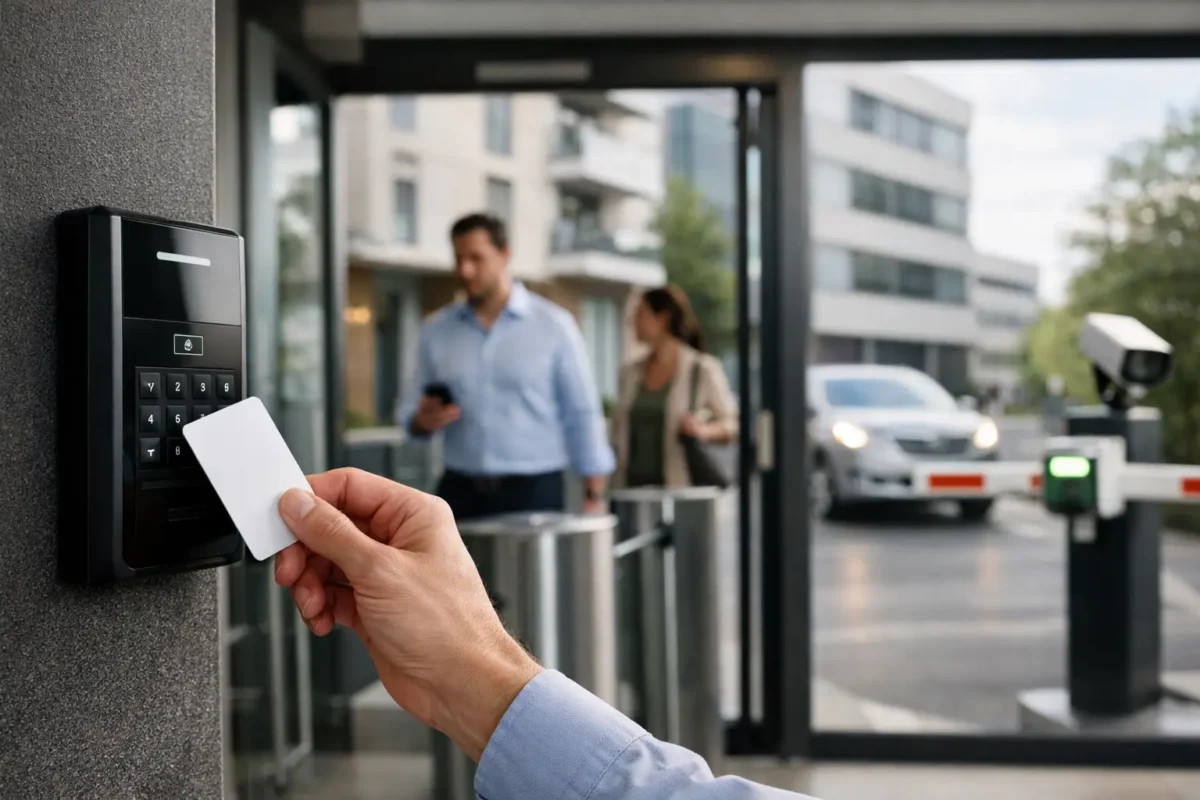
A lost key is not just an inconvenience. For a daycare, jewelry store, job site, smoke shop, or multi-tenant office, it can create a costly question: Who can still enter, and which doors need to be rekeyed? Access control replaces that uncertainty with clear permissions, documented activity, and a faster way to secure the property when staffing or operating conditions change.
The right system does more than open a door with a card or phone. It helps managers control sensitive areas, reduce key-management problems, review entry events after an incident, and keep daily operations moving without handing out more physical keys. The design matters. A low-cost reader installed on the wrong door, without proper locking hardware or backup power, can become another maintenance issue instead of a security improvement.
Start With the Doors That Create the Most Risk
Not every opening needs the same level of protection. The best access control projects begin with how people actually move through the property, not with a generic package.
A retail store may need controlled access at the rear delivery door, office, stockroom, and cash-handling area. A daycare may need parents to enter through one managed front entrance while classroom, medication, and staff-only areas remain restricted. A construction site may need a weather-rated gate system that gives approved crews access early in the morning and records entry after hours.
For many properties, the first priority is the exterior door that employees use daily. That door should be reliable under repeated use, properly secured when closed, and easy for authorized staff to access. Next, identify areas where inventory, records, keys, equipment, or personal information are stored. These doors often benefit from tighter schedules and fewer approved users.
Access rules should reflect operations. A manager may need 24-hour access, while a part-time employee only needs entry during scheduled shifts. Contractors may need temporary credentials that expire automatically. This is where electronic credentials are more practical than a traditional master-key system.
What a Business-Grade Access Control System Includes
A working system is more than a keypad mounted beside a door. Each opening requires compatible hardware, power, wiring, programming, and door-condition components that work together.
At the door, a reader accepts a credential such as a key fob, card, PIN, or mobile credential. The reader sends the request to a controller, which checks whether that person has permission to enter at that time. If approved, the controller releases the locking hardware for a defined period.
The locking method depends on the door and its use. Electrified lever hardware is often a clean choice for office and storefront doors because it supports normal door operation. Electric strikes can work well with existing mechanical hardware when the frame and latch configuration allow it. Magnetic locks are common in some commercial applications, but they must be designed with life-safety requirements in mind.
Door position switches confirm whether a door is open or closed. Request-to-exit devices allow people to leave safely without presenting a credential. Battery backup helps the system continue operating during short power interruptions. These details are not optional add-ons. They are what make a system dependable after installation.
Credentials should match the user and the risk
Key fobs and cards are straightforward, familiar, and easy to issue. They are a strong option for staff who may not want to use personal phones for work access. Mobile credentials reduce the need to distribute physical cards and can be disabled quickly when an employee leaves. PIN pads can add convenience, but a PIN alone is easier to share or observe than an individual credential.
Higher-risk rooms may require two factors, such as a card plus a PIN. That added protection can be appropriate for a safe room, server closet, pharmacy cabinet area, or high-value inventory room. It can also slow entry, so it should be used where the risk justifies the extra step.
Cloud-Managed or On-Premises: Choose for Operations
Cloud-managed access control is a practical fit for owners and managers who need to add users, change schedules, or review door activity from multiple locations. It is especially useful for businesses with several stores, offices, or job sites. Authorized administrators can manage access without driving to each property or connecting directly to a local server.
On-premises systems can be a better fit when a facility has strict internal network policies, prefers local management, or needs to integrate with existing building infrastructure. The trade-off is that remote administration may require more planning and IT coordination.
Neither option is automatically better. The right choice depends on who will administer the system, how often user access changes, whether the property has reliable internet, and what reporting the business needs. A single storefront with stable staff may have different needs than a property management company overseeing dozens of doors across several buildings.
Before selecting a platform, ask practical questions: Can the system create temporary credentials? Does it support scheduled door unlock times? Can managers see a useful activity report? What happens during an internet outage? How are administrators added, removed, and protected? A system should make routine work easier without creating a new burden for the person responsible for it.
Access Control Works Better With Video and Intrusion Protection
Door events become more useful when they can be reviewed alongside surveillance footage. If a rear door is forced open, a camera positioned at that entrance can show who approached, whether a delivery occurred, and what happened next. If a credential is used after normal business hours, video can verify whether the event was expected.
This does not mean every door needs a camera aimed at it. The goal is coverage of the exterior approach, the door itself, and any high-value area where verification would matter. Camera placement, lighting, retention settings, and network capacity should be considered during the system design process.
Intrusion alarms can add another layer after closing hours. Access control can disarm an area for an approved employee or maintain separate rules for different zones, depending on the system configuration. The operational benefit is simple: fewer missed steps at opening and closing, with a clearer record of who entered and when.
For parking lots and gated facilities, access control can also work with vehicle gates, intercoms, and license plate recognition cameras. These applications need careful planning because gates introduce safety devices, vehicle traffic patterns, weather exposure, and longer cable runs.
Installation Quality Determines Long-Term Performance
The door is usually the hardest part of an access control project. Commercial doors may have narrow frames, glass storefront construction, existing panic hardware, fire-rated assemblies, damaged hinges, or misaligned latches. Installing electronics without addressing those conditions leads to unreliable locking and repeated service calls.
A professional site review should confirm door type, frame construction, handing, hardware condition, code requirements, power availability, cable routes, and network connection. It should also establish how the opening must behave during a power failure. Some doors must remain secured, while other openings require a safe exit path based on their occupancy and applicable code.
Life safety always takes priority over convenience. Occupants must be able to exit safely, and fire-rated doors cannot be modified casually. This is one reason access control should be designed and installed correctly rather than treated as a do-it-yourself reader project.
For exterior gates, warehouse doors, and construction environments, use equipment rated for the exposure. Outdoor hardware faces rain, dust, heat, vibration, and physical abuse. A system that works well in a conditioned office may not last at a loading dock or active job site.
Build a Plan for Changes, Not Just Day One
The strongest access control setup is one that your team can manage after installation. Establish who can create credentials, who can change schedules, and who receives alerts for forced or propped-open doors. Review former employees and inactive contractors regularly. A credential that was never removed is an avoidable gap.
Keep door names clear in the management software. “Rear Door” is less useful than “North Loading Door” when an alert arrives after hours. Use access groups for roles such as managers, sales staff, cleaners, vendors, and contractors rather than assigning permissions one person at a time whenever possible.
Training matters as much as programming. Staff should know what to do if a card stops working, a door is held open, a visitor needs access, or a power outage occurs. Managers should know how to revoke access immediately when employment ends. Same-day support can make a major difference when a critical entrance is not operating as expected.
A properly designed access control system gives you more than a secured door. It gives you a workable process for managing people, protecting property, and responding quickly when something changes. Tech Security USA can help evaluate your doors, select business-grade hardware, coordinate installation, and support the system after it is in service. Start with the opening that causes the most concern, then build a security plan that can grow with your property.
Posted on GoogleTrustindex verifies that the original source of the review is Google. I visited the Tech Security USA orange to install security cameras for my home. I found it a very professional company, with high quality products that were made me impressed. I recommend it to anyone who are looking a professional security cameras company in onrange city of Orange County CA.Posted on GoogleTrustindex verifies that the original source of the review is Google. “Edit (this review is not “spam” which the owner claims it is and the story is absolutely real however it was about 2 years ago and if I wasn’t shy back then(9th grade) or I wish I had done/said something about my dad and I being taken advantage of as it was a scam (quoted at around $150 but after having to wait 3weeks instead of 3 days for the guy to charge us $300 for a cheap screen that no longer had a haptic button or working Touch ID along with many white pressure dots along the edges). Do not go here. If you look at most of their 5-star reviews, they are older than 7 years. I went here recently to fix my iPad Air (3rd gen). The problem was the screen's backlight wouldn't work, so it would just show a black image. The technician said he could get it done for around $150 and in 2-3 days he would call us (my dad and I). After a week of waiting, we decided to call but to no avail. We went to the place to check up on the work done, if any. We got there and the iPad was in the exact same spot as the day we left it there. The guy told us it would be ready in about 4 days, no later, and that he would call us. We never got the call, so we went back after about another 3 days of waiting for a call (2 weeks now). After waiting, we went back to the store for the iPad, and it appeared to us as if he had just gotten started by breaking the screen to replace it. After another week, we came back and he pulled it out from a drawer saying something along the lines of, "I was about to call you guys." The screen was working, but it was clearly a cheap screen that was ordered online, and the Touch ID didn’t work anymore. The button was replaced with a non-haptic one. There are many white dots along the edges of the screen that look as if someone pressed their thumb down too hard for too long. The guy said with all the "extra" work done to it, the new total would be $300. When my dad and I looked at each other, we knew that wasn’t right, but I watched my dad grab his wallet and pay. I wish I had said something because we were taken advantage of, and after a week, the iPad's screen isn’t functioning properly as it feels unresponsive.Posted on GoogleTrustindex verifies that the original source of the review is Google. Will somebody please tell the owner to stop responding? She’s only validating the bad reviews.Posted on GoogleTrustindex verifies that the original source of the review is Google. Little messy inside but brought an old Moto Z2 Play in to finalize my failed battery self install. Done when promised, phone looked as good as new and works fine. I'm happy.Posted on GoogleTrustindex verifies that the original source of the review is Google. Garbage screen quality do not come here the screen is more different then a regular apple screen they use low quality screens the whole screen shattered and has black lines throughout it after a tiny drop with a screen protector.Posted on GoogleTrustindex verifies that the original source of the review is Google. I needed a battery replacement for my Huawei p10, the engineer fixed it in a few days (he had to order the battery) and it was reasonable priced, very good, thank youPosted on GoogleTrustindex verifies that the original source of the review is Google. Great location and employees. Really came through when I needed help. Recommend this place to anyone.Posted on GoogleTrustindex verifies that the original source of the review is Google. My go to place for any laptop and iPhone repairs. Also very friendly and experienced guy James.
Resent Posts

How to Design Jobsite Surveillance That Works
21 October 2026

Surveillance System Maintenance Guide for Uptime
19 October 2026
Table of Contents