

Panic Buttons That Work When Seconds Matter
[yasr_overall_rating]
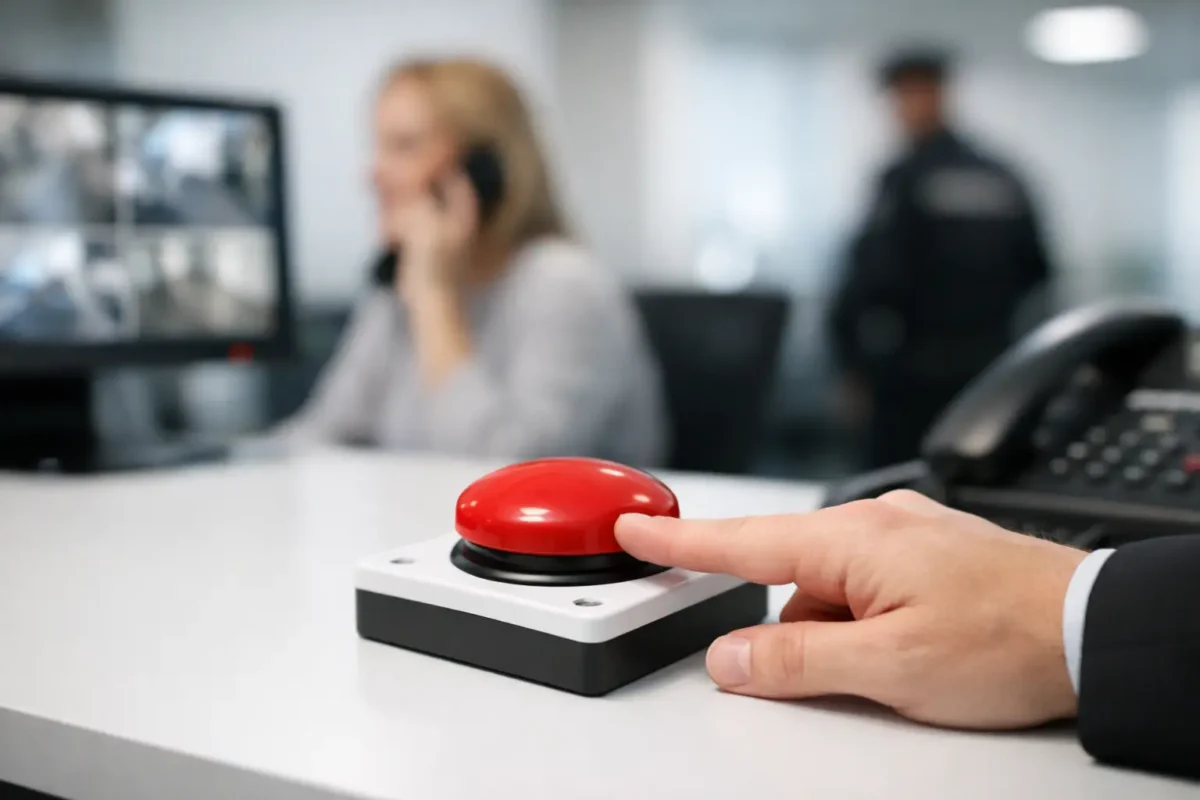
A camera can show what happened. A panic button helps someone ask for help while an incident is still unfolding. For a front-desk employee facing an aggressive visitor, a daycare worker managing a medical concern, or a homeowner who cannot reach a phone, panic buttons create a direct, deliberate path to an alarm response.
That only works when the system is designed around the property, the people using it, and the response plan behind it. A button placed in the wrong location, connected to an unreliable network, or installed without staff training can create a false sense of security. The right solution is business-grade, clearly planned, and tested as part of the larger security system.
What panic buttons are designed to do
A panic button is a manual alarm device that sends an emergency signal when pressed. Depending on the system, that signal can trigger a local siren, notify designated managers, activate a professional monitoring center, alert law enforcement through the appropriate response process, or send notifications to a mobile device.
The button itself may be hardwired under a counter, mounted on a wall, carried as a wireless pendant, or integrated into a mobile emergency device. The appropriate format depends on who needs access to it and where an incident is most likely to occur.
Panic buttons are not a replacement for calling 911 when there is immediate danger. They are a faster way to initiate the preplanned alert process when speaking on the phone is unsafe, impractical, or impossible. A well-designed system gives staff an option they can use discreetly while preserving the ability to communicate with emergency responders when conditions allow.
Where panic buttons make the most sense
The best use cases have one thing in common: a person may need help quickly without leaving their position. That can mean a high-value transaction, an isolated work area, a public-facing counter, or a facility where employees are responsible for children or vulnerable occupants.
Retail counters and high-value inventory
Jewelry stores, smoke shops, dispensary-adjacent retailers, convenience businesses, and other cash-handling operations commonly place fixed buttons under registers and service counters. In these environments, the device should be reachable without being visible to customers. A discreet placement can reduce the chance that an aggressor notices an alert being sent.
Coverage should extend beyond the primary register. Consider back-office cash counting areas, receiving doors, stock rooms with controlled inventory, and private consultation counters. The goal is not to add buttons everywhere. It is to protect the locations where an employee could be trapped, threatened, or unable to step away safely.
Daycares, schools, and care facilities
In a daycare, a panic alert may be needed for a medical emergency, an unauthorized pickup attempt, a confrontational visitor, or a lockdown event. Buttons should be accessible to leadership and classroom staff, but the controls must be protected from accidental activation by children.
Wearable wireless devices can be useful when staff move between rooms, playgrounds, entrances, and drop-off areas. Fixed buttons may be more appropriate at reception desks, director offices, and secured entry points. Each device choice should be tied to the facility’s emergency procedures, not selected as a stand-alone accessory.
Parking lots, construction sites, and remote work areas
Outdoor and job-site security requires a different approach. Personnel may work alone, move across large areas, or operate where a wall-mounted button is out of reach. A supervised wireless pendant, mobile duress device, or strategically located call station may provide better coverage.
These locations also demand stronger attention to signal range, weather protection, battery management, and cellular backup. If a job-site office loses its internet connection, the emergency signal still needs a path to reach the intended contact or monitoring center.
Homes and residential properties
Residential panic solutions are often placed in bedrooms, home offices, garages, and accessible areas for older adults or family members with mobility limitations. A bedside wearable can be practical for a medical concern or suspected break-in, while a fixed button near a main entry may suit households that regularly interact with the public from home.
For residential users, simplicity matters. Every household member should understand what happens when the device is pressed, who is contacted, and how to cancel an accidental activation.
Choosing wired, wireless, or wearable devices
Hardwired panic buttons are a strong choice for permanent counters, front desks, and controlled workstations. They do not rely on a replaceable battery and can be concealed cleanly during professional installation. Their trade-off is fixed location: they only help when the user can reach that specific point.
Wireless buttons offer flexibility and faster deployment, particularly in leased spaces or facilities where running cable is difficult. They should be selected from a commercial alarm platform with supervised communication. Supervision means the system can report issues such as a low battery, lost connection, or device tampering rather than staying silent until an emergency occurs.
Wearable buttons are useful for employees who move throughout the property. They are not automatically the best choice, however. A wearable device has to be charged or maintained, carried consistently, and protected from accidental presses. In a busy daycare or construction environment, the comfort and durability of the device matter as much as its signal range.
The most dependable properties often use a combination: fixed buttons at counters, mobile devices for staff who circulate, and alarm system controls at key access points.
The response plan matters as much as the button
A panic button is an alert tool, not a complete emergency plan. Before installation, determine exactly what should happen after activation. Should the signal notify a manager first? Should it initiate monitored dispatch? Does the property need different signals for a medical event, a hold-up, and a general duress situation?
Avoid ambiguous procedures. If an employee presses a button, they should know whether to evacuate, shelter in place, stay on the line with a monitoring operator, or wait for a supervisor’s instruction. Managers should know who receives notifications after hours and who has authority to cancel an alarm.
This planning is especially important for multi-site businesses. A store manager may be able to respond to a local alert during business hours, but a central operations team may need notification overnight. Alarm permissions, contact lists, and escalation paths should be reviewed whenever staffing changes.
Installation details that affect reliability
Professional installation starts with a site walk, not a box of devices. The installer should identify where employees stand, where visitors enter, what areas have weak wireless coverage, and where cable routes can be protected from damage or tampering.
For fixed buttons, accessibility and concealment must be balanced. A button hidden too well may be missed under stress. One installed in plain sight may be noticed by the person creating the threat. Placement under the front edge of a counter, beside a desk knee space, or inside a controlled office area is often effective, but every layout is different.
The alarm panel and communications path also need attention. A business-grade system should have dependable power, battery backup, and a planned communications method. Internet-only connectivity can be a weak point during outages. For many commercial sites, cellular backup provides an additional layer of protection when the primary network fails.
Panic alert activity should also be visible within the broader security operation. When appropriate, cameras covering entrances, counters, parking areas, and hallways can provide critical context for responders and management. The button triggers the alarm; video can help document what led to it and what occurred afterward.
Testing, training, and preventing false alarms
A system that is never tested cannot be assumed to work. Schedule routine test events with the monitoring provider or designated contacts, and document the results. Confirm that the correct people receive the right type of notification and that any local audible or visual alerts operate as intended.
Staff training should be short, direct, and repeated. Show employees the button location, explain what a press initiates, and give clear instructions for accidental activation. New hires, temporary staff, and shift supervisors should all be included. A three-minute review during onboarding is more useful than a detailed policy nobody can recall during a stressful event.
False alarms deserve attention, but they should not lead to disabling a needed safety device. Review why they occurred. The cause may be poor placement, an exposed wearable control, unclear staff procedures, or a device type that does not suit the environment. Correct the underlying problem instead of accepting repeated nuisance activations.
Build a system people can rely on
The right panic button solution is not about adding another device to the wall or counter. It is about giving people a reliable action they can take when normal communication is no longer safe or practical. That requires the right hardware, deliberate placement, backup communications, and a response plan that employees can follow under pressure.
For properties across Seattle and California, Tech Security USA can help evaluate the site, select business-grade equipment, coordinate installation, and provide same day support when the system needs attention. A practical site assessment is the best place to start: walk the property, identify the moments that create risk, and build protection around the people who have to respond first.
Posted on GoogleTrustindex verifies that the original source of the review is Google. I visited the Tech Security USA orange to install security cameras for my home. I found it a very professional company, with high quality products that were made me impressed. I recommend it to anyone who are looking a professional security cameras company in onrange city of Orange County CA.Posted on GoogleTrustindex verifies that the original source of the review is Google. “Edit (this review is not “spam” which the owner claims it is and the story is absolutely real however it was about 2 years ago and if I wasn’t shy back then(9th grade) or I wish I had done/said something about my dad and I being taken advantage of as it was a scam (quoted at around $150 but after having to wait 3weeks instead of 3 days for the guy to charge us $300 for a cheap screen that no longer had a haptic button or working Touch ID along with many white pressure dots along the edges). Do not go here. If you look at most of their 5-star reviews, they are older than 7 years. I went here recently to fix my iPad Air (3rd gen). The problem was the screen's backlight wouldn't work, so it would just show a black image. The technician said he could get it done for around $150 and in 2-3 days he would call us (my dad and I). After a week of waiting, we decided to call but to no avail. We went to the place to check up on the work done, if any. We got there and the iPad was in the exact same spot as the day we left it there. The guy told us it would be ready in about 4 days, no later, and that he would call us. We never got the call, so we went back after about another 3 days of waiting for a call (2 weeks now). After waiting, we went back to the store for the iPad, and it appeared to us as if he had just gotten started by breaking the screen to replace it. After another week, we came back and he pulled it out from a drawer saying something along the lines of, "I was about to call you guys." The screen was working, but it was clearly a cheap screen that was ordered online, and the Touch ID didn’t work anymore. The button was replaced with a non-haptic one. There are many white dots along the edges of the screen that look as if someone pressed their thumb down too hard for too long. The guy said with all the "extra" work done to it, the new total would be $300. When my dad and I looked at each other, we knew that wasn’t right, but I watched my dad grab his wallet and pay. I wish I had said something because we were taken advantage of, and after a week, the iPad's screen isn’t functioning properly as it feels unresponsive.Posted on GoogleTrustindex verifies that the original source of the review is Google. Will somebody please tell the owner to stop responding? She’s only validating the bad reviews.Posted on GoogleTrustindex verifies that the original source of the review is Google. Little messy inside but brought an old Moto Z2 Play in to finalize my failed battery self install. Done when promised, phone looked as good as new and works fine. I'm happy.Posted on GoogleTrustindex verifies that the original source of the review is Google. Garbage screen quality do not come here the screen is more different then a regular apple screen they use low quality screens the whole screen shattered and has black lines throughout it after a tiny drop with a screen protector.Posted on GoogleTrustindex verifies that the original source of the review is Google. I needed a battery replacement for my Huawei p10, the engineer fixed it in a few days (he had to order the battery) and it was reasonable priced, very good, thank youPosted on GoogleTrustindex verifies that the original source of the review is Google. Great location and employees. Really came through when I needed help. Recommend this place to anyone.Posted on GoogleTrustindex verifies that the original source of the review is Google. My go to place for any laptop and iPhone repairs. Also very friendly and experienced guy James.
Resent Posts

How to Design Jobsite Surveillance That Works
21 October 2026

Surveillance System Maintenance Guide for Uptime
19 October 2026
Table of Contents