

Can Cameras Identify Shoplifters? What They Can Prove
[yasr_overall_rating]
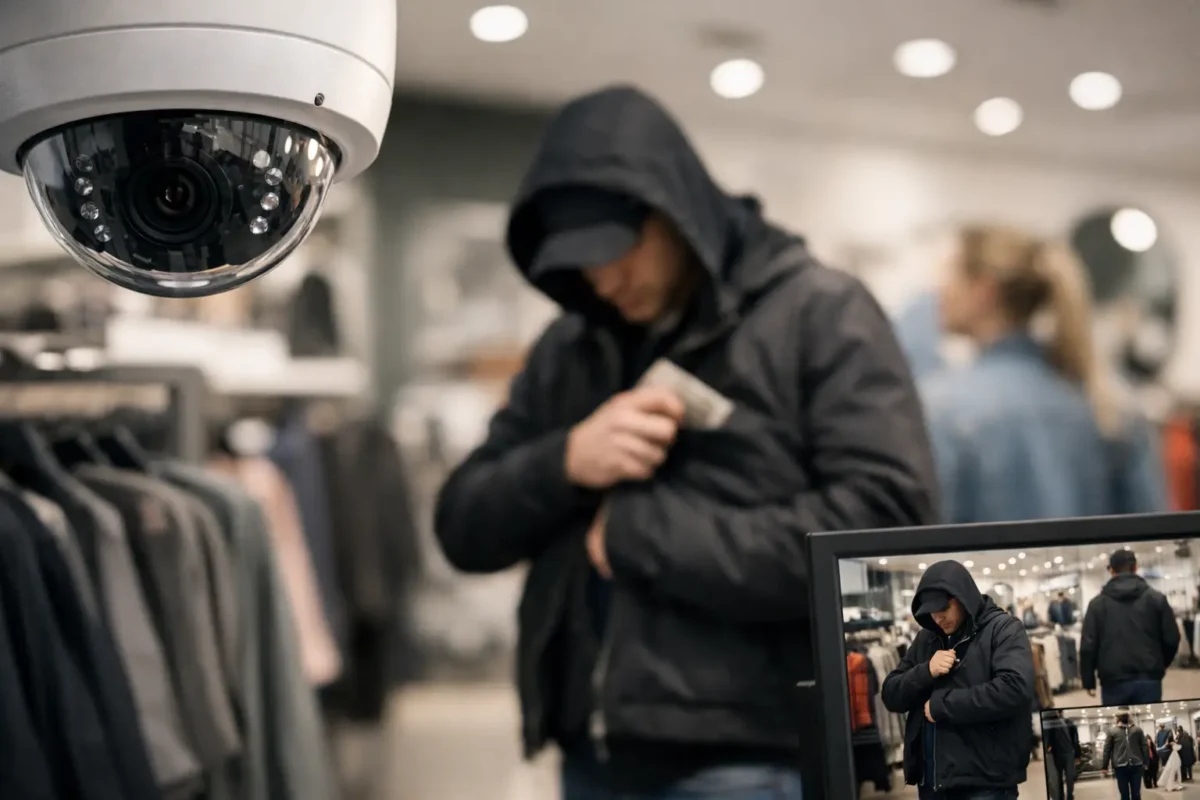
A customer walks out with merchandise concealed under a jacket. Your camera caught the aisle, but the image is grainy, the person turns away at the exit, and no one can clearly see what happened at the register. That is the difference between having cameras and having evidence. Can cameras identify shoplifters? They can often provide a strong, usable record of suspicious activity and, in the right conditions, help identify a person. But a camera system does not make the accusation or replace a trained employee, manager, or law enforcement investigation.
For retailers, the real goal is to create a clear timeline: who entered, where they went, what merchandise they handled, whether they paid, and how they left. A business-grade surveillance system designed around that sequence can deter theft, support safe intervention policies, and provide footage that is far more useful after an incident.
Can Cameras Identify Shoplifters in Real Situations?
Yes, cameras can identify suspected shoplifters when the system captures a clear enough face, clothing, behavior, vehicle, or other distinguishing detail. Identification is most reliable when several camera views tell the same story. A front-door camera may capture a usable facial image, an aisle camera may document concealment, a point-of-sale camera may show whether payment occurred, and an exterior camera may record the direction of travel or vehicle.
A single wide-angle ceiling camera rarely does all of that well. Wide views are valuable for showing activity across a sales floor, but they are not always positioned or detailed enough to establish a face or a small item being concealed. This is why camera placement matters as much as camera resolution.
Cameras are particularly effective for recognizing repeat offenders. If the same individual returns wearing a similar jacket, follows the same path, or arrives in the same vehicle, a manager can compare incidents and give responding officers a more complete record. For multi-location retailers, properly configured systems can also help authorized teams review patterns across stores without guessing based on incomplete clips.
Still, video evidence has limits. A face may be blocked by a hat, mask, hood, glare, poor lighting, or motion blur. A camera might show a person picking up an item but not show what happened in a blind spot. Footage can support an investigation, but it should not be treated as automatic proof of intent.
What a Camera System Can Document
The strongest retail security systems are built to document actions, not just faces. A clear record can establish the sequence before, during, and after a suspected theft. That includes entry and exit times, movement through high-risk areas, product handling, trips to fitting rooms, interactions with staff, point-of-sale activity, and the route taken off the property.
For a smoke shop, that may mean close coverage of display cases, cash handling areas, and the entry door. A jewelry store needs detail around cases, counters, consultation tables, and every customer entrance or exit. Convenience retailers and small markets often need focused coverage of alcohol, cosmetics, over-the-counter products, and other commonly targeted inventory.
Exterior coverage also matters. A license plate recognition camera can capture vehicle information in a controlled lane or driveway when it is installed at the right angle and distance. It is not a substitute for a general parking-lot camera, and it will not read every plate under every condition. But for stores with recurring vehicle-based theft, it can add a critical detail to an incident record.
The Hardware Details That Determine Whether Footage Is Useful
More megapixels alone will not solve a poorly designed system. A high-resolution camera pointed too high, too wide, or directly into backlight may still produce unusable footage. The system needs to be designed around what staff must see and prove.
Coverage at entrances and checkout
Entrances need cameras positioned for face-level identification, not just a top-down view of heads. Lighting should be balanced so the image remains clear when someone enters from bright daylight or exits into it. At registers, cameras should show the customer, cashier, counter, and transaction area without exposing unnecessary private information.
Detail in high-loss zones
Aisle and display cameras should be close enough to capture hands, merchandise, and concealment behavior. PTZ cameras can help security staff follow an active incident in larger stores or parking areas, but they should support fixed cameras rather than replace them. A PTZ can only look in one direction at a time. Fixed cameras continue recording their assigned areas without relying on an operator.
Lighting, storage, and network reliability
Low-light performance is essential for businesses open late or with dim aisles, storage rooms, and parking lots. Cameras with effective infrared or low-light color imaging can make a major difference after hours. Reliable network equipment, correctly sized recording storage, and battery backup are just as important. If the recorder overwrites footage after a few days or drops cameras during an outage, the system may fail when an incident is reported later.
For many retailers, 30 days of retention is a practical starting point, but the right retention period depends on camera count, resolution, recording settings, incident reporting timelines, and company policy. A professionally designed system accounts for those operational details before installation.
Where AI Helps – and Where Human Review Is Required
Modern AI cameras can make theft-related monitoring more manageable. They can distinguish people from vehicles, send alerts when someone enters a restricted area, flag loitering near an entrance, or help staff quickly search for a person wearing a certain color or carrying a bag. These features reduce the time required to review hours of video.
Some systems also offer behavior-oriented analytics, such as line crossing, crowding, or object removal in defined areas. These tools can be useful around receiving doors, stockrooms, display cases, and after-hours access points. They are alerts, not verdicts.
AI can make mistakes when lighting changes, shelves are rearranged, an area is crowded, or a customer behaves in an unusual but innocent way. A staff member must review the video, follow company policy, and avoid confronting anyone based solely on an automated notification. The safest approach is to use AI for faster awareness and human judgment for every decision that affects a customer.
Use Footage to Support a Safe Store Policy
Video is most valuable when it fits a clear loss-prevention process. Employees should know who can review footage, how incidents are documented, when police should be contacted, and when staff should avoid engagement for safety reasons. A suspected theft involving a minor, a group, a weapon, or escalating behavior calls for caution, not a rushed confrontation.
When an incident occurs, preserve the original recording promptly. Export the relevant clips with enough time before and after the event to establish context. Record the date, time, camera location, employee observations, item description, and any receipt or inventory information. Avoid editing footage in a way that could create questions about what happened. If video is provided to law enforcement or an insurer, keep a copy and document who received it.
Businesses should also use visible camera notices where appropriate and follow applicable privacy, employment, and recording laws. Cameras should focus on legitimate security areas, not locations where people reasonably expect privacy. If audio recording is enabled, legal requirements can be stricter than video requirements, especially when conversations are captured.
Build the System Around Your Store’s Actual Risks
A daycare, jewelry store, smoke shop, parking facility, and construction site do not need the same camera layout. The right system starts with a walkthrough of entrances, cash points, high-value inventory, blind spots, lighting conditions, exterior approaches, and how staff respond after an alarm or suspicious activity alert.
Tech Security USA helps businesses match business-grade cameras, recording capacity, AI analytics, intrusion protection, and installation support to the property instead of selling a one-size-fits-all package. The objective is not to watch more video. It is to capture the right evidence, keep it available, and make it accessible when your team needs it.
Before the next incident exposes a blind spot, review your current camera views from the perspective of an investigator: can you clearly see the person, the merchandise, the transaction area, and the exit route? If the answer is no, a properly designed upgrade can turn video from a vague record into practical protection.
Posted on GoogleTrustindex verifies that the original source of the review is Google. I visited the Tech Security USA orange to install security cameras for my home. I found it a very professional company, with high quality products that were made me impressed. I recommend it to anyone who are looking a professional security cameras company in onrange city of Orange County CA.Posted on GoogleTrustindex verifies that the original source of the review is Google. “Edit (this review is not “spam” which the owner claims it is and the story is absolutely real however it was about 2 years ago and if I wasn’t shy back then(9th grade) or I wish I had done/said something about my dad and I being taken advantage of as it was a scam (quoted at around $150 but after having to wait 3weeks instead of 3 days for the guy to charge us $300 for a cheap screen that no longer had a haptic button or working Touch ID along with many white pressure dots along the edges). Do not go here. If you look at most of their 5-star reviews, they are older than 7 years. I went here recently to fix my iPad Air (3rd gen). The problem was the screen's backlight wouldn't work, so it would just show a black image. The technician said he could get it done for around $150 and in 2-3 days he would call us (my dad and I). After a week of waiting, we decided to call but to no avail. We went to the place to check up on the work done, if any. We got there and the iPad was in the exact same spot as the day we left it there. The guy told us it would be ready in about 4 days, no later, and that he would call us. We never got the call, so we went back after about another 3 days of waiting for a call (2 weeks now). After waiting, we went back to the store for the iPad, and it appeared to us as if he had just gotten started by breaking the screen to replace it. After another week, we came back and he pulled it out from a drawer saying something along the lines of, "I was about to call you guys." The screen was working, but it was clearly a cheap screen that was ordered online, and the Touch ID didn’t work anymore. The button was replaced with a non-haptic one. There are many white dots along the edges of the screen that look as if someone pressed their thumb down too hard for too long. The guy said with all the "extra" work done to it, the new total would be $300. When my dad and I looked at each other, we knew that wasn’t right, but I watched my dad grab his wallet and pay. I wish I had said something because we were taken advantage of, and after a week, the iPad's screen isn’t functioning properly as it feels unresponsive.Posted on GoogleTrustindex verifies that the original source of the review is Google. Will somebody please tell the owner to stop responding? She’s only validating the bad reviews.Posted on GoogleTrustindex verifies that the original source of the review is Google. Little messy inside but brought an old Moto Z2 Play in to finalize my failed battery self install. Done when promised, phone looked as good as new and works fine. I'm happy.Posted on GoogleTrustindex verifies that the original source of the review is Google. Garbage screen quality do not come here the screen is more different then a regular apple screen they use low quality screens the whole screen shattered and has black lines throughout it after a tiny drop with a screen protector.Posted on GoogleTrustindex verifies that the original source of the review is Google. I needed a battery replacement for my Huawei p10, the engineer fixed it in a few days (he had to order the battery) and it was reasonable priced, very good, thank youPosted on GoogleTrustindex verifies that the original source of the review is Google. Great location and employees. Really came through when I needed help. Recommend this place to anyone.Posted on GoogleTrustindex verifies that the original source of the review is Google. My go to place for any laptop and iPhone repairs. Also very friendly and experienced guy James.
Resent Posts

How to Design Jobsite Surveillance That Works
21 October 2026

Surveillance System Maintenance Guide for Uptime
19 October 2026
Table of Contents