

How to Secure Parking Lot Cameras Properly
[yasr_overall_rating]
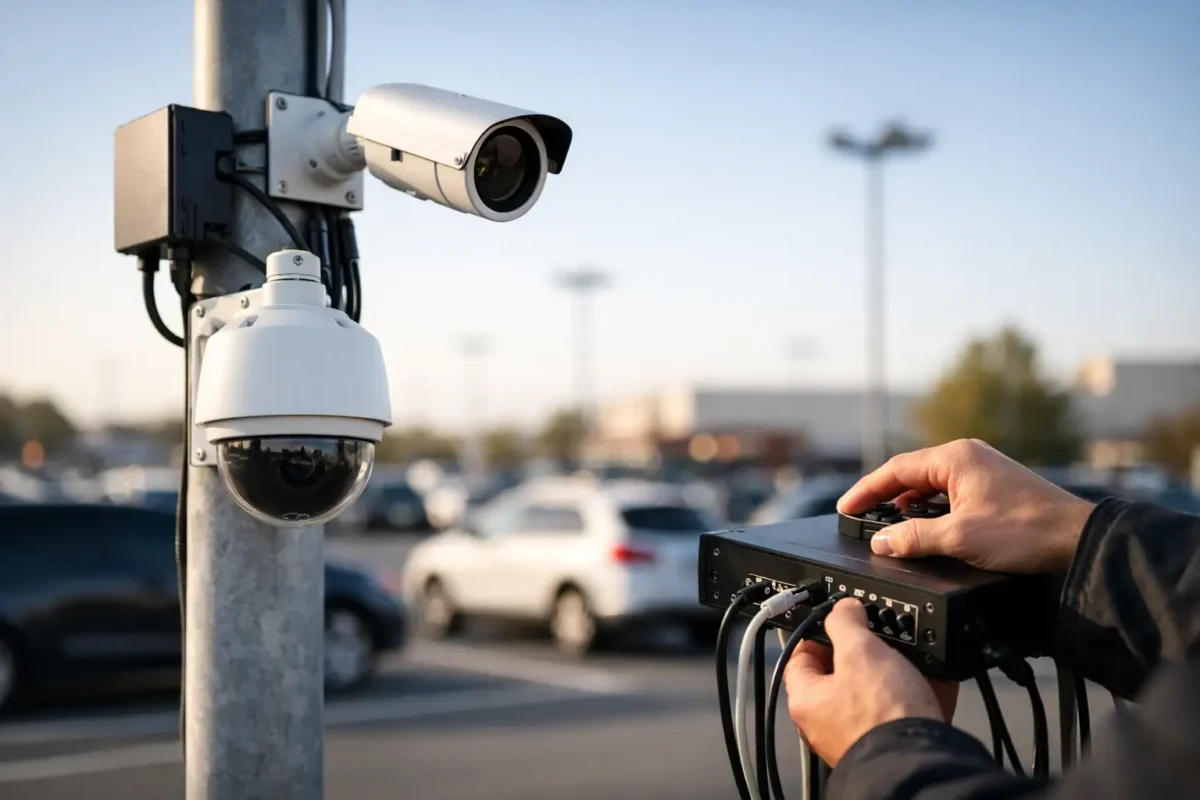
A parking lot camera only helps if it remains online, captures usable evidence, and cannot be easily damaged or bypassed. That is why learning how to secure parking lot cameras means looking beyond the camera itself. The mounting point, cable route, lighting, network, recorder, and service plan all affect whether the system performs when a vehicle is broken into, a customer dispute occurs, or an employee needs to review activity after hours.
For property owners and facility managers, the goal is simple: build a visible, business-grade system that deters crime and produces clear, reliable footage without creating daily maintenance headaches.
Start With the Risks in Your Lot
Every parking area has different exposure points. A small retail lot may deal with vehicle prowls and loitering near the entrance. An apartment property may need to document gate access, visitor traffic, package theft, and overnight incidents. A construction site may need cameras that can withstand dust, weather, changing layouts, and limited wired internet.
Walk the lot before choosing equipment. Identify vehicle entrances and exits, pedestrian paths, payment machines, dumpsters, loading areas, blind corners, stairwells, and the spaces furthest from the building. These are the places where poor lighting and incomplete coverage usually create gaps.
Avoid relying on one camera to cover an entire lot. A wide overview camera is useful for tracking movement, but it may not capture a readable face or license plate at a distance. A properly designed system uses overlapping views: one for the overall scene, another for key access points, and targeted coverage for areas with recurring incidents.
Use the Right Camera for Each View
The best security camera is not always the highest-resolution model. It is the camera selected for a specific job and installed at the correct height, angle, and distance.
Bullet cameras are often a strong fit for parking lot perimeters because they are highly visible and can act as a deterrent. Dome cameras are more discreet and offer better protection against casual tampering when installed under canopies or near building entrances. PTZ cameras can monitor large active areas, but they should not be the only coverage source. When a PTZ camera turns to follow one vehicle, it is no longer recording the area it left behind.
License plate recognition cameras should be treated as a dedicated tool, not a standard overview camera. To capture plates reliably, the camera needs the correct lane position, viewing angle, shutter settings, and lighting. A camera pointed generally toward an entrance may record cars entering, but it will not necessarily produce evidence that identifies a plate.
For large or irregular lots, panoramic or fisheye cameras can provide useful situational awareness. Pair them with fixed cameras at vehicle entrances and high-risk zones so the system records both the big picture and the identifying details.
Mount Cameras Beyond Easy Reach
Physical security starts at the mounting point. Cameras installed too low can be redirected, covered, struck, or stolen. In most commercial settings, mounting cameras approximately 10 to 16 feet above grade offers a practical balance between tamper resistance and usable facial detail. The proper height depends on the lens, camera resolution, and distance to the subject.
Use commercial-grade brackets, weather-rated junction boxes, and tamper-resistant screws. Exposed cable is a weak point. Run network and power cabling through conduit, inside poles, or through protected building pathways whenever possible. If an installer can pull a cable free by hand, an intruder may be able to do the same.
Pole-mounted cameras need special attention. The pole should be structurally sound, the enclosure should be locked, and the cable entry should be protected from weather and tampering. For remote areas, a locked equipment cabinet and monitored power source can prevent a simple vandalism attempt from taking down an entire section of the system.
Design Lighting and Camera Coverage Together
Cameras do not create light. Poor lighting remains one of the most common reasons footage is too dark, washed out, or unclear during an investigation.
Inspect the property after dark, not just during the day. Look for bright headlights at entrances, glare from storefronts, deep shadows around parked vehicles, and unlit paths between buildings. A camera facing directly into a light source can lose critical detail unless its exposure settings and placement are designed for that condition.
Infrared cameras can support nighttime monitoring, but infrared has limits in large outdoor spaces. Reflective surfaces, heavy rain, fog, and distant subjects can reduce image quality. Well-planned white lighting often improves color evidence, facial recognition, and general deterrence. It also makes customers and employees feel safer when walking to their vehicles.
Place cameras to capture a person approaching a vehicle, not only the top of their head while standing beside it. At entrances, position cameras so faces are recorded before a person reaches the door or gate. At vehicle lanes, use a dedicated view that captures the front or rear plate in the direction of travel.
How to Secure Parking Lot Cameras From Network Threats
A camera system can be physically protected and still fail because of weak network practices. Default passwords, outdated firmware, exposed remote access, and unsecured Wi-Fi can give unauthorized users a path into the system.
Start by changing every default password, including passwords for cameras, recorders, network switches, routers, and remote viewing accounts. Use unique, strong credentials and assign access by role. A manager may need to review footage, while a staff member may only need live viewing. Not everyone should have permission to delete recordings, change camera settings, or add users.
Keep cameras on a dedicated network or VLAN when possible. This separates surveillance equipment from point-of-sale systems, office computers, and guest Wi-Fi. Use encrypted remote access through a properly configured router or VPN instead of leaving cameras openly available on the internet.
Firmware updates matter, but they should be managed carefully. Confirm compatibility with the recorder before updating a large system, and schedule work during a low-impact period. A business-grade installer or support provider can document device settings and handle updates without disrupting recording coverage.
Protect the Recorder, Power, and Evidence
Your recorder is the evidence vault. If it is sitting openly behind a front counter or in an unlocked maintenance room, an offender can remove it, disconnect it, or damage it after an incident.
Install the NVR or server in a locked room, secured cabinet, or protected rack. Use a battery backup and surge protection to keep recording through short outages and reduce damage from power events. For high-risk properties, consider backup recording to an off-site location or cloud service. Local recording offers reliable high-capacity storage, while off-site backup can preserve evidence if on-site equipment is stolen or destroyed. Many properties benefit from both.
Retention time should match the risks of the property. A small lot with a few cameras may retain weeks of footage, while a multi-camera facility recording at high resolution may fill storage much faster. Do not guess. Calculate retention based on camera count, resolution, frame rate, recording schedule, and available storage capacity.
Test footage retrieval before an incident occurs. Staff should know who can export video, how to locate a time and camera, and how to preserve the original clip. A system that records properly but cannot produce usable footage quickly is not supporting operations when it matters most.
Maintain the System After Installation
Parking lots are hard on equipment. Rain, wind, heat, dust, insects, vehicle vibration, and landscaping growth can affect camera performance over time. A camera that was correctly aimed during installation can become obstructed by tree branches, signage, or a new light fixture months later.
Set a regular inspection schedule. Check that every camera is online, verify time synchronization, review a sample of daytime and nighttime footage, clean dirty lenses, and confirm that the recorder has sufficient storage. If cameras rely on wireless bridges or LTE/5G connectivity, monitor signal strength and data usage as well.
Visible signage can also support deterrence and set expectations for customers and visitors. Follow applicable state and local privacy requirements, particularly when cameras are near neighboring properties, public sidewalks, or areas where people have a reasonable expectation of privacy. Parking lot cameras should document public-facing activity, not intrude into private spaces.
A professionally designed system is easier to manage because the coverage plan, hardware, cabling, and recording settings work together from the start. Tech Security USA helps property owners match business-grade cameras, network equipment, installation, and ongoing support to the realities of their parking lot.
The right time to test your parking lot coverage is on an ordinary night, before the footage is needed for a police report, insurance claim, or customer complaint. Walk the lot, review the video, and correct the gaps while you still have the opportunity to do it right.
Posted on GoogleTrustindex verifies that the original source of the review is Google. I visited the Tech Security USA orange to install security cameras for my home. I found it a very professional company, with high quality products that were made me impressed. I recommend it to anyone who are looking a professional security cameras company in onrange city of Orange County CA.Posted on GoogleTrustindex verifies that the original source of the review is Google. “Edit (this review is not “spam” which the owner claims it is and the story is absolutely real however it was about 2 years ago and if I wasn’t shy back then(9th grade) or I wish I had done/said something about my dad and I being taken advantage of as it was a scam (quoted at around $150 but after having to wait 3weeks instead of 3 days for the guy to charge us $300 for a cheap screen that no longer had a haptic button or working Touch ID along with many white pressure dots along the edges). Do not go here. If you look at most of their 5-star reviews, they are older than 7 years. I went here recently to fix my iPad Air (3rd gen). The problem was the screen's backlight wouldn't work, so it would just show a black image. The technician said he could get it done for around $150 and in 2-3 days he would call us (my dad and I). After a week of waiting, we decided to call but to no avail. We went to the place to check up on the work done, if any. We got there and the iPad was in the exact same spot as the day we left it there. The guy told us it would be ready in about 4 days, no later, and that he would call us. We never got the call, so we went back after about another 3 days of waiting for a call (2 weeks now). After waiting, we went back to the store for the iPad, and it appeared to us as if he had just gotten started by breaking the screen to replace it. After another week, we came back and he pulled it out from a drawer saying something along the lines of, "I was about to call you guys." The screen was working, but it was clearly a cheap screen that was ordered online, and the Touch ID didn’t work anymore. The button was replaced with a non-haptic one. There are many white dots along the edges of the screen that look as if someone pressed their thumb down too hard for too long. The guy said with all the "extra" work done to it, the new total would be $300. When my dad and I looked at each other, we knew that wasn’t right, but I watched my dad grab his wallet and pay. I wish I had said something because we were taken advantage of, and after a week, the iPad's screen isn’t functioning properly as it feels unresponsive.Posted on GoogleTrustindex verifies that the original source of the review is Google. Will somebody please tell the owner to stop responding? She’s only validating the bad reviews.Posted on GoogleTrustindex verifies that the original source of the review is Google. Little messy inside but brought an old Moto Z2 Play in to finalize my failed battery self install. Done when promised, phone looked as good as new and works fine. I'm happy.Posted on GoogleTrustindex verifies that the original source of the review is Google. Garbage screen quality do not come here the screen is more different then a regular apple screen they use low quality screens the whole screen shattered and has black lines throughout it after a tiny drop with a screen protector.Posted on GoogleTrustindex verifies that the original source of the review is Google. I needed a battery replacement for my Huawei p10, the engineer fixed it in a few days (he had to order the battery) and it was reasonable priced, very good, thank youPosted on GoogleTrustindex verifies that the original source of the review is Google. Great location and employees. Really came through when I needed help. Recommend this place to anyone.Posted on GoogleTrustindex verifies that the original source of the review is Google. My go to place for any laptop and iPhone repairs. Also very friendly and experienced guy James.
Resent Posts

How to Design Jobsite Surveillance That Works
21 October 2026

Surveillance System Maintenance Guide for Uptime
19 October 2026
Table of Contents