

AI Camera Review: What Actually Matters
[yasr_overall_rating]
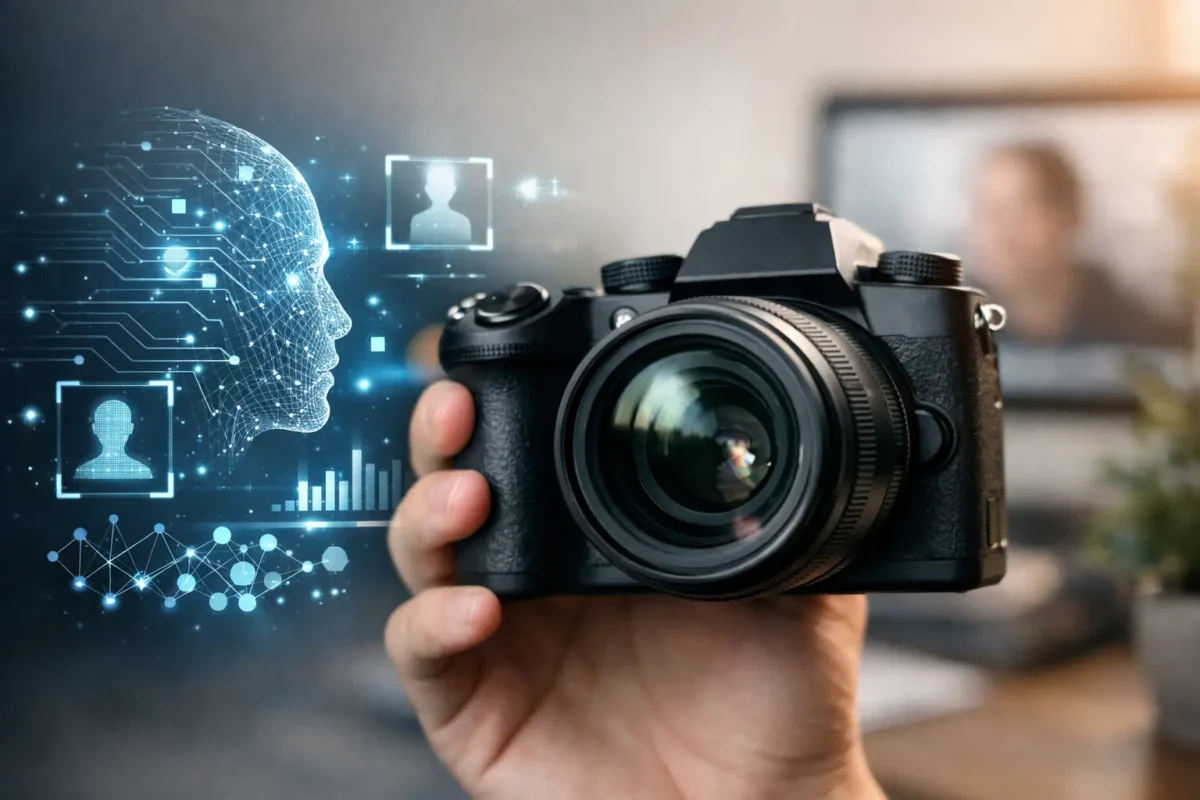
A camera that records a break-in at 3:00 a.m. is useful. A camera that identifies a person entering a restricted area, alerts the right manager, and captures a usable face before the incident escalates is far more valuable. That distinction is the real focus of an AI camera review. For businesses and property owners, AI is not a feature to buy for its own sake. It should reduce false alarms, speed up incident response, and produce evidence that holds up when you need it.
Many camera systems now carry an AI label, but their performance varies widely based on sensor quality, lens selection, camera placement, network design, recording settings, and the analytics being used. The right system is designed around the site, not selected from a product spec sheet alone.
AI Camera Review: Core Functions That Deliver Value
The most practical AI cameras use video analytics to classify objects and events. Rather than treating every movement as an alarm, the camera can distinguish people, vehicles, and sometimes non-motor vehicles. This lets a parking facility receive alerts when a car enters after hours while ignoring rain, tree movement, or headlights passing beyond the property line.
For a smoke shop, jewelry store, or small retail location, person detection can help staff monitor entrances, restricted stock areas, and exterior approaches without reviewing hours of ordinary footage. At a daycare, the priority may be perimeter awareness, entry documentation, and alerts for access to gates or staff-only areas. On a construction site, vehicle and human detection can reduce unnecessary notifications caused by shifting shadows, equipment vibration, or debris.
The best results come from rules that reflect how the property operates. Common examples include line crossing, intrusion zones, loitering detection, people counting, and object detection. A line-crossing rule may alert a facility manager when someone enters a rear service door area after closing. Loitering detection can be useful near a storefront, but it needs thoughtful timing so legitimate customers are not treated as suspicious activity.
AI search is another major operational advantage. Instead of scrubbing through a full day of video, an authorized user can search for a person, vehicle, or event type within a selected time period. This is particularly valuable after an incident, when staff need to find the relevant clip quickly and preserve it before it is overwritten.
Image Quality Still Comes First
Analytics cannot correct a poorly positioned camera or recover facial detail that was never captured. Before comparing AI functions, look at the fundamentals: resolution, low-light performance, wide dynamic range, lens angle, frame rate, and infrared range.
Resolution should match the identification task. A wide-angle camera may cover an entire sales floor or parking entrance, but it may not provide enough pixel density to identify a face at the far end of the scene. Higher resolution can help, but it also increases bandwidth and storage requirements. In many locations, two correctly placed cameras outperform one ultra-high-resolution camera trying to cover too much area.
Low-light performance deserves close attention for Seattle-area overcast conditions, dim lots, alleyways, warehouses, and properties that operate late. Infrared illumination can provide usable monochrome video in darkness, while full-color night imaging may capture clothing colors and vehicle details when ambient lighting is available. Neither option is automatically better. Infrared is effective where there is no dependable lighting, while color night imaging can add useful context in controlled, well-lit areas.
Wide dynamic range matters at entry doors, loading docks, and garages where bright outdoor light meets a darker interior. Without it, the camera may show a clear background and an unusable silhouette at the doorway. For theft investigations and access disputes, that is a costly failure.
Where AI Cameras Can Fall Short
AI detection is more accurate than basic motion alerts, but it is not infallible. Heavy rain, glare, dense crowds, unusual camera angles, obstructed views, and poor nighttime lighting can affect accuracy. A camera mounted too high may detect a person but fail to capture a useful face. A camera aimed across a busy public sidewalk may generate more alerts than the operator can reasonably manage.
There is also a difference between event classification and identity. A standard AI camera may identify that an object is a person or a vehicle. It does not necessarily identify who that person is. Features such as facial recognition involve additional legal, privacy, policy, and deployment considerations. For most small businesses and residential properties, person and vehicle analytics, properly configured, deliver strong value without adding unnecessary complexity.
License plate recognition is another specialized case. A general-purpose AI camera can often capture vehicle activity, but reliable plate capture usually requires a dedicated license plate recognition camera, correct lens selection, controlled field of view, and attention to speed, angle, lighting, and plate reflectivity. Parking lots, gated facilities, and high-theft retail locations should treat LPR as its own design requirement rather than an add-on expectation.
Installation Determines Whether the Analytics Work
An AI camera is only as effective as its view of the scene. Installation planning should start with the objective for each camera: deterrence, overview coverage, facial identification, vehicle documentation, plate capture, or alerting at a defined boundary. One camera can support more than one goal, but not every goal at every distance.
Camera height and angle affect both image quality and analytics. A front entrance camera should generally be positioned to capture approaching faces rather than only the tops of heads. A parking lot camera needs a clear view of travel lanes and entry points, not a broad but distant view of every parked vehicle. Exterior cameras should be selected for weather exposure and mounted with cable protection, stable power, and a view that is not easily blocked or redirected.
Network and recorder capacity also need to be planned early. High-resolution cameras, continuous recording, multiple AI channels, and longer retention periods place real demands on storage and network infrastructure. A system that is undersized may drop frames, shorten retention, or become difficult to access remotely when several users log in at once.
For commercial properties, a professional site assessment can identify blind spots, lighting problems, mounting limitations, cable paths, and recorder requirements before equipment is purchased. That approach prevents the common mistake of installing cameras first and trying to solve coverage problems later.
Choosing the Right AI Camera Type
Bullet cameras are often a strong choice for exterior walls, parking areas, driveways, and loading zones because their visible presence can support deterrence and their form factor makes it easy to direct the lens toward a specific area. Dome cameras are well suited to lobbies, retail interiors, entrances, and locations where a lower-profile appearance is preferred. Their vandal-resistant options can be useful in public-facing areas.
PTZ cameras add remote pan, tilt, and zoom control for large properties, construction sites, and expansive lots. They are valuable for active monitoring, but a PTZ should not replace fixed cameras at critical doors, cash handling areas, gates, or other locations that require constant coverage. When the PTZ moves, it is no longer watching the area it left.
Panorama and fisheye cameras can provide broad overview coverage in open areas, while dedicated LPR cameras serve vehicle access and parking enforcement needs. The best configuration is often a mixed system: fixed AI cameras for always-on coverage, specialty cameras for high-value risk points, and a recorder configured for efficient search and dependable retention.
Questions to Ask Before You Buy
A useful AI camera review should lead to operational questions, not just a comparison of specifications. Ask what event you need the camera to detect, what evidence you need to capture, who will receive alerts, and how quickly someone can respond. Then ask how long video must be retained and whether the network can support the design.
Also consider day-to-day management. A system should give authorized users clear live viewing, simple playback, meaningful notifications, and a manageable way to export incident footage. If the interface is difficult or alerts are constant, employees will stop using the system as intended.
Support matters after installation as much as it does on day one. Camera settings may need adjustment as seasons change, landscaping grows, a parking layout shifts, or a business changes operating hours. Tech Security USA helps customers match business-grade AI camera hardware with site-specific design, installation coordination, training, and same-day support when the system needs attention.
The right AI camera system does not promise to solve every security problem automatically. It gives your team clearer information, fewer distractions, and a faster path from an alert to an informed response. Start with the risks that matter most on your property, then build coverage that can perform reliably when the moment is no longer routine.
Posted on GoogleTrustindex verifies that the original source of the review is Google. I visited the Tech Security USA orange to install security cameras for my home. I found it a very professional company, with high quality products that were made me impressed. I recommend it to anyone who are looking a professional security cameras company in onrange city of Orange County CA.Posted on GoogleTrustindex verifies that the original source of the review is Google. “Edit (this review is not “spam” which the owner claims it is and the story is absolutely real however it was about 2 years ago and if I wasn’t shy back then(9th grade) or I wish I had done/said something about my dad and I being taken advantage of as it was a scam (quoted at around $150 but after having to wait 3weeks instead of 3 days for the guy to charge us $300 for a cheap screen that no longer had a haptic button or working Touch ID along with many white pressure dots along the edges). Do not go here. If you look at most of their 5-star reviews, they are older than 7 years. I went here recently to fix my iPad Air (3rd gen). The problem was the screen's backlight wouldn't work, so it would just show a black image. The technician said he could get it done for around $150 and in 2-3 days he would call us (my dad and I). After a week of waiting, we decided to call but to no avail. We went to the place to check up on the work done, if any. We got there and the iPad was in the exact same spot as the day we left it there. The guy told us it would be ready in about 4 days, no later, and that he would call us. We never got the call, so we went back after about another 3 days of waiting for a call (2 weeks now). After waiting, we went back to the store for the iPad, and it appeared to us as if he had just gotten started by breaking the screen to replace it. After another week, we came back and he pulled it out from a drawer saying something along the lines of, "I was about to call you guys." The screen was working, but it was clearly a cheap screen that was ordered online, and the Touch ID didn’t work anymore. The button was replaced with a non-haptic one. There are many white dots along the edges of the screen that look as if someone pressed their thumb down too hard for too long. The guy said with all the "extra" work done to it, the new total would be $300. When my dad and I looked at each other, we knew that wasn’t right, but I watched my dad grab his wallet and pay. I wish I had said something because we were taken advantage of, and after a week, the iPad's screen isn’t functioning properly as it feels unresponsive.Posted on GoogleTrustindex verifies that the original source of the review is Google. Will somebody please tell the owner to stop responding? She’s only validating the bad reviews.Posted on GoogleTrustindex verifies that the original source of the review is Google. Little messy inside but brought an old Moto Z2 Play in to finalize my failed battery self install. Done when promised, phone looked as good as new and works fine. I'm happy.Posted on GoogleTrustindex verifies that the original source of the review is Google. Garbage screen quality do not come here the screen is more different then a regular apple screen they use low quality screens the whole screen shattered and has black lines throughout it after a tiny drop with a screen protector.Posted on GoogleTrustindex verifies that the original source of the review is Google. I needed a battery replacement for my Huawei p10, the engineer fixed it in a few days (he had to order the battery) and it was reasonable priced, very good, thank youPosted on GoogleTrustindex verifies that the original source of the review is Google. Great location and employees. Really came through when I needed help. Recommend this place to anyone.Posted on GoogleTrustindex verifies that the original source of the review is Google. My go to place for any laptop and iPhone repairs. Also very friendly and experienced guy James.
Resent Posts

How to Design Jobsite Surveillance That Works
21 October 2026

Surveillance System Maintenance Guide for Uptime
19 October 2026
Table of Contents