
Best Security Solutions for Daycares That Work
[yasr_overall_rating]
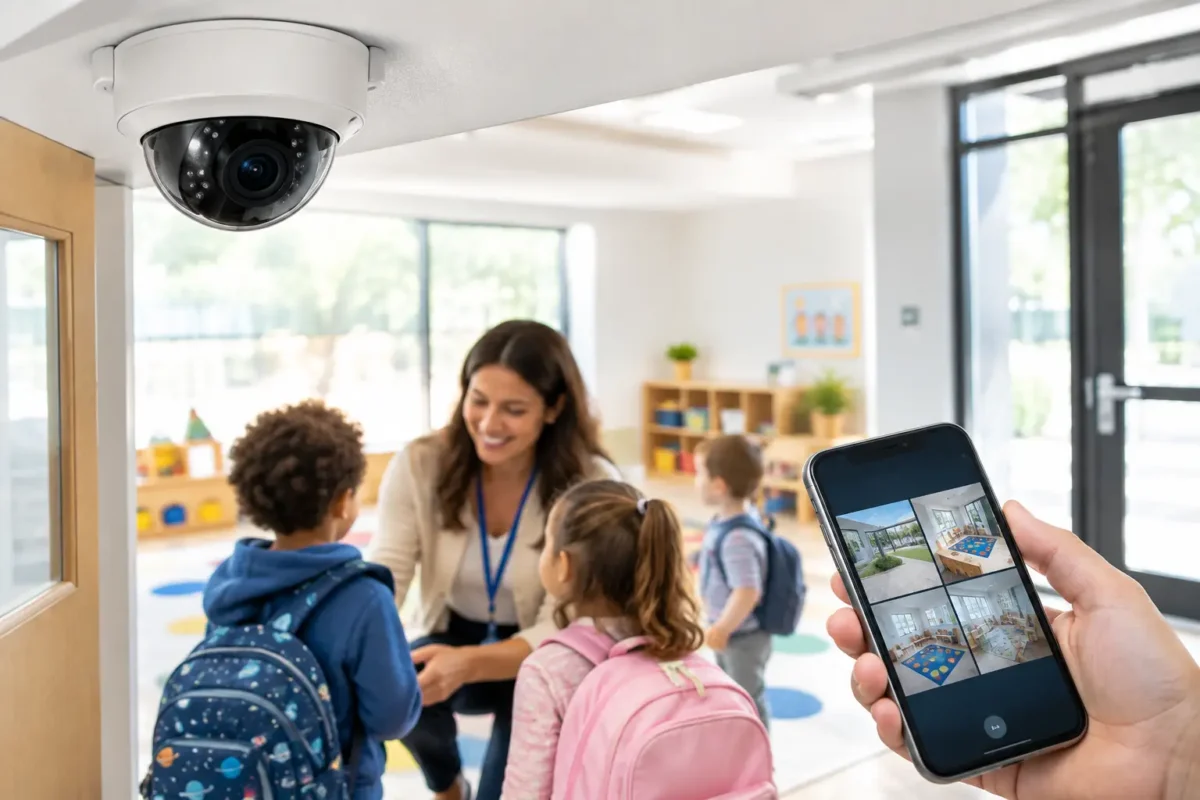
A daycare security system has to do more than capture video after a problem occurs. It must help staff control access during busy drop-off periods, document what happened in classrooms and outdoor areas, and give owners a dependable record when questions arise. The best security solutions for daycares combine business-grade surveillance, controlled entry, life safety systems, and a design that fits how the facility actually operates.
A single camera above the front door is not a complete plan. Daycare owners need coverage that accounts for parent traffic, staff-only spaces, playground supervision, blind spots, network reliability, and the privacy expectations that come with caring for children. The right system is designed around those realities before equipment is selected.
Start With a Daycare Security Assessment
Every daycare has different risks. A small in-home program may need a well-positioned entrance camera, a doorbell or intercom, and a few carefully placed interior cameras. A larger center may require multiple entrances, classroom coverage, playground cameras, access control, intrusion detection, fire alarm integration, and centralized recording.
Walk the property with daily operations in mind. Consider where children enter and leave, where visitors check in, which doors staff use, where pickup disputes could occur, and which exterior areas are difficult to observe from the office. Also consider the moments when the building is most vulnerable: early arrivals, shift changes, nap time, playground transitions, closing, and weekend hours.
A professional assessment should identify camera views, lighting issues, cable routes, recorder placement, network capacity, and the right level of retention for recorded footage. This avoids a common mistake: buying good cameras without a plan for where they should be installed or how footage will be retrieved when it matters.
Best Security Solutions for Daycares: The Core System
For most facilities, the strongest approach is a layered system. Each component addresses a different operational need, so staff are not relying on one device to do every job.
Business-Grade Camera Coverage
Surveillance cameras are the foundation of most daycare security plans. They can discourage unauthorized behavior, help managers investigate incidents, support parent and staff conversations, and provide clear documentation for insurance or law enforcement when necessary.
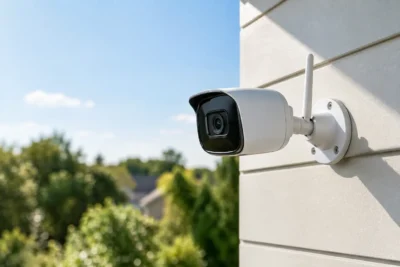
Camera placement matters more than camera count. High-resolution dome cameras often work well indoors because they provide a clean appearance and are difficult to redirect. Bullet cameras are useful for exterior entrances, parking areas, loading zones, and playground perimeters because they provide visible deterrence and can be aimed over longer distances. Panoramic or fisheye cameras can cover larger common areas with fewer devices, although they should be selected carefully because wide views may not provide the facial detail needed at distance.
A practical daycare camera plan usually covers the main entrance, reception or check-in area, hallways, exterior doors, parking and pickup lanes, playgrounds, and any storage areas that contain supplies or sensitive records. Classroom coverage depends on the facility’s policy, parent agreements, licensing rules, and local privacy requirements. Bathrooms, changing areas, and other private spaces should never be recorded.
Look for cameras with strong low-light performance, wide dynamic range for doors with bright sunlight behind them, and reliable weather ratings for outdoor use. Clear video at 2:00 p.m. is easy. Clear video during a dark winter morning, rainstorm, or backlit afternoon pickup is where business-grade equipment earns its value.
AI Video Analytics for Faster Review
AI-enabled cameras can reduce the time it takes to find a meaningful event. Instead of reviewing hours of footage, a manager may be able to search for a person entering a restricted door, activity in a designated area after closing, or a vehicle approaching the property.
For daycares, analytics should be configured conservatively. The goal is useful alerts, not constant notifications that staff begin ignoring. Person detection at exterior doors and playground gates, line-crossing alerts after hours, and loitering alerts near a closed entrance can be valuable. Alerts during operating hours should be limited to events that need action.
AI is a tool, not a substitute for supervision or sound policies. It works best when a trained manager understands what the system is watching, who receives alerts, and how the team responds.
Controlled Entry at Every Public Door
Uncontrolled access is one of the most avoidable daycare risks. A locked door alone can create problems when staff must stop supervising children to answer it repeatedly. A video intercom or door access system gives staff a better way to screen visitors before allowing entry.
Depending on the facility, controlled entry may include a video door station, electric strike or magnetic lock, keypad, key fob, mobile credential, and interior release button. Staff credentials can be added or removed without rekeying the building, which is especially useful when employees change. Access reports can also confirm when a door was opened and by which credential.
The right setup must comply with fire and life safety requirements. Doors must allow safe emergency egress, and access controls should be installed and programmed by professionals who understand local code requirements. Convenience should never interfere with evacuation or first responder access.
Intrusion Alarms for After-Hours Protection
Cameras document an event. Intrusion alarms are designed to create an immediate response when the building is closed. Door contacts, glass-break sensors, motion detectors, and panic buttons can provide protection that cameras alone cannot.
Daycares often store electronics, medication, records, food, and equipment that make them a target for break-ins. An alarm system can send a signal when a protected entry opens or movement is detected after hours. When paired with exterior cameras, owners can verify activity quickly and preserve footage of the event.
Alarm design should account for cleaning crews, early staff arrivals, pet policies, and the need to arm specific areas separately. A poorly configured system produces false alarms and frustration. A properly designed system becomes part of the closing routine without slowing down the team.
Fire Alarms and Life Safety Systems
Child safety planning cannot stop at intrusion prevention. Smoke detection, fire alarms, emergency notification, exit signage, and code-compliant life safety equipment are central to protecting children and staff.
Requirements vary by building type, occupancy, jurisdiction, and licensing status. That is why a daycare should avoid treating life safety as a simple retail purchase. A qualified provider can help coordinate the right equipment, installation standards, inspections, and service requirements for the property.
Design for Reliable Evidence, Not Just Live Viewing
Many owners focus on being able to see cameras from a phone. Remote viewing is useful, but recorded evidence is usually more important. When an incident is reported days later, you need footage that is clear, stored securely, and easy to locate.
Choose a network video recorder or cloud-managed recording approach based on the number of cameras, retention needs, bandwidth, and budget. Local recording can offer predictable long-term storage and fast playback. Cloud options can simplify remote management, but recurring costs and internet reliability need to be considered. Hybrid systems may be appropriate for multi-site operators who need both local continuity and off-site access.
Retention periods should reflect your operating needs, licensing guidance, incident reporting practices, and available storage. Thirty days is a common starting point, but it may not be sufficient for every facility. Higher camera resolution, more cameras, and continuous recording all require more storage. This is a design calculation, not a guess.
Protect system access as carefully as you protect the footage itself. Use individual user accounts, strong passwords, multi-factor authentication where available, and permission levels that limit who can export or delete recordings. Former employees should lose access immediately.
Privacy and Policy Are Part of the Installation
A daycare security system should support trust, not create uncertainty. Establish written policies for camera use, footage access, visitor management, incident review, and record retention. Staff should know who can view footage, when exports are allowed, and how to report a system issue.
Parents should receive clear communication about security measures and any areas under video surveillance. The message should focus on safety, accountability, and privacy boundaries. Avoid promising that cameras replace active supervision. They do not.
Audio recording requires particular caution because consent laws vary by state. In many cases, video-only recording is the safer choice unless the facility has received appropriate legal guidance. Licensing agencies and local regulations may also set rules for monitoring, retention, and camera placement.
Choose Installation and Support That Match the Stakes
Daycare systems are not a good place for consumer-grade devices with weak Wi-Fi coverage, limited storage, or no service plan. Equipment must work through daily traffic, power interruptions, outdoor weather, staff turnover, and the pressure of a real incident.
A business-grade provider should help you select the correct camera types, map coverage, install and aim devices correctly, configure recording, train staff, and provide ongoing support. Ask who will answer when a camera goes offline, whether replacement equipment is available, how remote access is secured, and whether the system can expand as enrollment grows.
Tech Security USA helps daycare operators build security systems around their facility layout, operating procedures, and long-term support needs. From AI surveillance and controlled entry to intrusion and life safety infrastructure, the priority is a system designed and installed correctly from the start.
The best next step is to walk your property as if you were a parent arriving early, an employee closing late, and a manager investigating an incident a week after it happened. The gaps you notice in those three moments will point directly to the security measures your daycare needs most.
Posted on GoogleTrustindex verifies that the original source of the review is Google. I visited the Tech Security USA orange to install security cameras for my home. I found it a very professional company, with high quality products that were made me impressed. I recommend it to anyone who are looking a professional security cameras company in onrange city of Orange County CA.Posted on GoogleTrustindex verifies that the original source of the review is Google. “Edit (this review is not “spam” which the owner claims it is and the story is absolutely real however it was about 2 years ago and if I wasn’t shy back then(9th grade) or I wish I had done/said something about my dad and I being taken advantage of as it was a scam (quoted at around $150 but after having to wait 3weeks instead of 3 days for the guy to charge us $300 for a cheap screen that no longer had a haptic button or working Touch ID along with many white pressure dots along the edges). Do not go here. If you look at most of their 5-star reviews, they are older than 7 years. I went here recently to fix my iPad Air (3rd gen). The problem was the screen's backlight wouldn't work, so it would just show a black image. The technician said he could get it done for around $150 and in 2-3 days he would call us (my dad and I). After a week of waiting, we decided to call but to no avail. We went to the place to check up on the work done, if any. We got there and the iPad was in the exact same spot as the day we left it there. The guy told us it would be ready in about 4 days, no later, and that he would call us. We never got the call, so we went back after about another 3 days of waiting for a call (2 weeks now). After waiting, we went back to the store for the iPad, and it appeared to us as if he had just gotten started by breaking the screen to replace it. After another week, we came back and he pulled it out from a drawer saying something along the lines of, "I was about to call you guys." The screen was working, but it was clearly a cheap screen that was ordered online, and the Touch ID didn’t work anymore. The button was replaced with a non-haptic one. There are many white dots along the edges of the screen that look as if someone pressed their thumb down too hard for too long. The guy said with all the "extra" work done to it, the new total would be $300. When my dad and I looked at each other, we knew that wasn’t right, but I watched my dad grab his wallet and pay. I wish I had said something because we were taken advantage of, and after a week, the iPad's screen isn’t functioning properly as it feels unresponsive.Posted on GoogleTrustindex verifies that the original source of the review is Google. Will somebody please tell the owner to stop responding? She’s only validating the bad reviews.Posted on GoogleTrustindex verifies that the original source of the review is Google. Little messy inside but brought an old Moto Z2 Play in to finalize my failed battery self install. Done when promised, phone looked as good as new and works fine. I'm happy.Posted on GoogleTrustindex verifies that the original source of the review is Google. Garbage screen quality do not come here the screen is more different then a regular apple screen they use low quality screens the whole screen shattered and has black lines throughout it after a tiny drop with a screen protector.Posted on GoogleTrustindex verifies that the original source of the review is Google. I needed a battery replacement for my Huawei p10, the engineer fixed it in a few days (he had to order the battery) and it was reasonable priced, very good, thank youPosted on GoogleTrustindex verifies that the original source of the review is Google. Great location and employees. Really came through when I needed help. Recommend this place to anyone.Posted on GoogleTrustindex verifies that the original source of the review is Google. My go to place for any laptop and iPhone repairs. Also very friendly and experienced guy James.
Resent Posts
Best Security Solutions for Daycares That Work
17 September 2026
Business Alarm Monitoring Options That Fit
15 September 2026
Table of Contents