
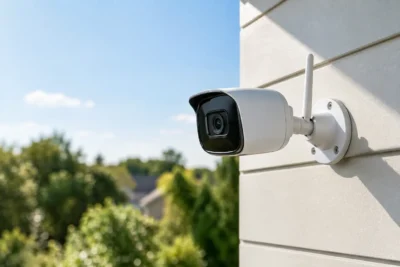
Business Alarm Monitoring Options That Fit
[yasr_overall_rating]
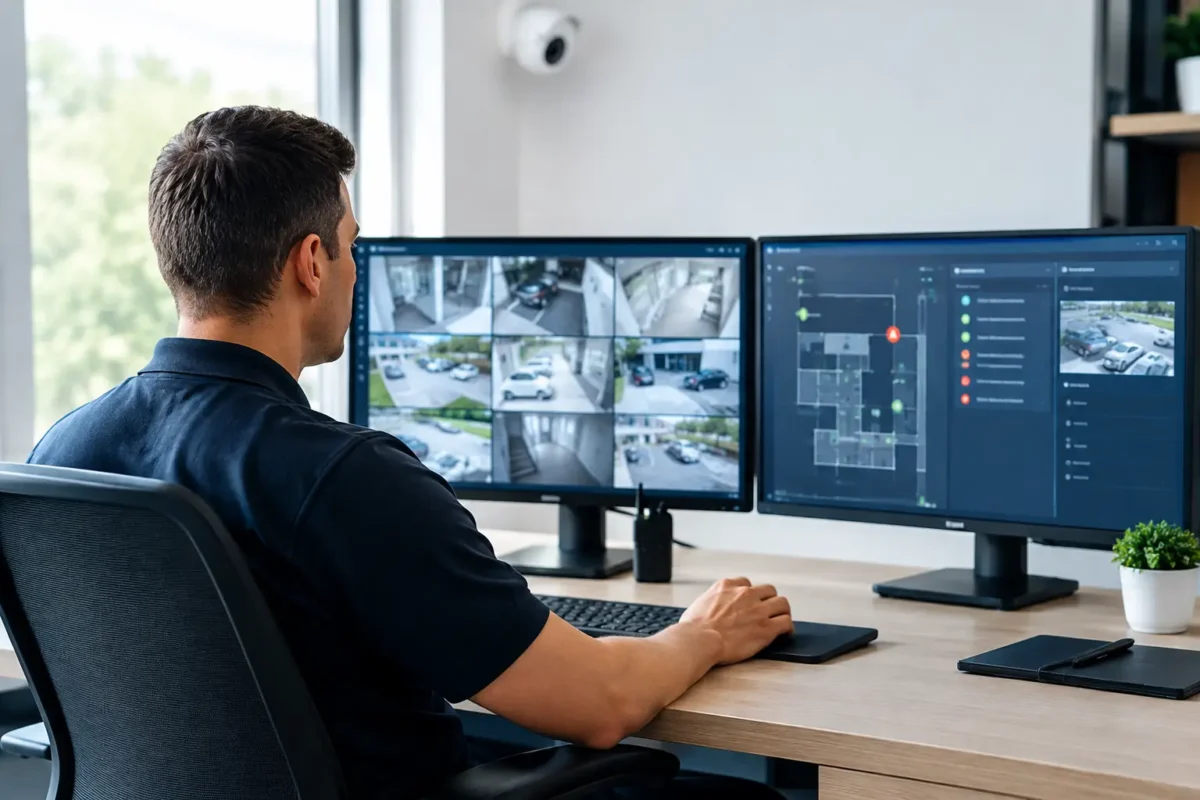
A break-in alarm that only makes noise at the building is not a complete business security plan. When a door contact, motion detector, glass-break sensor, panic button, or environmental sensor activates after hours, someone needs to receive the signal, verify the event when possible, and follow a defined response procedure. The right business alarm monitoring options turn a collection of devices into an active layer of protection for your property, staff, inventory, and operations.
For a jewelry store, a verified intrusion signal may need immediate escalation. For a daycare, the priority may include door status, staff safety, and dependable communication during occupied hours. A construction site may need mobile alerts, temporary wireless equipment, and cellular communication where internet service is limited. Monitoring should fit the site, the risk, and the way your team actually works – not force every property into the same package.
The Main Business Alarm Monitoring Options
Most commercial properties choose between professional central-station monitoring, self-monitoring, or a blended approach. The best fit depends on whether there is a responsible person available around the clock, how costly a missed event could be, and whether the site has special compliance or insurance requirements.
Professional 24/7 central-station monitoring
With professional monitoring, the alarm panel sends signals to a staffed monitoring center. Operators follow the account’s response instructions, which can include calling designated contacts, dispatching law enforcement or fire response when appropriate, and documenting activity. This is the most common choice for businesses that cannot depend on an owner or manager to answer an alert at 2:00 a.m.
Professional monitoring is particularly practical for smoke shops, retail stores, warehouses, offices, multi-site operators, and facilities with high-value inventory. It creates a defined response path even when managers are traveling, phones are off, or a staff member misses a notification.
The trade-off is recurring cost and the need to keep account details current. Contact lists, keyholder information, opening and closing schedules, and response instructions should be reviewed regularly. A monitoring center can only act on the information it has. If the manager who receives calls left six months ago, the system may not serve the business as intended.
Self-monitoring through mobile alerts
Self-monitored systems send alarm notifications directly to selected users through a mobile app, text message, email, or call. Owners can arm and disarm the system, review event history, and react to activity without a central station handling the initial alarm response.
This route can work well for a small office, owner-occupied business, low-risk storage area, or a property where several responsible users are consistently available. It gives management direct visibility and can reduce monthly service costs.
Its limitation is simple: an alert still requires a person to see it and act. Phone batteries die, notifications are silenced, staff are in meetings, and a single owner cannot provide true 24-hour coverage indefinitely. Self-monitoring is best treated as an operational tool, not a replacement for staffed response at a high-risk location.
Hybrid monitoring with video verification
A hybrid setup combines professional alarm monitoring with remote access to security cameras. When an alarm event occurs, authorized staff can check live or recorded video to understand what is happening. Depending on the system design and service plan, video may also support alarm verification procedures.
This approach is valuable for parking lots, job sites, retail entrances, loading areas, and locations where false alarms are a concern. A motion detector may trigger because of an employee arriving early, a door left unsecured, or an actual intrusion. Video provides context that an alarm signal alone cannot.
The system must be designed correctly for this to work. Cameras need useful angles, reliable nighttime performance, adequate bandwidth, and recording capacity. A camera pointed too high, poorly lit at night, or disconnected from the network will not help when an alarm activates.
Choose the Communication Path Before Choosing the Plan
Monitoring is only as reliable as the path used to send alarm signals. Commercial alarm panels commonly communicate over internet service, cellular networks, or both. Older phone-line connections still exist in some buildings, but they are generally less suitable for modern commercial systems.
Internet-based monitoring can be cost-effective and fast, especially at a stable office or retail location with managed network equipment. But an internet outage, failed router, power interruption, or damaged cable can stop the panel from reporting unless the system has backup communication.
Cellular monitoring uses LTE or 5G-capable communicators to send signals over a wireless network. It is often the stronger primary or backup choice for businesses because it does not rely on the same cable or internet connection as the building network. It is also useful for temporary construction sites and remote properties.
For higher-risk sites, dual-path communication is worth serious consideration. The panel can use internet service as its primary route and cellular as a backup, or use cellular first with an additional path available. If one communication route fails, the panel can still report. That added redundancy may be appropriate for locations with expensive inventory, frequent after-hours exposure, or strict insurance expectations.
Power backup matters just as much. A properly specified alarm system includes battery backup for the control panel and key devices. Network equipment, cameras, and cellular routers may also need backup power if the business expects surveillance and remote access to remain available during an outage.
Match Monitoring to the Risks at Your Site
A good monitoring plan begins with the event types that matter most. Intrusion detection is usually the starting point, but it should not be the only consideration.
For example, a jewelry store may need monitored perimeter doors, glass-break detection, interior motion coverage, hold-up or panic buttons, and camera coverage at entry points and display areas. A daycare may prioritize controlled access, monitored exterior doors, panic devices, fire and life-safety integration, and clear procedures for staff. A parking facility may benefit from gate status, equipment-room alarms, camera coverage, and monitored communications equipment.
The following four questions will clarify what level of service makes sense:
- Who is available to respond when an alarm occurs outside business hours?
- What happens if an alarm signal is missed for 10 minutes, one hour, or overnight?
- Does the site need intrusion monitoring only, or fire, panic, temperature, water, and power-related alerts as well?
- Would camera verification help your team distinguish an actual incident from routine activity?
The answers often reveal that one monitoring plan is not enough for every system. A business may use central-station monitoring for burglary and fire events while providing managers with app alerts for door activity, access events, temperature changes, or camera health notifications.
Fire Alarm Monitoring Requires Its Own Plan
Fire and life-safety monitoring should not be treated like a standard burglar alarm add-on. Fire alarm systems may be subject to local codes, permit requirements, inspection schedules, testing standards, and specific monitoring procedures. The equipment, installation methods, and response workflow must align with the building type and authority having jurisdiction.
If your site needs fire monitoring, start with a proper evaluation of the existing panel, devices, communication method, and documentation. A retail suite, mixed-use building, warehouse, or childcare facility can have very different requirements. Reusing old components without verifying compatibility can create gaps in reporting and serviceability.
A qualified design and installation team can determine whether the system needs panel upgrades, cellular communicators, supervised connections, updated devices, or a complete replacement. The goal is dependable reporting and a system that can be inspected, tested, and maintained over time.
Avoid the Common Gaps That Undermine Monitoring
The most frequent monitoring failures are not always equipment failures. They are operational gaps: a panel is left disarmed, the wrong person receives alerts, the cellular communicator has poor signal, batteries are overdue for replacement, or an internet router was changed without reconnecting the alarm communicator.
A monitored alarm system should be tested at installation and at scheduled intervals afterward. Staff should know how to arm and disarm the system, use panic devices, handle opening and closing procedures, and avoid creating unnecessary false alarms. Managers should also know who to call for service when a device, app, communicator, or camera is not performing correctly.
For multi-site businesses, standardizing these procedures is especially valuable. Consistent panel settings, user permissions, naming conventions, contact lists, and service records make it easier to manage multiple locations without guessing which system is installed where.
Build a Monitoring Plan That Can Be Supported
The lowest monthly monitoring price is rarely the best value if the system is difficult to service, poorly installed, or unsupported after activation. Commercial security should be selected as a complete working system: business-grade alarm hardware, reliable communications, correct device placement, clear response instructions, professional installation, and accessible support.
Tech Security USA helps businesses evaluate alarm, camera, network, and life-safety needs as one protection plan rather than disconnected purchases. For Seattle and California properties, a site-specific design can account for building layout, local operating conditions, valuable assets, and the support your staff will need after installation.
Before selecting a monitoring plan, walk the property after hours and ask one practical question: if a door opens, glass breaks, or a panic button is pressed, who receives the signal, what information do they have, and what happens next? A clear answer is the foundation of a security system built to perform when the building is empty.
Posted on GoogleTrustindex verifies that the original source of the review is Google. I visited the Tech Security USA orange to install security cameras for my home. I found it a very professional company, with high quality products that were made me impressed. I recommend it to anyone who are looking a professional security cameras company in onrange city of Orange County CA.Posted on GoogleTrustindex verifies that the original source of the review is Google. “Edit (this review is not “spam” which the owner claims it is and the story is absolutely real however it was about 2 years ago and if I wasn’t shy back then(9th grade) or I wish I had done/said something about my dad and I being taken advantage of as it was a scam (quoted at around $150 but after having to wait 3weeks instead of 3 days for the guy to charge us $300 for a cheap screen that no longer had a haptic button or working Touch ID along with many white pressure dots along the edges). Do not go here. If you look at most of their 5-star reviews, they are older than 7 years. I went here recently to fix my iPad Air (3rd gen). The problem was the screen's backlight wouldn't work, so it would just show a black image. The technician said he could get it done for around $150 and in 2-3 days he would call us (my dad and I). After a week of waiting, we decided to call but to no avail. We went to the place to check up on the work done, if any. We got there and the iPad was in the exact same spot as the day we left it there. The guy told us it would be ready in about 4 days, no later, and that he would call us. We never got the call, so we went back after about another 3 days of waiting for a call (2 weeks now). After waiting, we went back to the store for the iPad, and it appeared to us as if he had just gotten started by breaking the screen to replace it. After another week, we came back and he pulled it out from a drawer saying something along the lines of, "I was about to call you guys." The screen was working, but it was clearly a cheap screen that was ordered online, and the Touch ID didn’t work anymore. The button was replaced with a non-haptic one. There are many white dots along the edges of the screen that look as if someone pressed their thumb down too hard for too long. The guy said with all the "extra" work done to it, the new total would be $300. When my dad and I looked at each other, we knew that wasn’t right, but I watched my dad grab his wallet and pay. I wish I had said something because we were taken advantage of, and after a week, the iPad's screen isn’t functioning properly as it feels unresponsive.Posted on GoogleTrustindex verifies that the original source of the review is Google. Will somebody please tell the owner to stop responding? She’s only validating the bad reviews.Posted on GoogleTrustindex verifies that the original source of the review is Google. Little messy inside but brought an old Moto Z2 Play in to finalize my failed battery self install. Done when promised, phone looked as good as new and works fine. I'm happy.Posted on GoogleTrustindex verifies that the original source of the review is Google. Garbage screen quality do not come here the screen is more different then a regular apple screen they use low quality screens the whole screen shattered and has black lines throughout it after a tiny drop with a screen protector.Posted on GoogleTrustindex verifies that the original source of the review is Google. I needed a battery replacement for my Huawei p10, the engineer fixed it in a few days (he had to order the battery) and it was reasonable priced, very good, thank youPosted on GoogleTrustindex verifies that the original source of the review is Google. Great location and employees. Really came through when I needed help. Recommend this place to anyone.Posted on GoogleTrustindex verifies that the original source of the review is Google. My go to place for any laptop and iPhone repairs. Also very friendly and experienced guy James.
Resent Posts
Best Security Solutions for Daycares That Work
17 September 2026
Business Alarm Monitoring Options That Fit
15 September 2026
Table of Contents