
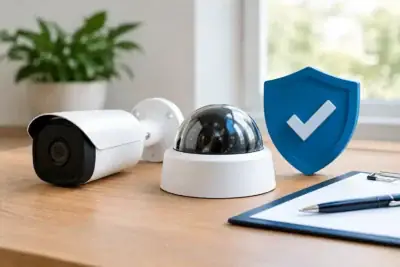
Camera Maintenance Guide for Reliable Security
A security camera that is powered on but cannot clearly identify a face, vehicle, or event is not doing its job. This camera maintenance guide is built for property owners and managers who need usable footage when an incident occurs, not just cameras that appear online in an app. A consistent maintenance routine protects image quality, recording uptime, network performance, and the evidentiary value of your video.
For a single home camera, a quick inspection may take minutes. For a daycare, parking lot, jewelry store, construction site, or multi-location operation, maintenance should be treated as an operational requirement. Weather, dust, insects, shifting light, network changes, and full storage drives can quietly create gaps long before anyone notices them.
Why camera maintenance protects your investment
Business-grade surveillance systems are designed for continuous operation, but no system is maintenance-free. Exterior cameras collect pollen, road grime, salt air, spider webs, and water spots. Construction cameras face dust and vibration. Indoor cameras can be blocked by seasonal displays, merchandise, signs, or changes to furniture and shelving.
The cost of neglect is rarely limited to a blurry picture. A dirty lens can reduce a camera’s ability to capture a license plate. A failed hard drive can leave a recorder showing live video but retaining no historical footage. A poorly performing network switch can cause dropped frames across several cameras at once. These issues often surface after theft, vandalism, an injury claim, or a customer dispute, when it is too late to recreate the event.
Maintenance also helps preserve deterrence. Visible cameras, clean housings, correct aim, and working night vision tell potential offenders that a site is actively protected. For businesses with high-value inventory or exposed parking areas, that message matters.
A practical camera maintenance schedule
The right schedule depends on the environment. A protected indoor office may need a quarterly visual inspection, while a camera near a busy Seattle roadway, coastal property, warehouse loading dock, or active job site may need attention every month. Use the conditions at the site, not a generic calendar, to set the service interval.
Monthly: confirm the system is seeing and recording
Once a month, review live video from every camera during normal operating hours. Check whether the view is sharp, the angle still covers the intended area, and the date and time are correct. Confirm that each camera is recording to the NVR, DVR, server, or cloud platform as intended.
Do not stop at the live screen. Play back footage from different times and cameras. Verify that you can locate an event, that the video plays without major gaps, and that retention matches your needs. A system that records only a few days may be inadequate for businesses that discover inventory loss during weekly or monthly reconciliation.
For facilities with staff turnover, review who has access to the camera app and recorder. Remove former employees, change shared passwords, and confirm that the right managers receive offline-camera or storage alerts.
Quarterly: clean lenses and inspect physical condition
Turn your attention to each camera’s condition. Before cleaning, check the manufacturer’s instructions and use a stable method of access. Do not climb ladders or open housings if you are not equipped to do so safely. Professional service is the better choice for high-mounted cameras, commercial roofs, parking-lot poles, and hard-to-reach exterior locations.
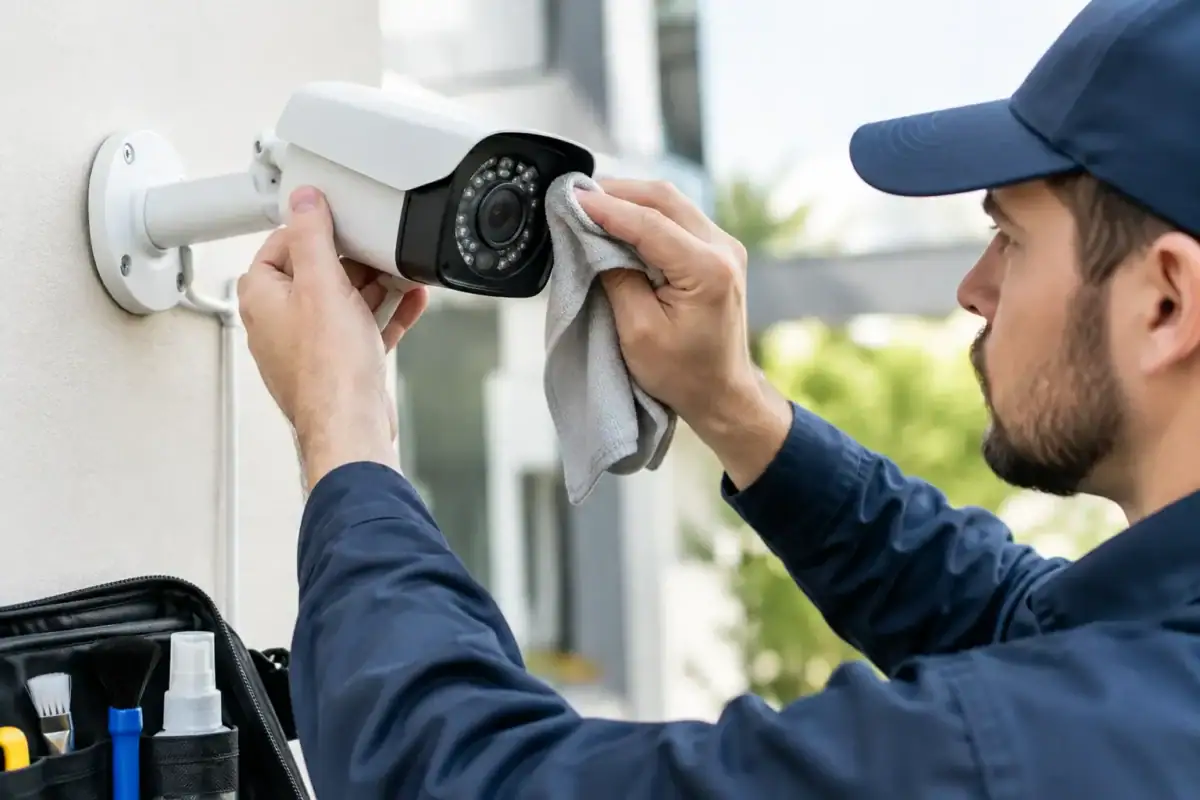
Use a clean microfiber cloth and a lens-safe cleaning solution applied to the cloth, not sprayed directly onto the camera. Remove dust, water spots, fingerprints, and cobwebs gently. Abrasive towels, household glass cleaners, and excessive pressure can scratch a lens cover or damage protective coatings.
While inspecting the camera, look for cracked domes, loose mounting hardware, damaged conduit, exposed cable, moisture inside the housing, insect nests, and vegetation entering the field of view. On PTZ cameras, confirm that preset positions still point where they should. On bullet cameras, make sure vibration, wind, or accidental contact has not shifted the view.
Twice a year: test the conditions that matter most
Daytime video is only half the test. Review each camera after dark and during low-light conditions. Verify infrared illumination, white-light deterrence features, motion detection, and image quality at entrances, cash-handling areas, gates, driveways, and parking spaces.
Night testing often exposes issues that are invisible during the day. A reflective sign, window, wall, or tree branch can cause infrared glare. A dome cover with fine scratches may bloom around headlights. A camera aimed at a bright storefront can leave faces in shadow. Correcting these conditions may require an adjustment, additional lighting, or a different camera type rather than simple cleaning.
This is also a good time to test alerts. Trigger an approved motion event and verify that the proper user receives a notification. If your system supports AI people, vehicle, or line-crossing detection, confirm that rules still match the layout of the property. A remodeled entryway or relocated dumpster can make formerly accurate alerts noisy or ineffective.
The recording system needs maintenance too
Cameras receive the attention because they are visible, but the recorder and network are where many silent failures begin. Keep the NVR or DVR in a clean, ventilated, access-controlled location. Do not stack boxes around it or place it in a hot cabinet. Heat shortens the life of hard drives and can cause intermittent performance issues.
Check storage health through the recorder interface or management platform. Look for drive warnings, failed disks, recording exceptions, and storage capacity concerns. Retention should be reviewed after adding cameras, increasing resolution, changing frame rates, or enabling continuous recording. Higher-resolution AI cameras provide more detail, but they also use more bandwidth and storage. The correct balance depends on the risk at the site and how long footage must be retained.
Network equipment deserves the same review. Verify that PoE switches, injectors, LTE or 5G routers, and backup power devices are operating normally. A weak connection can create choppy video, delayed remote access, and missing segments. For larger properties, document which switch port and network path serve each camera. That documentation makes same-day troubleshooting far faster when a device goes offline.
Keep firmware, passwords, and settings under control
Firmware updates can improve security, compatibility, and performance, but they should not be applied casually to a live commercial system. Confirm compatibility among cameras, recorders, and management software before updating. Schedule work during a low-risk period and verify recording afterward. In multi-camera environments, an unplanned update can affect operations if devices restart or settings change.
Use unique, strong credentials for every system administrator, and enable multi-factor authentication where available. Avoid sharing one login among an entire team. Assign access based on role: an owner may need full control, while a shift supervisor may only need live view and playback for a specific location.
Maintain a simple record of camera names, locations, IP addresses where applicable, recorder details, installer contacts, warranty information, and the date of the last service. This is especially valuable for property managers and multi-site businesses. Clear documentation reduces downtime when a manager changes or a service call is needed.
Common camera problems and what they usually mean
A blurry daytime image often points to a dirty lens cover, condensation, a shifted focus setting, or physical damage. If the image becomes hazy only at night, inspect for infrared reflection from nearby surfaces or buildup on the dome.
An offline camera may be a power, cable, PoE switch, network, or camera hardware issue. Rebooting can be a useful first check, but repeated outages should not be treated as normal. A recurring problem requires diagnosis before the failure spreads to other cameras or creates a coverage gap.
False alerts commonly result from trees, flags, headlights, insects, shadows, or detection zones that no longer fit the scene. AI-based detection can reduce unwanted notifications, but it must be configured correctly. It is not a substitute for a clear camera view and a properly designed system.
If playback is missing, check the recorder’s storage status, recording schedule, time synchronization, and retention settings immediately. Document the problem and preserve any available video before making changes. For a business facing an active incident, avoid trial-and-error changes that could overwrite evidence.
When professional service is the smart decision
Routine cleaning and playback checks are manageable for many owners. Professional service becomes the practical choice when cameras are mounted at height, the system has recurring offline devices, video is not recording reliably, or coverage no longer matches the property’s risk areas.
It is also worth bringing in a security professional after a remodel, expansion, break-in, lighting change, or shift in operations. A new delivery entrance, redesigned sales floor, added parking spaces, or altered job-site perimeter can leave expensive blind spots in a system that once made sense.
Tech Security USA helps customers keep business-grade systems designed and installed correctly, with support for camera service, recorder health, network troubleshooting, and coverage adjustments. A planned service visit is usually less disruptive and less expensive than discovering a failure after an incident.
Set a recurring maintenance date now, test a few critical cameras after dark, and verify that you can retrieve recorded footage without delay. The goal is simple: when something happens at your property, your system should provide a clear, reliable answer.
Posted on GoogleTrustindex verifies that the original source of the review is Google. I visited the Tech Security USA orange to install security cameras for my home. I found it a very professional company, with high quality products that were made me impressed. I recommend it to anyone who are looking a professional security cameras company in onrange city of Orange County CA.Posted on GoogleTrustindex verifies that the original source of the review is Google. “Edit (this review is not “spam” which the owner claims it is and the story is absolutely real however it was about 2 years ago and if I wasn’t shy back then(9th grade) or I wish I had done/said something about my dad and I being taken advantage of as it was a scam (quoted at around $150 but after having to wait 3weeks instead of 3 days for the guy to charge us $300 for a cheap screen that no longer had a haptic button or working Touch ID along with many white pressure dots along the edges). Do not go here. If you look at most of their 5-star reviews, they are older than 7 years. I went here recently to fix my iPad Air (3rd gen). The problem was the screen's backlight wouldn't work, so it would just show a black image. The technician said he could get it done for around $150 and in 2-3 days he would call us (my dad and I). After a week of waiting, we decided to call but to no avail. We went to the place to check up on the work done, if any. We got there and the iPad was in the exact same spot as the day we left it there. The guy told us it would be ready in about 4 days, no later, and that he would call us. We never got the call, so we went back after about another 3 days of waiting for a call (2 weeks now). After waiting, we went back to the store for the iPad, and it appeared to us as if he had just gotten started by breaking the screen to replace it. After another week, we came back and he pulled it out from a drawer saying something along the lines of, "I was about to call you guys." The screen was working, but it was clearly a cheap screen that was ordered online, and the Touch ID didn’t work anymore. The button was replaced with a non-haptic one. There are many white dots along the edges of the screen that look as if someone pressed their thumb down too hard for too long. The guy said with all the "extra" work done to it, the new total would be $300. When my dad and I looked at each other, we knew that wasn’t right, but I watched my dad grab his wallet and pay. I wish I had said something because we were taken advantage of, and after a week, the iPad's screen isn’t functioning properly as it feels unresponsive.Posted on GoogleTrustindex verifies that the original source of the review is Google. Will somebody please tell the owner to stop responding? She’s only validating the bad reviews.Posted on GoogleTrustindex verifies that the original source of the review is Google. Little messy inside but brought an old Moto Z2 Play in to finalize my failed battery self install. Done when promised, phone looked as good as new and works fine. I'm happy.Posted on GoogleTrustindex verifies that the original source of the review is Google. Garbage screen quality do not come here the screen is more different then a regular apple screen they use low quality screens the whole screen shattered and has black lines throughout it after a tiny drop with a screen protector.Posted on GoogleTrustindex verifies that the original source of the review is Google. I needed a battery replacement for my Huawei p10, the engineer fixed it in a few days (he had to order the battery) and it was reasonable priced, very good, thank youPosted on GoogleTrustindex verifies that the original source of the review is Google. Great location and employees. Really came through when I needed help. Recommend this place to anyone.Posted on GoogleTrustindex verifies that the original source of the review is Google. My go to place for any laptop and iPhone repairs. Also very friendly and experienced guy James.
Resent Posts
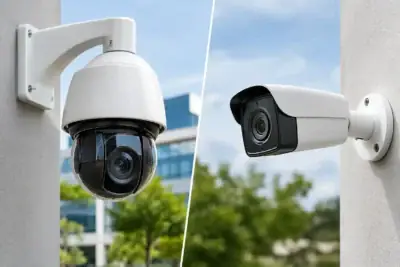
PTZ Versus Fixed Security Cameras: Which Fits?
20 November 2026

7 Best Cameras for Jewelry Stores in 2026
18 November 2026
Table of Contents