
Cloud Versus Local Video Storage for Security
A camera system only helps when the footage you need is still available, clear enough to use, and accessible without delay. That is the practical decision behind cloud versus local video storage. For a daycare reviewing an incident, a jewelry store documenting a theft, or a contractor monitoring a job site, storage is not an accessory. It determines how long evidence remains available, what happens during an internet outage, and what the system costs over its working life.
The right answer is rarely a simple cloud-or-local choice. A professionally designed system starts with the property, camera count, resolution, recording schedule, retention requirement, available bandwidth, and the people who need access to video. From there, you can select local storage, cloud storage, or a hybrid design that protects against the weaknesses of either option alone.
Cloud Versus Local Video Storage: The Operational Difference
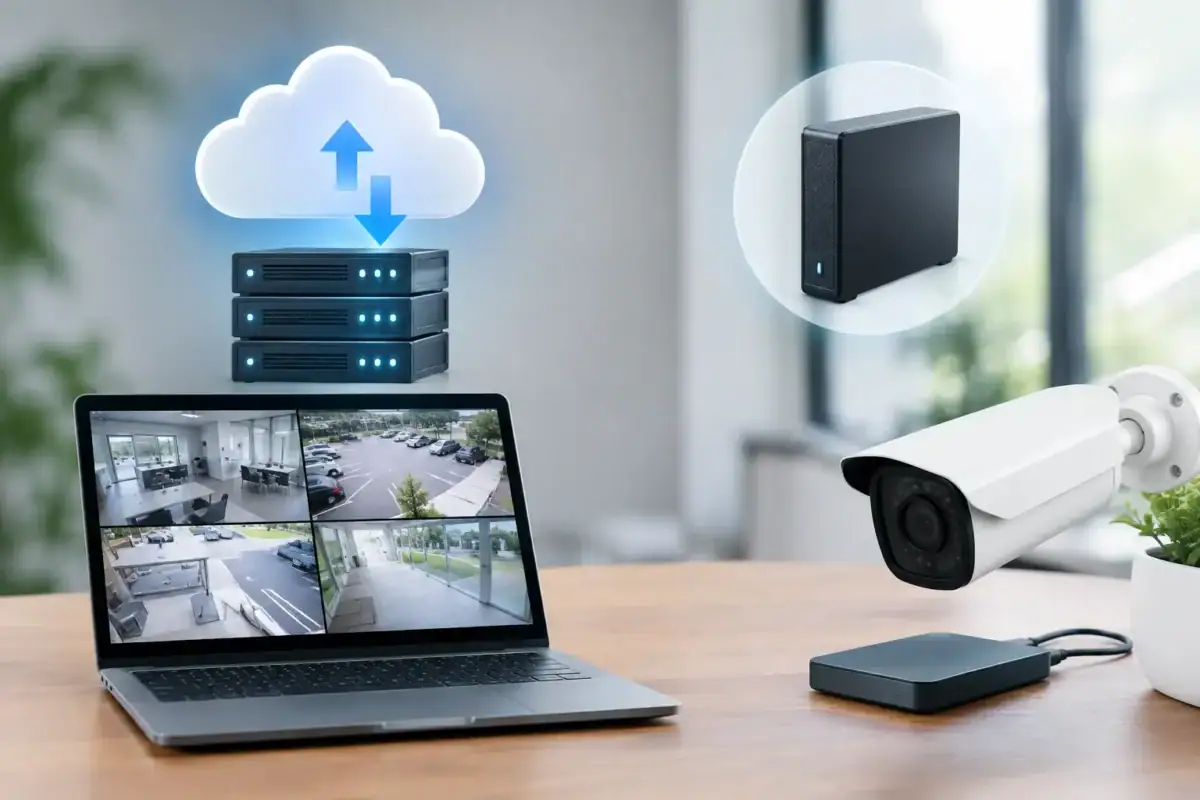
Local video storage records footage at the property, usually to a network video recorder (NVR), digital video recorder (DVR), microSD card, or server. In business-grade IP camera systems, an NVR with surveillance-rated hard drives is the most common approach. Cameras send video through the local network to the recorder, where it remains until the retention period expires or the drive reaches capacity.
Cloud storage sends camera footage, clips, or both to remote data centers through the internet. Depending on the platform and subscription, a cloud system may keep continuous recordings, motion-triggered clips, AI events, or a combination of these. Users can generally review footage from a browser or mobile app without connecting directly to an on-site recorder.
The difference matters most when conditions are less than ideal. Local recording can continue even if the internet service goes down, provided the cameras, network equipment, and recorder have power. Cloud recording depends on reliable upload bandwidth and a stable internet connection. On the other hand, a cloud copy can remain available if a thief steals or damages the on-site recorder.
When Local Storage Is the Better Fit
Local storage is often the strongest primary recording method for properties that need continuous, high-resolution video. It gives the system direct access to the recorder over the local network, so it does not consume internet upload capacity for every camera stream.
That is particularly valuable for 4K cameras, multi-sensor panoramic cameras, PTZ cameras, and systems with many channels. A parking facility may run cameras around entrances, payment areas, pedestrian routes, and vehicle rows. A construction site may use high-resolution cameras to document equipment movement and site activity. Sending every second of that video to the cloud can require more upload speed than the site can reliably provide.
Local storage also provides predictable long-term economics. You purchase the recorder and hard-drive capacity upfront, then size the system around a target retention period, such as 14, 30, 60, or 90 days. There may be maintenance and eventual drive-replacement costs, but there is no per-camera monthly fee for ordinary on-site recording.
For evidence-sensitive environments, local recording is also easier to control. A properly specified NVR can be placed in a secured telecom room, locked enclosure, or restricted office. It can use RAID storage, redundant power protection, user permissions, and health monitoring. The key is to avoid treating the recorder as a plug-and-play box. An NVR installed in an open back office with no battery backup and no maintenance plan has vulnerabilities that are preventable.
Local Storage Has Real Limits
The main weakness of local storage is physical exposure. If the recorder is stolen, destroyed by fire, or compromised during a break-in, the footage may be gone. A single hard drive can also fail without warning, especially in a system that records around the clock.
Remote viewing is available on many local systems, but it still depends on correct network configuration, secure credentials, and active internet service. Facility managers should also understand that adding cameras, increasing resolution, or changing from motion recording to 24/7 recording can shorten retention quickly. Storage must be calculated, not guessed.
When Cloud Storage Makes Sense
Cloud video storage is most useful when off-site protection and simple remote access are the top priorities. A small retail shop with a limited number of cameras may prefer cloud-managed recording because the owner can review an alarm event, receive a mobile notification, and share a clip without managing an NVR or checking hard-drive health.
It is also a practical option for temporary locations and distributed operations. A company with several small offices, a pop-up retail space, or remote job-site cameras may benefit from managing users and footage through a single cloud platform. For some systems, cloud recording can reduce the amount of on-site equipment required.
Cloud storage can be especially effective when used for event-based recordings. AI cameras can identify people, vehicles, line crossing, loitering, or other configured events. Rather than uploading continuous footage from every camera, the system stores the events that require attention. This approach can reduce bandwidth demand while retaining meaningful footage off site.
Cloud Storage Requires a Bandwidth and Cost Review
Cloud storage is not automatically simpler or less expensive. Each camera needs enough reliable upload bandwidth to send video to the cloud. Many properties have fast download speeds but limited upload speeds, which can lead to delayed video, reduced quality, or recording gaps when multiple cameras are active.
Subscription costs also need to be evaluated over several years. Monthly fees may be reasonable for a few cameras and short clip retention, but the cost changes when you add 16 cameras, continuous recording, longer retention, or multiple locations. Ask whether pricing is per camera, per site, per user, or based on storage duration.
Cloud platforms also rely on the provider’s service availability and account administration. If a manager leaves the business, user access should be removed promptly. If cameras are reassigned or a subscription lapses, confirm exactly what happens to existing footage. These are operational details that should be addressed before the system is installed.
The Hybrid Approach Often Delivers the Best Protection
For many commercial properties, the best answer is local recording as the primary archive with cloud storage for critical events, health monitoring, or backup clips. This design preserves high-quality continuous footage on site while maintaining an off-site copy of the incidents most likely to matter.
A jewelry store, for example, may record all cameras continuously to an NVR for 30 days. At the same time, the system can send person-detection clips from entrances, showcases, and cash-wrap areas to the cloud. If the recorder is damaged during a burglary, the business still has off-site event footage. If an employee needs to investigate activity from earlier in the month, the full local archive remains available.
A daycare may use a similar model, with carefully controlled user permissions and retention policies. A parking lot may prioritize cloud alerts for license plate or vehicle events while retaining broader video locally. The design changes by risk area, camera purpose, and the consequences of losing footage.
How to Size Storage Before You Buy
Retention is the number that should drive the conversation. Start by defining how many days of footage you need and why. Some businesses only need enough time to review recent incidents. Others need longer retention for insurance, internal investigations, customer disputes, or compliance requirements.
Then account for camera resolution, frame rate, compression method, scene activity, and recording mode. A fixed camera watching a quiet hallway uses storage differently than a camera facing a busy loading dock. Motion recording can save capacity, but poorly configured motion settings can miss activity or create excessive recordings from shadows, rain, headlights, and moving trees.
Do not overlook system resilience. A quality design should consider a UPS battery backup for cameras, switches, router, and recorder; secure mounting and restricted recorder access; hard-drive health checks; and a tested method for exporting video. Footage is only useful if staff can retrieve the right time, camera, and file format when an incident occurs.
Questions That Lead to the Right Storage Design
Before selecting a platform, answer these questions with your installer or security provider:
- How many cameras will record, at what resolution, and for how many hours each day?
- How many days of footage must remain available before it can overwrite?
- What upload bandwidth is actually available at the property?
- Which cameras need off-site backup, and which only need local recording?
- Who can view, export, and delete footage?
- What happens if internet service, power, a hard drive, or the recorder itself fails?
These answers turn a broad product decision into a practical operating plan. They also prevent the common mistake of buying cameras first and discovering later that the recorder cannot meet the retention requirement.
Tech Security USA helps property owners and businesses design camera systems around real conditions, not generic storage claims. Whether the priority is a high-capacity NVR, managed cloud recording, or a hybrid setup, the system should be designed and installed correctly from the start. Choose the storage plan that keeps the right video available when your property needs it most.
Posted on GoogleTrustindex verifies that the original source of the review is Google. I visited the Tech Security USA orange to install security cameras for my home. I found it a very professional company, with high quality products that were made me impressed. I recommend it to anyone who are looking a professional security cameras company in onrange city of Orange County CA.Posted on GoogleTrustindex verifies that the original source of the review is Google. “Edit (this review is not “spam” which the owner claims it is and the story is absolutely real however it was about 2 years ago and if I wasn’t shy back then(9th grade) or I wish I had done/said something about my dad and I being taken advantage of as it was a scam (quoted at around $150 but after having to wait 3weeks instead of 3 days for the guy to charge us $300 for a cheap screen that no longer had a haptic button or working Touch ID along with many white pressure dots along the edges). Do not go here. If you look at most of their 5-star reviews, they are older than 7 years. I went here recently to fix my iPad Air (3rd gen). The problem was the screen's backlight wouldn't work, so it would just show a black image. The technician said he could get it done for around $150 and in 2-3 days he would call us (my dad and I). After a week of waiting, we decided to call but to no avail. We went to the place to check up on the work done, if any. We got there and the iPad was in the exact same spot as the day we left it there. The guy told us it would be ready in about 4 days, no later, and that he would call us. We never got the call, so we went back after about another 3 days of waiting for a call (2 weeks now). After waiting, we went back to the store for the iPad, and it appeared to us as if he had just gotten started by breaking the screen to replace it. After another week, we came back and he pulled it out from a drawer saying something along the lines of, "I was about to call you guys." The screen was working, but it was clearly a cheap screen that was ordered online, and the Touch ID didn’t work anymore. The button was replaced with a non-haptic one. There are many white dots along the edges of the screen that look as if someone pressed their thumb down too hard for too long. The guy said with all the "extra" work done to it, the new total would be $300. When my dad and I looked at each other, we knew that wasn’t right, but I watched my dad grab his wallet and pay. I wish I had said something because we were taken advantage of, and after a week, the iPad's screen isn’t functioning properly as it feels unresponsive.Posted on GoogleTrustindex verifies that the original source of the review is Google. Will somebody please tell the owner to stop responding? She’s only validating the bad reviews.Posted on GoogleTrustindex verifies that the original source of the review is Google. Little messy inside but brought an old Moto Z2 Play in to finalize my failed battery self install. Done when promised, phone looked as good as new and works fine. I'm happy.Posted on GoogleTrustindex verifies that the original source of the review is Google. Garbage screen quality do not come here the screen is more different then a regular apple screen they use low quality screens the whole screen shattered and has black lines throughout it after a tiny drop with a screen protector.Posted on GoogleTrustindex verifies that the original source of the review is Google. I needed a battery replacement for my Huawei p10, the engineer fixed it in a few days (he had to order the battery) and it was reasonable priced, very good, thank youPosted on GoogleTrustindex verifies that the original source of the review is Google. Great location and employees. Really came through when I needed help. Recommend this place to anyone.Posted on GoogleTrustindex verifies that the original source of the review is Google. My go to place for any laptop and iPhone repairs. Also very friendly and experienced guy James.
Resent Posts
PTZ Versus Fixed Security Cameras: Which Fits?
20 November 2026

7 Best Cameras for Jewelry Stores in 2026
18 November 2026
Table of Contents