

Best Cameras for Parking Garages That Work
[yasr_overall_rating]
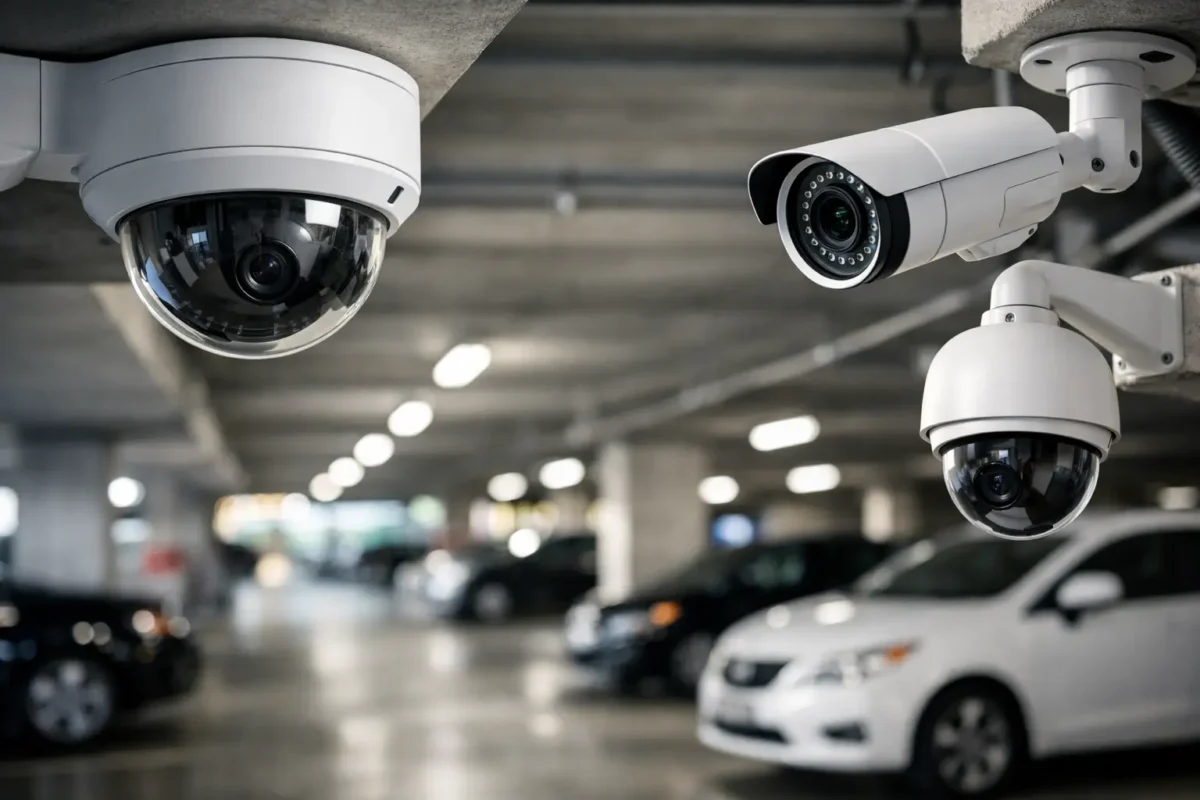
A parking garage can look adequately covered on a floor plan and still leave the moments that matter off camera. Headlights wash out faces, concrete columns block sightlines, and the distance between a vehicle and a camera can make a license plate unusable. The best cameras for parking garages are selected as a coordinated system, with each camera assigned to a specific job rather than mounted wherever cable is easiest to run.
For property owners, facility managers, and operators, the goal is not simply to record activity. It is to deter theft, document collisions and vandalism, support tenants and customers, and give staff usable evidence when an incident is reported. That requires business-grade hardware designed and installed correctly.
What Parking Garage Cameras Need to Handle
Parking structures create conditions that expose weak camera systems quickly. Light levels change from bright exterior entrances to dark interior ramps. Exhaust, dust, moisture, and vehicle vibration can affect equipment over time. Most importantly, a garage contains many visual obstructions: pillars, parked SUVs, stairwells, gates, elevators, and blind turns.
A useful camera design starts with the question, “What needs to be identified here?” A wide view of a driving aisle is useful for tracking movement, but it may not identify a driver or capture a readable plate. An overview camera at an elevator lobby can show who entered and left, while a dedicated camera at the exit lane is better suited to vehicle identification.
Resolution matters, but it is not the only specification that matters. A high-resolution camera aimed too wide may still produce poor identification detail. Lens selection, mounting height, angle, lighting, recording settings, and network capacity all affect the final image. This is why garage systems should be designed around coverage zones instead of a simple camera count.
Best Cameras for Parking Garages by Coverage Zone
Most garages benefit from a combination of camera types. Using one style of camera across every level may simplify purchasing, but it usually creates coverage gaps or overspending in the wrong places.
Fixed turret or dome cameras for aisles and pedestrian areas
Fixed turret and dome cameras are the workhorses for interior levels, elevator banks, stairwell doors, payment kiosks, and pedestrian walkways. Their compact profile works well in public-facing areas, and vandal-resistant models offer added protection where tampering is a concern.
For driving aisles, choose a camera with strong low-light performance, wide dynamic range, and an adjustable lens when the distance to the target varies. Wide dynamic range is especially valuable near entrances, where a camera may be looking from a dim garage toward direct daylight. Without it, vehicles and faces can become silhouettes.
Turret cameras are often easier to service because their lens is less likely to reflect infrared light back through a protective dome. Domes can be the better choice when a more discreet appearance is preferred or the camera is installed in a location vulnerable to impact. The right choice depends on the location, not a blanket rule.
Bullet cameras for long lanes and perimeter approaches
Bullet cameras are a practical fit for long garage lanes, rooftop decks, exterior approaches, and perimeter driveways. Their visible form factor can support deterrence, and they are available with varifocal lenses that allow installers to set the correct field of view after testing the scene.
A bullet camera should not be aimed down an entire row with the expectation that it will identify every person and vehicle along that row. At long distances, detail falls away. Instead, use it to document traffic direction, cover a targeted section of the lane, or watch an approach to the property. Pair it with closer identification cameras where needed.
License plate recognition cameras at entry and exit lanes
A license plate recognition camera is one of the most valuable additions to a parking facility, but it must be installed for its exact purpose. Standard surveillance cameras can sometimes capture plates in favorable conditions. They are not a dependable substitute for a dedicated LPR camera when vehicles are moving, lighting is inconsistent, or plates must be searched after an incident.
LPR cameras work best when assigned to one lane and tuned for vehicle speed, plate distance, mounting angle, and nighttime lighting. A camera positioned too high, too far to the side, or too wide may record a vehicle without capturing a searchable plate. Gate arms, visitor lanes, and delivery entrances should be treated as separate design conditions.
Where management needs a record of every vehicle entering or leaving, connect LPR events to the recording platform and retain footage for a period that matches operational needs. A garage serving residents, employees, or paid parking customers may need longer retention than a small private lot.
PTZ cameras for active monitoring and large open areas
PTZ cameras can pan, tilt, and zoom to follow activity across large rooftop decks, open vehicle areas, or loading zones. They are useful for sites with a security desk or remote monitoring team that can actively operate the camera during an incident.
A PTZ is not a replacement for fixed cameras. While it is focused on one event, it is not watching the rest of the scene. Fixed cameras provide consistent evidence, while PTZ cameras add operational flexibility. For many commercial garages, the strongest design combines both.
Multi-sensor and panoramic cameras for broad overviews
Multi-sensor and panoramic cameras reduce the number of mounting points needed to view broad intersections, open decks, and central circulation areas. They can provide a strong overview of traffic flow and activity around several lanes at once.
The trade-off is that broad coverage does not always provide close identification. These cameras are most effective when paired with fixed cameras covering doors, payment equipment, and other high-value targets. Think of panoramic coverage as the map of the event, with focused cameras supplying the detail.
Low-Light Performance Is a System Decision
Garage security often fails after sunset, not because the cameras stop recording, but because the image is too dark or too noisy to be useful. Cameras with larger image sensors, quality infrared illumination, and low-light color capability can improve results, but lighting conditions still need to be assessed on site.
Infrared works well in enclosed sections with controlled distances. In larger open areas, built-in infrared may not reach the intended target or may create uneven exposure. Supplemental white light can improve color evidence and increase deterrence, especially near elevators, payment stations, and pedestrian exits. It should be placed and aimed carefully to avoid glare for drivers and light spill for neighboring properties.
At garage entrances, headlights and daylight create another challenge. Cameras with strong wide dynamic range help preserve detail in both dark and bright portions of the image. Testing footage at morning, afternoon, and nighttime conditions is more useful than reviewing a single daytime image.
Installation Details That Protect Evidence
The best camera is only as good as its placement and recording path. Cameras should be mounted high enough to discourage tampering, but not so high that faces and plates are captured at ineffective angles. Concrete structures also require proper anchors, conduit planning, and weather-rated enclosures where equipment is exposed.
A professional design also accounts for network switches, power budgets, cable runs, surge protection, recording storage, and remote access permissions. A garage with 20 cameras recording high-resolution video around the clock needs more storage and bandwidth planning than a small lot with four cameras on motion recording. Cutting corners at the recorder or network stage can lead to dropped video, short retention periods, and difficult incident retrieval.
Analytics can add value when used carefully. Line-crossing alerts at vehicle gates, people detection near restricted doors, and object detection around payment stations can help staff focus on relevant events. However, analytics should be configured around the real environment. Constant vehicle movement, shadows, and rain on rooftop decks can create unnecessary alerts if settings are not properly adjusted.
Build Coverage Around Risk, Not Camera Count
Before purchasing equipment, walk the property and identify entrances, exits, gate lanes, elevators, stairwells, payment areas, loading zones, accessible spaces, and recurring incident locations. Review where staff need identification evidence versus general situational awareness. This separates the cameras that must capture faces or plates from the cameras intended to provide broad coverage.
For multi-level garages, repeatable designs can control cost and simplify support, but each level still needs a sightline review. A column shifted by a few feet, a lower ceiling, or a different traffic pattern can change the camera placement significantly.
Tech Security USA can help property teams match AI cameras, LPR cameras, fixed cameras, PTZ units, recording equipment, and installation requirements to the layout of the facility. The objective is a system that staff can actually use after an event, backed by equipment selection and support that fit the property’s operating demands.
A parking garage camera system earns its value when a manager can pull clear footage quickly, identify what happened, and move from uncertainty to action without wondering whether the right area was covered.
Posted on GoogleTrustindex verifies that the original source of the review is Google. I visited the Tech Security USA orange to install security cameras for my home. I found it a very professional company, with high quality products that were made me impressed. I recommend it to anyone who are looking a professional security cameras company in onrange city of Orange County CA.Posted on GoogleTrustindex verifies that the original source of the review is Google. “Edit (this review is not “spam” which the owner claims it is and the story is absolutely real however it was about 2 years ago and if I wasn’t shy back then(9th grade) or I wish I had done/said something about my dad and I being taken advantage of as it was a scam (quoted at around $150 but after having to wait 3weeks instead of 3 days for the guy to charge us $300 for a cheap screen that no longer had a haptic button or working Touch ID along with many white pressure dots along the edges). Do not go here. If you look at most of their 5-star reviews, they are older than 7 years. I went here recently to fix my iPad Air (3rd gen). The problem was the screen's backlight wouldn't work, so it would just show a black image. The technician said he could get it done for around $150 and in 2-3 days he would call us (my dad and I). After a week of waiting, we decided to call but to no avail. We went to the place to check up on the work done, if any. We got there and the iPad was in the exact same spot as the day we left it there. The guy told us it would be ready in about 4 days, no later, and that he would call us. We never got the call, so we went back after about another 3 days of waiting for a call (2 weeks now). After waiting, we went back to the store for the iPad, and it appeared to us as if he had just gotten started by breaking the screen to replace it. After another week, we came back and he pulled it out from a drawer saying something along the lines of, "I was about to call you guys." The screen was working, but it was clearly a cheap screen that was ordered online, and the Touch ID didn’t work anymore. The button was replaced with a non-haptic one. There are many white dots along the edges of the screen that look as if someone pressed their thumb down too hard for too long. The guy said with all the "extra" work done to it, the new total would be $300. When my dad and I looked at each other, we knew that wasn’t right, but I watched my dad grab his wallet and pay. I wish I had said something because we were taken advantage of, and after a week, the iPad's screen isn’t functioning properly as it feels unresponsive.Posted on GoogleTrustindex verifies that the original source of the review is Google. Will somebody please tell the owner to stop responding? She’s only validating the bad reviews.Posted on GoogleTrustindex verifies that the original source of the review is Google. Little messy inside but brought an old Moto Z2 Play in to finalize my failed battery self install. Done when promised, phone looked as good as new and works fine. I'm happy.Posted on GoogleTrustindex verifies that the original source of the review is Google. Garbage screen quality do not come here the screen is more different then a regular apple screen they use low quality screens the whole screen shattered and has black lines throughout it after a tiny drop with a screen protector.Posted on GoogleTrustindex verifies that the original source of the review is Google. I needed a battery replacement for my Huawei p10, the engineer fixed it in a few days (he had to order the battery) and it was reasonable priced, very good, thank youPosted on GoogleTrustindex verifies that the original source of the review is Google. Great location and employees. Really came through when I needed help. Recommend this place to anyone.Posted on GoogleTrustindex verifies that the original source of the review is Google. My go to place for any laptop and iPhone repairs. Also very friendly and experienced guy James.
Resent Posts

How to Design Jobsite Surveillance That Works
21 October 2026

Surveillance System Maintenance Guide for Uptime
19 October 2026
Table of Contents