

Cloud vs Local Recording: Which Is Right?
[yasr_overall_rating]
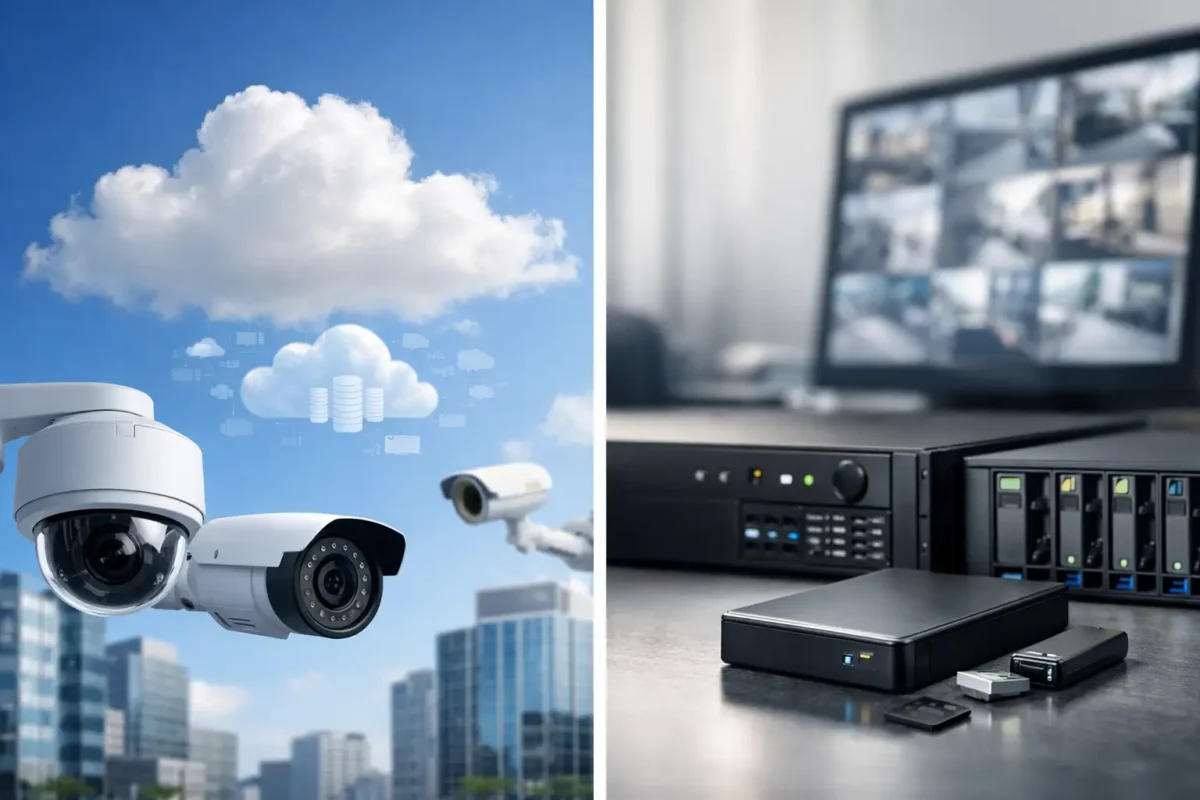
A camera that captures an incident but cannot produce the footage when you need it has not done its job. For property owners and business operators, the cloud vs local recording decision determines more than where video files live. It affects how quickly managers can review an event, how much the system costs over time, what happens during an internet outage, and how well the site can preserve evidence.
The right answer depends on the property, the camera count, the required retention period, and who needs access to video. A daycare may prioritize controlled remote access and dependable incident documentation. A parking lot may need high-capacity local storage for multiple high-resolution cameras. A construction site may benefit from remote cloud access when there is no office or onsite security staff.
Cloud vs Local Recording: The Core Difference
Cloud recording sends video from a camera or recorder through an internet connection to offsite data centers. Authorized users typically view live and recorded video through a mobile app or web portal. Storage is generally sold as a recurring subscription based on the number of cameras, resolution, recording method, and retention period.
Local recording stores footage at the property, usually on a network video recorder (NVR), digital video recorder (DVR), SD card, or dedicated server. For most business-grade IP camera systems, an NVR with surveillance-rated hard drives is the standard local option. The recorder receives camera video over the local network and retains footage until the drive capacity is reached and older recordings are overwritten.
Neither option is automatically better. Cloud storage shifts more of the system dependency to internet service and a subscription platform. Local storage puts more responsibility on properly specified hardware, secure installation, and ongoing drive health. Many well-designed systems use both.
When Cloud Recording Makes Sense
Cloud recording is attractive when remote visibility is the primary requirement. An owner with several small retail locations, for example, can check video from one centralized dashboard without maintaining a recorder at every site. Managers can review an alarm event from home, share a clip with law enforcement, or confirm that a delivery arrived without traveling to the property.
It can also reduce the risk of losing all footage after a break-in. If an intruder damages or removes an onsite recorder, video that has already uploaded to the cloud remains available. That is a meaningful advantage for smoke shops, small retail stores, and other locations where theft may include attempts to disable security equipment.
Cloud systems are often straightforward to expand. Adding a camera may not require adding hard drives or replacing an NVR, provided the existing network and subscription plan support the new device. For temporary facilities, remote job sites, and smaller installations with reliable broadband, this flexibility can be useful.
The trade-off is recurring cost. A monthly cloud plan may be manageable for a few cameras, but the total can become substantial across 16, 32, or more cameras. Upload bandwidth also matters. High-resolution cameras recording continuously can place significant demand on an internet connection, especially at sites that already rely on that connection for point-of-sale systems, guest Wi-Fi, and staff operations.
Cloud recording also requires careful account management. Strong passwords, multi-factor authentication, appropriate user permissions, and prompt removal of former employees are operational requirements, not optional settings. Remote access is valuable only when it is controlled.
Why Local Recording Remains the Business Standard
For many commercial surveillance systems, local NVR recording is the most practical foundation. It keeps video traffic inside the property network and continues recording even when the internet goes down. A storm, service outage, or modem failure should not create a gap in footage from a high-risk entrance, cash register, parking area, or loading zone.
Local systems also provide better economics for larger camera counts and longer retention requirements. Once the recorder and hard drives are installed, there is typically no required per-camera storage subscription. The upfront equipment investment is higher than a basic cloud camera setup, but the ongoing storage cost is more predictable.
This model is especially effective for parking lots, warehouses, apartment properties, jewelry stores, and multi-camera commercial sites. These environments often need 24/7 recording from high-resolution cameras, sometimes with AI analytics, license plate recognition, or PTZ coverage. Continuous high-quality video creates a large amount of data. Properly sized local storage handles that demand without relying on constant upstream internet bandwidth.
The limitations are real. An NVR must be installed in a protected location, ideally in a locked network cabinet or secured office. Drives eventually wear out and should be checked as part of regular maintenance. If a recorder is stolen, damaged by fire, or compromised during a break-in, locally stored footage may be lost unless the system includes a backup strategy.
That is why installation quality matters. A business-grade recorder, surveillance-rated hard drives, power protection, secure network configuration, and tested remote access make local recording dependable over the long term. Bargain equipment and poor cabling can turn a good storage strategy into an unreliable system.
Compare the Costs Beyond the First Purchase
Cloud recording usually has a lower barrier to entry. Cameras can be deployed quickly, and monthly storage pricing spreads the expense over time. This may suit a home, a small office, or a temporary location where only a few cameras are needed.
Local recording requires an NVR, hard drives, network hardware, and professional configuration. However, the cost per camera usually improves as the system grows. A 24-camera facility can retain weeks of continuous video locally for a cost that may be far lower over several years than paying for 24 separate cloud storage plans.
Retention is the key number to discuss before choosing either model. A system designed for seven days of footage may be inadequate if an employee reports a missing item two weeks later. Many businesses need 30 days or more, while certain operations may require 60 or 90 days based on internal policy, insurer expectations, or the time needed to investigate incidents.
Resolution, frame rate, compression, motion settings, and camera activity all affect capacity. A busy storefront entrance records differently than a quiet rear storage room. Storage planning should be based on the actual camera views and operational risk, not a generic promise of “up to 30 days.”
The Hybrid Approach Is Often the Strongest Option
For many properties, the best design is not cloud or local recording alone. It is local recording as the primary evidence archive, with cloud backup for selected cameras, motion events, or alarm-triggered clips.
This approach gives the site the continuity and capacity of an NVR while protecting critical video offsite. A jewelry store may record every camera locally around the clock, while sending motion clips from the front entrance, sales floor, and safe area to the cloud. A construction site may retain full video onsite while uploading key perimeter events for the project manager to review remotely.
Hybrid systems need to be designed correctly. The available upload speed, camera resolution, event settings, and backup retention must match the goal. Uploading every second of video from a large system may be unnecessary and expensive. Backing up the cameras that document the highest-risk areas is often the smarter use of bandwidth and budget.
Questions to Settle Before Selecting Storage
Start with the incidents you need the system to document. Theft claims, employee disputes, property damage, unauthorized entry, vehicle activity, and safety events may require different camera views and retention periods. Then consider how often someone needs remote access and whether the site can tolerate an internet outage without losing recording.
Next, assess the physical environment. Is there a protected place for an NVR? Does the property have stable broadband with enough upload capacity? Will the system grow over the next two years? A new retail location may begin with eight cameras but add parking coverage, access control, or a second suite later.
Finally, plan for support. Video storage should be tested after installation and reviewed periodically. A recorder that is offline, a failed hard drive, or a camera pointed slightly away from the target area can undermine an otherwise capable system. Professional setup and same day support help keep the system ready before an incident occurs.
Tech Security USA can help property owners and facility managers size the recorder, retention period, network requirements, and cloud backup options around the actual risks at their site. The goal is not to sell more storage than you need. It is to ensure that when a camera captures the moment that matters, the footage is still there, clear, accessible, and usable.
Posted on GoogleTrustindex verifies that the original source of the review is Google. I visited the Tech Security USA orange to install security cameras for my home. I found it a very professional company, with high quality products that were made me impressed. I recommend it to anyone who are looking a professional security cameras company in onrange city of Orange County CA.Posted on GoogleTrustindex verifies that the original source of the review is Google. “Edit (this review is not “spam” which the owner claims it is and the story is absolutely real however it was about 2 years ago and if I wasn’t shy back then(9th grade) or I wish I had done/said something about my dad and I being taken advantage of as it was a scam (quoted at around $150 but after having to wait 3weeks instead of 3 days for the guy to charge us $300 for a cheap screen that no longer had a haptic button or working Touch ID along with many white pressure dots along the edges). Do not go here. If you look at most of their 5-star reviews, they are older than 7 years. I went here recently to fix my iPad Air (3rd gen). The problem was the screen's backlight wouldn't work, so it would just show a black image. The technician said he could get it done for around $150 and in 2-3 days he would call us (my dad and I). After a week of waiting, we decided to call but to no avail. We went to the place to check up on the work done, if any. We got there and the iPad was in the exact same spot as the day we left it there. The guy told us it would be ready in about 4 days, no later, and that he would call us. We never got the call, so we went back after about another 3 days of waiting for a call (2 weeks now). After waiting, we went back to the store for the iPad, and it appeared to us as if he had just gotten started by breaking the screen to replace it. After another week, we came back and he pulled it out from a drawer saying something along the lines of, "I was about to call you guys." The screen was working, but it was clearly a cheap screen that was ordered online, and the Touch ID didn’t work anymore. The button was replaced with a non-haptic one. There are many white dots along the edges of the screen that look as if someone pressed their thumb down too hard for too long. The guy said with all the "extra" work done to it, the new total would be $300. When my dad and I looked at each other, we knew that wasn’t right, but I watched my dad grab his wallet and pay. I wish I had said something because we were taken advantage of, and after a week, the iPad's screen isn’t functioning properly as it feels unresponsive.Posted on GoogleTrustindex verifies that the original source of the review is Google. Will somebody please tell the owner to stop responding? She’s only validating the bad reviews.Posted on GoogleTrustindex verifies that the original source of the review is Google. Little messy inside but brought an old Moto Z2 Play in to finalize my failed battery self install. Done when promised, phone looked as good as new and works fine. I'm happy.Posted on GoogleTrustindex verifies that the original source of the review is Google. Garbage screen quality do not come here the screen is more different then a regular apple screen they use low quality screens the whole screen shattered and has black lines throughout it after a tiny drop with a screen protector.Posted on GoogleTrustindex verifies that the original source of the review is Google. I needed a battery replacement for my Huawei p10, the engineer fixed it in a few days (he had to order the battery) and it was reasonable priced, very good, thank youPosted on GoogleTrustindex verifies that the original source of the review is Google. Great location and employees. Really came through when I needed help. Recommend this place to anyone.Posted on GoogleTrustindex verifies that the original source of the review is Google. My go to place for any laptop and iPhone repairs. Also very friendly and experienced guy James.
Resent Posts

How to Design Jobsite Surveillance That Works
21 October 2026

Surveillance System Maintenance Guide for Uptime
19 October 2026
Table of Contents