

NVR Storage Sizing Guide for Reliable Retention
[yasr_overall_rating]
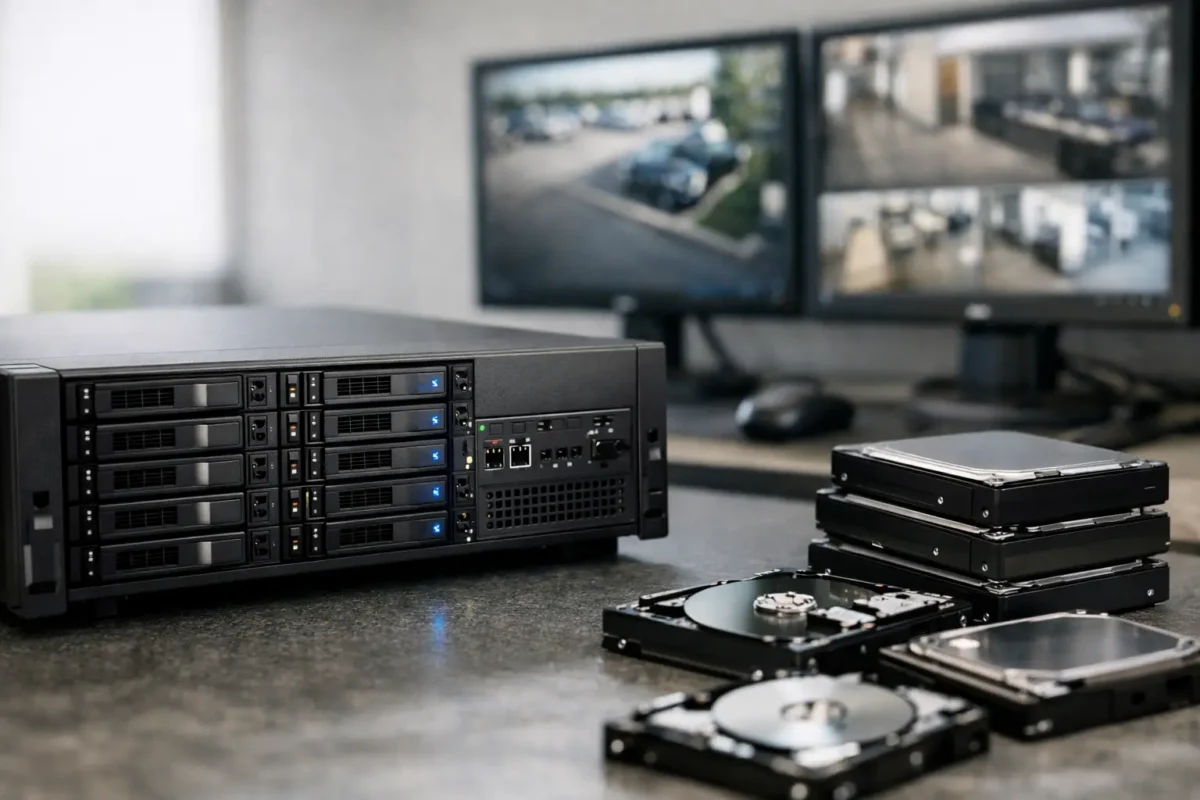
A recorder that runs out of space before an incident is discovered is not protecting the property the way it should. This NVR storage sizing guide helps property owners, contractors, and facility managers calculate retention based on the cameras, recording settings, and operational risks that actually apply to their sites.
Storage is often treated as an accessory purchase. In a business-grade surveillance system, it is part of the system design. The right camera can capture a clear face, vehicle, or license plate, but that evidence has little value if it was overwritten after three days when your policy, insurance requirement, or investigation needs 30 days of footage.
Start With the Retention Requirement
The first question is not, “How large of a hard drive do I need?” It is, “How long must footage remain available?” Retention requirements vary widely by property type, risk level, and internal policy.
A small office may be comfortable with 14 days of continuous footage. A daycare may need 30 days or more to support incident review and parent concerns. Jewelry stores, smoke shops, parking lots, and high-theft retail environments often benefit from longer retention because an incident may not be identified until inventory is reviewed days or weeks later. Construction sites may need enough history to document deliveries, site access, damage, and after-hours activity through a full project phase.
Consider how quickly your team reviews footage. If a manager checks alerts every day, shorter retention may be workable for some cameras. If footage is only reviewed after a complaint, chargeback, theft discovery, or insurance request, plan for a longer window. Also account for weekends, holidays, and the time required to preserve evidence once an event is found.
NVR Storage Sizing Guide: The Core Calculation
Storage demand comes from four primary variables: camera count, bitrate, hours recorded per day, and days of retention. Resolution affects storage, but bitrate is the number that makes the calculation useful because it reflects the actual stream sent to the NVR.
Use this formula for a planning estimate:
Total storage in TB = camera count × average bitrate in Mbps × recording hours per day × retention days × 0.0000108
For example, consider an eight-camera system recording continuously at an average bitrate of 4 Mbps, with a 30-day retention goal:
8 × 4 × 24 × 30 × 0.0000108 = 24.9 TB
That estimate means a 24 TB NVR would be too close to the limit. Actual retention can move up or down based on scene activity, codec efficiency, camera settings, and usable drive capacity. For a 30-day objective, a system designer would normally provide additional capacity rather than promise 30 days from a calculation that lands at nearly 25 TB.
A safer approach is to build in 15% to 25% headroom. That room accommodates periods of higher activity, future camera additions, firmware changes, and differences between rated drive capacity and real-world available storage. In this example, 30 TB or more would be a more practical target, depending on the NVR’s supported drive bays and maximum capacity.
Bitrate Matters More Than Resolution Alone
A 4K camera does not always consume the same amount of storage. A fixed camera aimed at a quiet hallway can run at a lower bitrate than a 4K camera watching a busy parking lot, roadway, entrance, or cash-wrap area. Motion, lighting changes, rain, foliage, crowds, and vehicle traffic all affect how much data a camera needs to preserve usable detail.
As a broad planning range, a properly configured 1080p camera may average 2 to 4 Mbps. A 4MP or 5MP camera may average 3 to 6 Mbps. A 4K camera may average 6 to 12 Mbps or more when the scene is active and image quality is prioritized. PTZ cameras can vary even more because a moving camera view often contains more changing detail than a fixed view.
Do not size an NVR using the camera’s maximum bitrate for every channel unless the project requires worst-case continuous recording. That can oversize the system substantially. On the other hand, using unrealistically low bitrates to reduce drive cost can produce blurry motion, blocky faces, and poor evidence. The goal is usable video, not the smallest possible storage number.
Decide Between Continuous and Event Recording
Recording mode can change storage requirements more than almost any other setting. Continuous recording captures every second, giving operators a complete timeline before and after an event. It is often the right choice for entry points, registers, loading areas, parking lots, perimeter cameras, and any camera expected to document a sequence of events.
Motion or AI event recording can reduce storage consumption, sometimes dramatically. It works well in low-traffic areas such as storage rooms, back gates, equipment yards, or residential side yards. However, generic motion detection can be triggered by shadows, weather, headlights, insects, or trees. It can also miss activity when sensitivity and detection zones are set too aggressively.
AI-based person and vehicle detection is usually a better fit than basic pixel motion when reducing storage is a priority. It can limit recordings and alerts to meaningful activity while avoiding many nuisance events. Even then, event-only recording is not appropriate for every camera. A parking lot or high-value retail area may need continuous recording for context, while a low-traffic rear door camera may be scheduled for event recording.
A practical design often uses both methods. Record continuously on critical cameras and use AI event recording on lower-risk views. This reduces drive demand without creating blind spots where evidence matters most.
Account for Camera Settings That Change Storage
Frame rate, codec, quality settings, and audio all influence retention. Higher frame rates make motion smoother and can help document fast movement, but they consume more storage. Many general surveillance applications work well at 15 frames per second. Cash handling areas, vehicle entrances, high-traffic doors, and fast-moving scenes may justify 20 to 30 frames per second.
Modern H.265 or H.265+ compression can reduce storage compared with older H.264 settings, particularly on compatible cameras and NVRs. The trade-off is that compression efficiency should never be used as an excuse to under-specify storage. Verify that every camera, recorder, viewing workstation, and remote access workflow supports the selected codec correctly.
Audio recording adds relatively little capacity compared with video, but it should still be included when planning a large deployment. More importantly, audio use must follow applicable privacy and consent laws. For businesses operating across Washington and California, verify the legal requirements for the location and the intended use before enabling audio.
Select Drives Designed for Surveillance Duty
Not every hard drive belongs in an NVR. Consumer desktop drives are designed around intermittent computer use, not multiple cameras writing data around the clock. A surveillance-rated hard drive is built for continuous workloads, vibration tolerance in multi-drive systems, and the sustained write activity common in video recording.
Drive configuration also matters. One large drive may be enough for a small system, but commercial sites often benefit from NVRs with multiple bays. More bays allow higher total capacity and make expansion easier when a business adds cameras, upgrades resolution, or extends retention requirements. They can also support redundancy configurations where appropriate, although redundancy reduces usable recording capacity.
Redundant storage is valuable for critical systems, but it is not a substitute for backups. If footage is needed for a serious incident, preserve the relevant clip promptly to a separate approved location. An NVR is designed for rolling retention, which means older footage will eventually be overwritten by design.
Plan for Growth Before Installation
The least expensive time to plan for more storage is before the system is installed. If a property has 12 cameras today but will add coverage for a rear lot, second entrance, warehouse aisle, or neighboring suite next year, choose an NVR with enough channels, drive bays, network capacity, and processing headroom now.
This is especially relevant for multi-site businesses and construction projects that evolve in phases. Adding cameras later is straightforward only when the recorder can accept them without reducing retention below the original requirement. A system that starts with 30 days of retention can quietly fall to 18 days after several cameras are added if storage is not expanded at the same time.
Ask for a written design that identifies the assumed bitrate, recording schedule, target retention, drive capacity, and expected camera count. This makes the storage decision transparent and gives your team a reference point when settings change.
Verify Retention After the System Goes Live
A calculation is the starting point, not the final test. After installation, check the NVR’s reported retention period and review it again after a few weeks of normal operation. Real traffic patterns may differ from estimates. A camera that watches a busy street, an active job site, or a brightly lit retail entrance may consume more storage than its initial average.
Test playback from several dates, confirm that timestamps are correct, and make sure authorized staff know how to search, export, and preserve clips. Storage only protects the operation when footage is easy to retrieve under pressure.
For a system designed and installed correctly, storage should support your evidence needs without forcing unnecessary compromises in image quality. Tech Security USA can help match the NVR, surveillance-rated drives, camera settings, and retention target to the way your property actually operates, then provide same day support when the system needs attention.
Posted on GoogleTrustindex verifies that the original source of the review is Google. I visited the Tech Security USA orange to install security cameras for my home. I found it a very professional company, with high quality products that were made me impressed. I recommend it to anyone who are looking a professional security cameras company in onrange city of Orange County CA.Posted on GoogleTrustindex verifies that the original source of the review is Google. “Edit (this review is not “spam” which the owner claims it is and the story is absolutely real however it was about 2 years ago and if I wasn’t shy back then(9th grade) or I wish I had done/said something about my dad and I being taken advantage of as it was a scam (quoted at around $150 but after having to wait 3weeks instead of 3 days for the guy to charge us $300 for a cheap screen that no longer had a haptic button or working Touch ID along with many white pressure dots along the edges). Do not go here. If you look at most of their 5-star reviews, they are older than 7 years. I went here recently to fix my iPad Air (3rd gen). The problem was the screen's backlight wouldn't work, so it would just show a black image. The technician said he could get it done for around $150 and in 2-3 days he would call us (my dad and I). After a week of waiting, we decided to call but to no avail. We went to the place to check up on the work done, if any. We got there and the iPad was in the exact same spot as the day we left it there. The guy told us it would be ready in about 4 days, no later, and that he would call us. We never got the call, so we went back after about another 3 days of waiting for a call (2 weeks now). After waiting, we went back to the store for the iPad, and it appeared to us as if he had just gotten started by breaking the screen to replace it. After another week, we came back and he pulled it out from a drawer saying something along the lines of, "I was about to call you guys." The screen was working, but it was clearly a cheap screen that was ordered online, and the Touch ID didn’t work anymore. The button was replaced with a non-haptic one. There are many white dots along the edges of the screen that look as if someone pressed their thumb down too hard for too long. The guy said with all the "extra" work done to it, the new total would be $300. When my dad and I looked at each other, we knew that wasn’t right, but I watched my dad grab his wallet and pay. I wish I had said something because we were taken advantage of, and after a week, the iPad's screen isn’t functioning properly as it feels unresponsive.Posted on GoogleTrustindex verifies that the original source of the review is Google. Will somebody please tell the owner to stop responding? She’s only validating the bad reviews.Posted on GoogleTrustindex verifies that the original source of the review is Google. Little messy inside but brought an old Moto Z2 Play in to finalize my failed battery self install. Done when promised, phone looked as good as new and works fine. I'm happy.Posted on GoogleTrustindex verifies that the original source of the review is Google. Garbage screen quality do not come here the screen is more different then a regular apple screen they use low quality screens the whole screen shattered and has black lines throughout it after a tiny drop with a screen protector.Posted on GoogleTrustindex verifies that the original source of the review is Google. I needed a battery replacement for my Huawei p10, the engineer fixed it in a few days (he had to order the battery) and it was reasonable priced, very good, thank youPosted on GoogleTrustindex verifies that the original source of the review is Google. Great location and employees. Really came through when I needed help. Recommend this place to anyone.Posted on GoogleTrustindex verifies that the original source of the review is Google. My go to place for any laptop and iPhone repairs. Also very friendly and experienced guy James.
Resent Posts

How to Design Jobsite Surveillance That Works
21 October 2026

Surveillance System Maintenance Guide for Uptime
19 October 2026
Table of Contents