
How to Protect Daycare Entrances Effectively
[yasr_overall_rating]
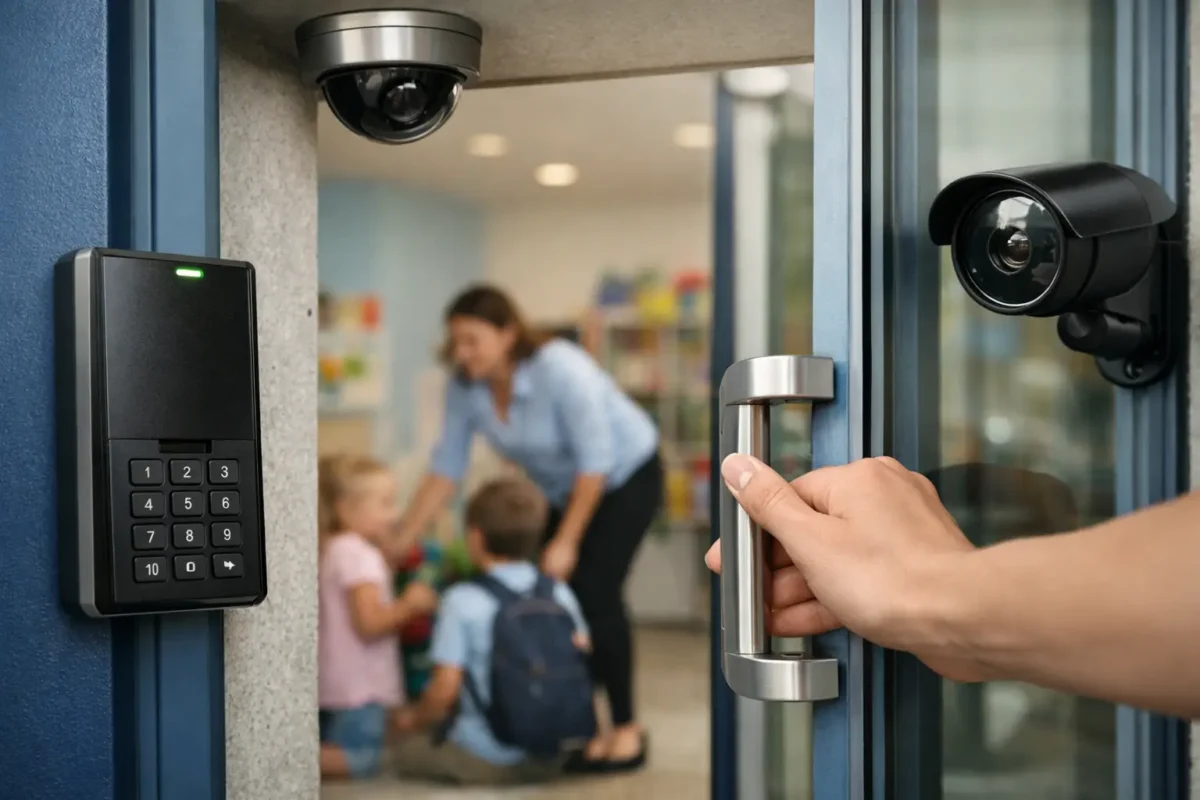
The front door is where a daycare’s safety plan becomes real. Parents need a quick, reassuring drop-off. Staff need to move children, supplies, and strollers without creating confusion. At the same time, the entrance cannot become an open path for unauthorized visitors. Knowing how to protect daycare entrances means designing for all three realities: safety, supervision, and daily operational flow.
A dependable entrance security plan is not one device mounted beside a door. It is a coordinated system of controlled access, clear visitor procedures, camera coverage, communication, and staff habits. When those pieces are designed and installed correctly, the entrance supports a welcoming environment without sacrificing control.
How to Protect Daycare Entrances With Layered Security
The most effective daycare entrances use layers rather than relying on one lock or one camera. Each layer should slow down unauthorized entry, make visitors identifiable, and give staff time to respond.
Start by identifying every point where a person can reach the building. The main entrance gets the most attention, but side doors, playground gates, delivery doors, and staff entrances can undermine the entire plan if they are left unsecured. A site walk-through should account for normal arrival times, late pickups, deliveries, emergency exits, and after-hours access.
The goal is not to make a daycare feel restrictive. It is to make access predictable. Authorized families and employees should know exactly how they enter, while anyone else should have a clear process to request access and be verified before the door opens.
Use controlled access instead of shared keys
Traditional keys are difficult to manage in a daycare setting. They can be copied, misplaced, or retained by former employees and families. An electronic access control system gives management a clearer record and more control over who can enter.
Keycards, fobs, PIN codes, and mobile credentials can be assigned by person and removed immediately when access changes. Staff may need access throughout the day, while parents may only need access during scheduled arrival and pickup windows. A well-configured system can reflect those differences without requiring the director to rekey doors every time staffing changes.
For the primary entrance, use an electrically controlled lock or strike paired with a commercial-grade door closer. The door should latch fully after every use. A common weak point is not the credential reader but a door that sticks, fails to close, or is routinely propped open during busy periods. Hardware condition matters as much as the technology attached to it.
Emergency egress must remain code-compliant. Children and staff need to exit safely during an emergency, so access controls must be selected and installed around local fire and life safety requirements. This is one reason professional system design is preferable to piecing together consumer hardware.
Add a video intercom at the main entry
A video intercom gives staff a way to see and speak with a visitor before granting entry. This is especially useful for late arrivals, prospective parents, vendors, maintenance workers, and delivery drivers who should not walk directly into the facility.
Place the intercom where it captures a clear face image, not just the top of a visitor’s head. The unit should be visible, easy to use, and protected from rain or direct glare where possible. Inside, the receiving station should be located where staff can answer it without leaving children unsupervised.
For smaller centers, a video intercom can be the practical first layer of access control. For larger facilities or multi-door campuses, it should work alongside credential-based access and centralized monitoring. The right approach depends on traffic volume, staffing levels, and the layout of the building.
Design Camera Coverage Around the Entrance Experience
Cameras are essential for documenting activity, investigating incidents, and helping staff verify who is at the door. They are not a substitute for locked-door procedures, but they provide the visibility that makes those procedures enforceable.
A daycare entrance should typically have coverage from more than one angle. One camera should capture faces approaching the door. Another should cover the doorway itself, including whether someone follows an authorized person inside. Depending on the property, a wider camera may also cover the parking area, sidewalk, gate, or drop-off lane.
Avoid placing a single camera high above the entrance and assuming it will identify everyone. A high, wide view is helpful for context, but it may not deliver a usable face image. Business-grade cameras with proper lens selection, lighting support, and recording settings produce more reliable evidence than a basic wide-angle device installed without a coverage plan.
Cover tailgating and handoffs
Tailgating occurs when an unauthorized person enters behind someone who has valid access. It can happen easily during morning drop-off, when parents are carrying children and holding doors for each other. Camera views should show the door swing, the person using the credential, and anyone entering immediately afterward.
Staff should be trained not to hold secured doors for unfamiliar people. That can feel awkward in the moment, but a clear policy removes the guesswork: each person uses their own approved access method or checks in through the intercom.
Camera coverage should also document custody handoffs at the front desk or pickup area when appropriate. The purpose is not to create an atmosphere of suspicion. It is to provide an accurate record if a question arises about who entered, when they arrived, or whether a visitor followed the established process.
Choose recording that holds up after an incident
A camera system only helps if footage is clear and available when needed. Storage should be sized for the number of cameras, resolution, recording schedule, and the retention period your facility requires. Continuous recording may make sense for entrances and parking areas, while intelligent motion recording can reduce storage use in lower-traffic zones.
Remote viewing is useful for owners and directors, but it needs to be configured securely. Use unique user accounts, strong passwords, and permission levels so employees can access only what they need. Avoid shared logins, especially for systems that contain footage of children and families.
Build Visitor Procedures That Staff Can Follow
Technology works best when it supports a simple, repeatable process. If a visitor procedure is too complicated, it will be bypassed during the busiest part of the day.
Require all non-parent visitors to use the main entrance and check in. Staff should verify identity, confirm the purpose of the visit, and notify the person being visited before granting access beyond the lobby or reception area. Vendors and contractors should not be directed to classroom areas without an escort unless the facility has a specific, approved protocol.
Keep delivery handling separate from child pickup whenever possible. A package driver arriving at 4:30 p.m. should not create a reason to open the building wide during a crowded pickup period. A designated delivery point, locked vestibule, or controlled receiving procedure can reduce interruptions and limit exposure.
Use visible signage to reinforce the process. Signs should state that the entrance is secured, visitors must check in, and the area is under video surveillance. Clear signage helps set expectations before someone reaches the door, and it supports staff when they need to enforce the policy.
Protect the Perimeter Before Someone Reaches the Door
Daycare entrance security starts at the property line. A well-lit approach, maintained fencing, locked gates, and clear sightlines make it easier to spot problems before they reach the building.
Review the drop-off area from a parent’s perspective. Can someone approach from the parking lot without being seen? Is there a side path that bypasses the main entrance? Are shrubs, signs, or parked vehicles blocking camera views? Small site conditions can create major blind spots.
Lighting deserves special attention for early drop-off and winter pickup hours. Cameras need usable light to capture meaningful details, and families need to see paths, gates, and visitors clearly. Motion-activated lighting can work in low-traffic areas, but entrances and walkways often benefit from consistent illumination during operating hours.
For playground gates, use self-closing, self-latching hardware that children cannot easily operate. Gate access should be visible from the facility and covered by cameras where practical. A secured building entrance loses value if someone can enter the playground or access an unlocked rear door without being noticed.
Test the System During Real Daycare Conditions
Security plans often look complete after installation but fail under real-world pressure. Test the entrance during morning drop-off, afternoon pickup, staff shift changes, and a simulated delivery. Watch for doors being propped open, intercom calls going unanswered, parents sharing codes, or camera views blocked by seasonal decorations and parked vehicles.
Assign responsibility for regular checks. Someone should confirm that doors latch, cameras are recording, intercom audio is working, access credentials are current, and emergency exits function as required. This does not need to become a burdensome daily project, but it must be consistent.
When staffing changes or enrollment grows, revisit permissions and procedures. A small center with one entrance has different needs than a larger facility with several classrooms, a playground, and extended-hours pickup. Security should expand with operations rather than becoming an afterthought.
Tech Security USA can help daycare operators evaluate entrances, select business-grade access and surveillance equipment, coordinate professional installation, and provide same-day support when the system needs attention. The right plan begins with the actual door, traffic pattern, and people using the building every day.
A protected daycare entrance should give families confidence before they even step inside. When the door closes correctly, visitors are verified, footage is clear, and staff know the process, the facility can stay focused on what matters most: caring for children.
Posted on GoogleTrustindex verifies that the original source of the review is Google. I visited the Tech Security USA orange to install security cameras for my home. I found it a very professional company, with high quality products that were made me impressed. I recommend it to anyone who are looking a professional security cameras company in onrange city of Orange County CA.Posted on GoogleTrustindex verifies that the original source of the review is Google. “Edit (this review is not “spam” which the owner claims it is and the story is absolutely real however it was about 2 years ago and if I wasn’t shy back then(9th grade) or I wish I had done/said something about my dad and I being taken advantage of as it was a scam (quoted at around $150 but after having to wait 3weeks instead of 3 days for the guy to charge us $300 for a cheap screen that no longer had a haptic button or working Touch ID along with many white pressure dots along the edges). Do not go here. If you look at most of their 5-star reviews, they are older than 7 years. I went here recently to fix my iPad Air (3rd gen). The problem was the screen's backlight wouldn't work, so it would just show a black image. The technician said he could get it done for around $150 and in 2-3 days he would call us (my dad and I). After a week of waiting, we decided to call but to no avail. We went to the place to check up on the work done, if any. We got there and the iPad was in the exact same spot as the day we left it there. The guy told us it would be ready in about 4 days, no later, and that he would call us. We never got the call, so we went back after about another 3 days of waiting for a call (2 weeks now). After waiting, we went back to the store for the iPad, and it appeared to us as if he had just gotten started by breaking the screen to replace it. After another week, we came back and he pulled it out from a drawer saying something along the lines of, "I was about to call you guys." The screen was working, but it was clearly a cheap screen that was ordered online, and the Touch ID didn’t work anymore. The button was replaced with a non-haptic one. There are many white dots along the edges of the screen that look as if someone pressed their thumb down too hard for too long. The guy said with all the "extra" work done to it, the new total would be $300. When my dad and I looked at each other, we knew that wasn’t right, but I watched my dad grab his wallet and pay. I wish I had said something because we were taken advantage of, and after a week, the iPad's screen isn’t functioning properly as it feels unresponsive.Posted on GoogleTrustindex verifies that the original source of the review is Google. Will somebody please tell the owner to stop responding? She’s only validating the bad reviews.Posted on GoogleTrustindex verifies that the original source of the review is Google. Little messy inside but brought an old Moto Z2 Play in to finalize my failed battery self install. Done when promised, phone looked as good as new and works fine. I'm happy.Posted on GoogleTrustindex verifies that the original source of the review is Google. Garbage screen quality do not come here the screen is more different then a regular apple screen they use low quality screens the whole screen shattered and has black lines throughout it after a tiny drop with a screen protector.Posted on GoogleTrustindex verifies that the original source of the review is Google. I needed a battery replacement for my Huawei p10, the engineer fixed it in a few days (he had to order the battery) and it was reasonable priced, very good, thank youPosted on GoogleTrustindex verifies that the original source of the review is Google. Great location and employees. Really came through when I needed help. Recommend this place to anyone.Posted on GoogleTrustindex verifies that the original source of the review is Google. My go to place for any laptop and iPhone repairs. Also very friendly and experienced guy James.
Resent Posts
How to Install Fire Alarms for Homes and Businesses
3 September 2026
Best Cameras for Parking Garages That Work
1 September 2026
Table of Contents